Mostafa
Members
-
Joined
-
Last visited
Everything posted by Mostafa
-
Thank you to everyone for your help! I wanted to share that my issue has been resolved. It turned out that, for some reason, the checkbox needed to reactivate the "Format" button wasn’t visible in Chrome. Following the advice I received here, I tried using Edge, where the checkbox was available, and this allowed me to reactivate the "Format" button and complete the formatting successfully. I’m very grateful for the support and suggestions—thank you all!
-
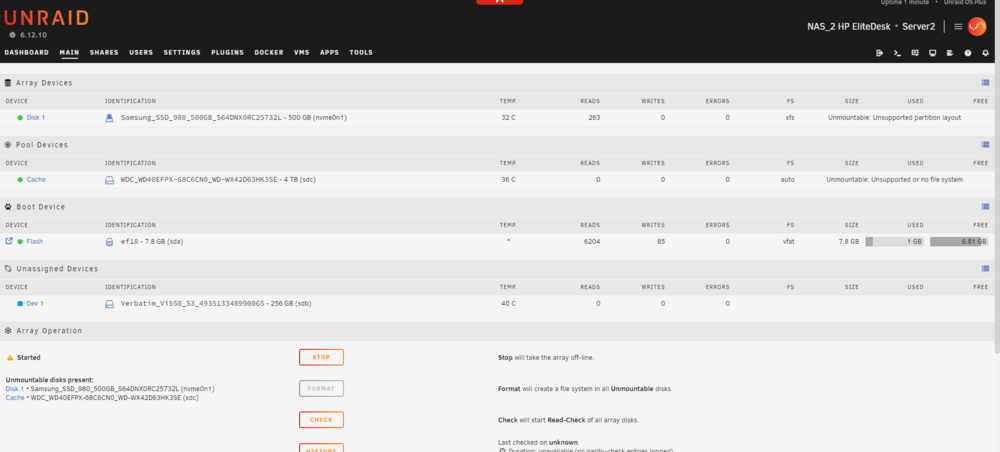
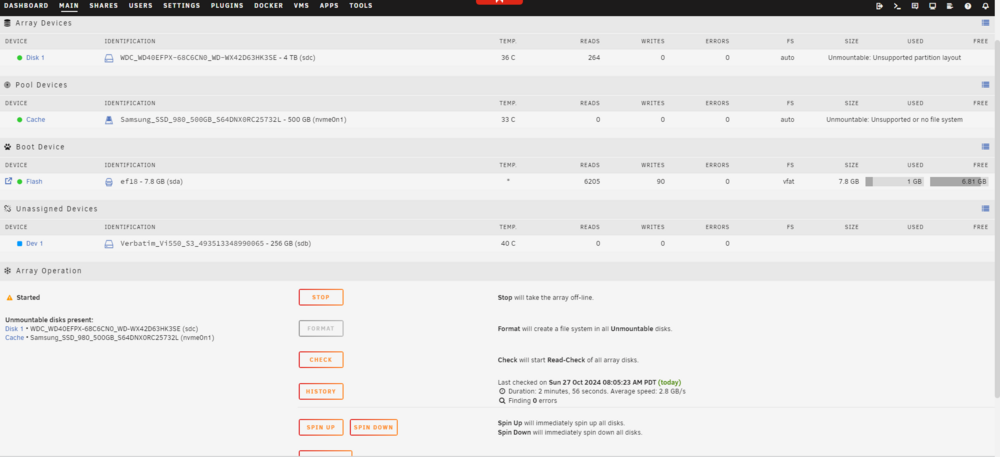
Hello, As recommended, I attempted to format the drives via the Unraid GUI, but the Format button remains grayed out (see attached screenshot). The drives show as "Unmountable: Unsupported partition layout," which prevents me from formatting them through the GUI. Since I can't upgrade my current version (6.12.10) to 6.12.13 due to the one-year limit on updates, I also tried using a trial USB key with version 6.12.13 (latest stable), but encountered the same issue. Here are the steps I've taken to try to resolve the problem: Partition wipe: I used wipefs -a and sgdisk --zap-all on each drive to remove all existing partitions and filesystem signatures. Reboot: Restarted the Unraid server to have the drives detected as blank. Manual formatting: Manually formatted the drives to XFS to try to make them compatible with Unraid. Multiple drives tested: I also tried with another Verbatim 256 GB SSD I had on hand and attempted adding each drive one at a time, but the "Unmountable: Unsupported partition layout" message and grayed-out Format button persist. Despite these efforts, Unraid still does not recognize the drives correctly. Do you have any further suggestions to help resolve this issue? Thank you for your assistance. server2-diagnostics-20241027-1649.zip
-
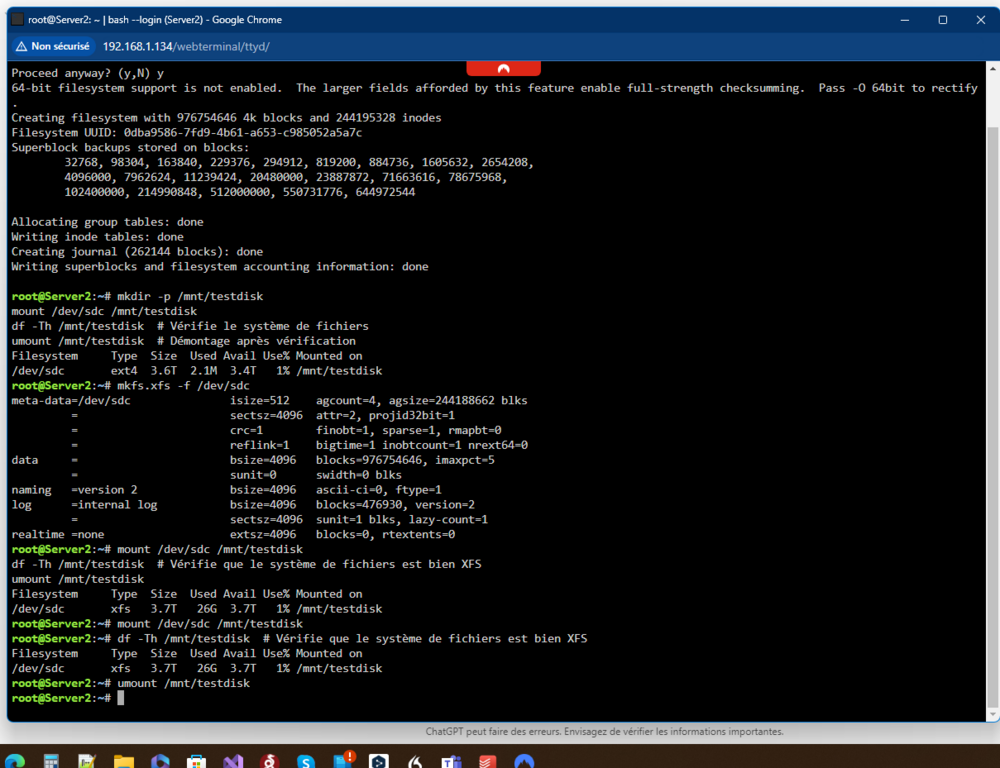
Hello Unraid Community, I'm currently setting up Unraid on an HP EliteDesk for testing and am encountering a critical issue with two of my drives. I have a 4TB HDD and a 1TB NVMe SSD (intended as a cache drive), but both drives are consistently showing up as “Unmountable: Unsupported Partition Layout” when added to the Unraid array. Setup Information: Unraid Version: 6.12.10 Hardware: HP EliteDesk with a 4TB HDD and 1TB NVMe SSD License: Valid Unraid license Issue Description: Upon adding both drives to the array, they appear as “Unmountable: Unsupported Partition Layout.” Despite numerous attempts to reset, format, and re-partition the drives, I have not been able to get them recognized in the array. Here’s what I’ve tried: Steps Taken: Disk Reset and Partitioning: Used wipefs -a and dd commands to clear any previous partition tables and metadata on each drive. Created new partitions with mkfs.xfs. I can mount and unmount the drives successfully outside Unraid, but in the array, they still show as “Unsupported Partition Layout.” Formatting Attempts: Tried formatting each disk to ext4, created directories, and successfully mounted/unmounted them on the Linux system. Reformatted to XFS as required, but Unraid continues to display them as “Unmountable.” Unraid Formatting Attempts: After clearing the disks, I added them to the array in Unraid, attempting formatting directly from the Unraid interface. Still, the disks remain unmountable with the same error. I’m attaching diagnostics logs and screenshots for further context. Request: Could someone help me troubleshoot or advise on additional steps to make these drives compatible with Unraid's array? I’m completely blocked by this issue and unable to proceed with testing. Thank you in advance for your assistance! server2-diagnostics-20241027-0240.zip Attachments: Diagnostics logs Screenshots of the Array and Error Messages Best regards, Most