Antony
Members
-
Joined
-
Last visited
-
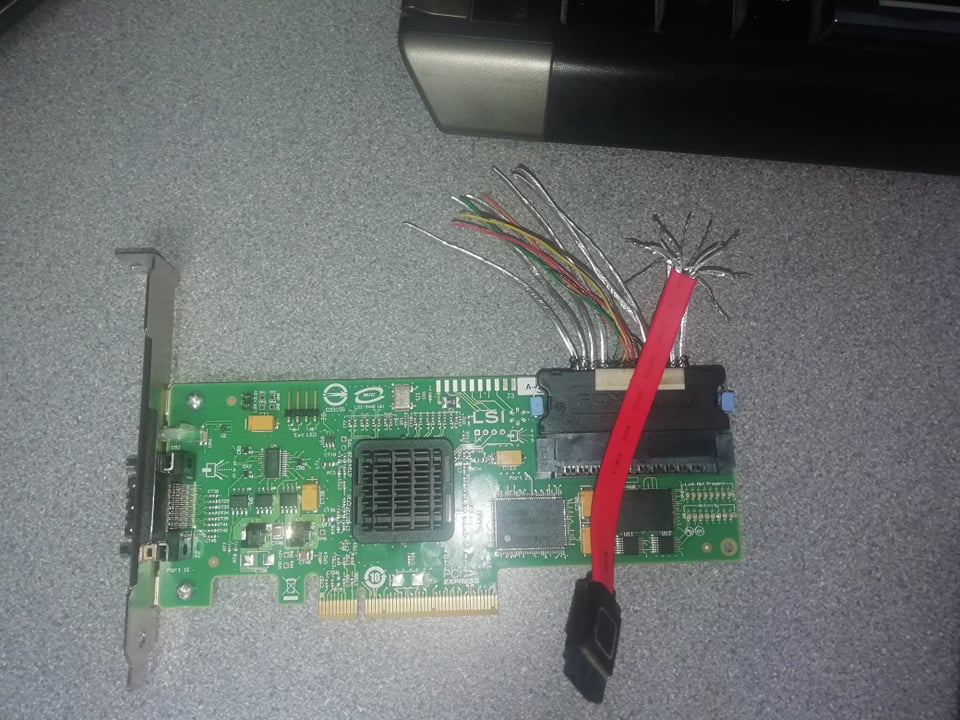
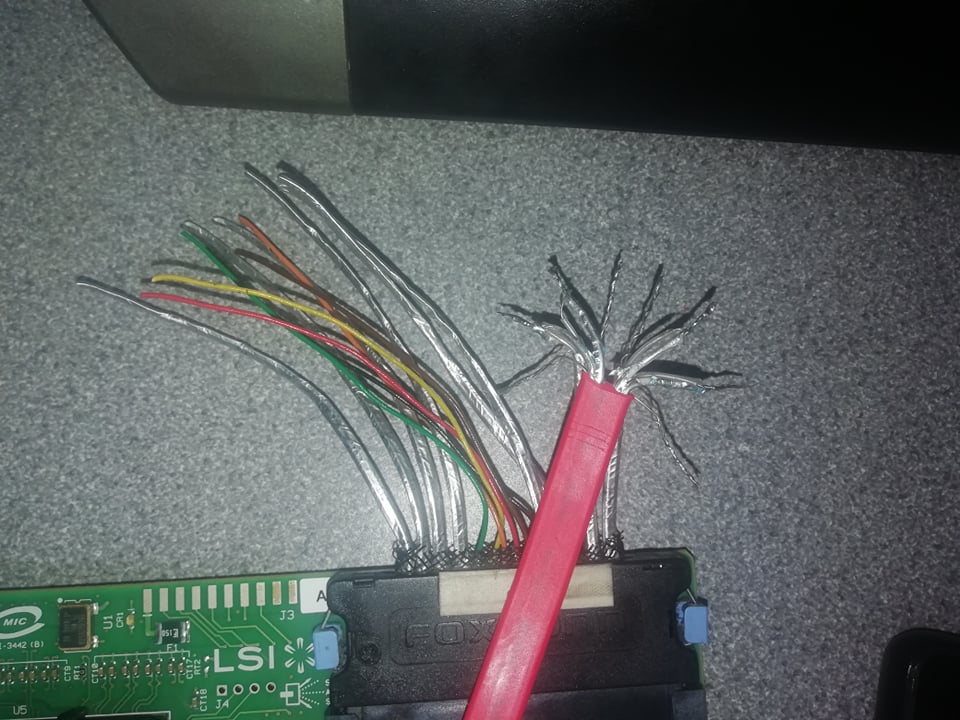
Hi everyone, I have loads of old SAS drives from my servers. I want to look at them, wipe them, etc. I thought it would be a good idea to buy a controller, fit it to my PC and just connect the drives! That simple! So, I have the card above - LSI 3442E-HP (SAS1068E-B3). After about 3 days of fiddling around, I finally worked out how to flash IT mode onto it. It has two interfaces, one of which is SFF-8484. My SAS drives have an SFF-8482 connection. I looked for a cable, but they all seem stupidly expensive. Upon closer inspection, it seems that the wiring is the same as SATA. SFF-8484 is 4 channels of 2 pairs... RX+, RX-, TX+, TX- and 4 ground wires. So, I spliced a cable together and soldered it up. I had a SAS to SATA converter lying around, so I pushed that into the SAS drive to convert the connection. I supplied power, and the drive LED glows, but the drive won't show up. Neither will a SATA drive for that matter. I've double-checked my wiring and it looks fine (apart from the backplane wires). Why won't drives show up in the configuration Control Panel? Thanks, Antony...