MasterShihoChief
Members
-
Joined
-
Last visited
-
I just had to replace my usb stick for my unraid and ran into this as well. No DNS configuration seems to make a difference
-
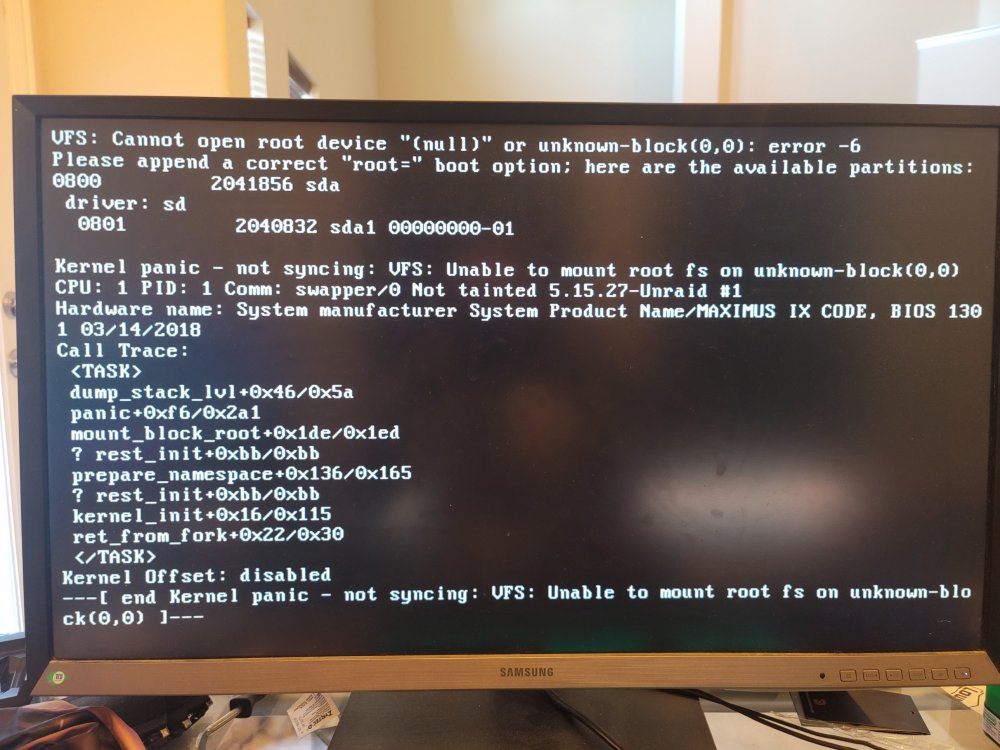
Hi there, I was using one of my docker services when my server hard locked. Since I have all my DNS go through a pihole, I knew immediately because everything stopped working. I tried to initiate a shutdown from Putty which didn't take, I tried the power button on the server, which did nothing as well. I had to finally pull the cord to shut it down. After hooking it up to a monitor I received this lovely attached Kernel Panic. This is very similar to I actually tried doing the same thing and setting root=sda in the config file. It just changed the null error to unknown sda instead. I've also tried replacing the usb stick completely with a backup I had. Same exact kernel panic. My most recent changes since last reboot was to fix some permissions on some of my shares. I have no logs, it looks like they never wrote and just crashed out. I'm hoping to get some advice on this. Im not even sure my data is intact as safe mode doesn't even list any of the drives so i can mount them. The BIOS does have them listed at least. Was using Unraid Version 6.10.0-rc3 Tried 6.9.2 on a separate usb stick Equipment: Core i5, Nvidia 1070 16gb RAM