Zedflix
Members
-
Joined
-
UPDATE: I found a workaround for my case. Here is what I did, in case anyone else experiences this in the future: 1. Created a new pool called "temp" 2. Removed the drive that was causing issues from the cache pool, then added it to temp. Unraid asked if I wanted to start the array with the cache pool empty, and I said yes. (Note: I wasn't able to simply remove the drive from the cache pool and start the array previously, as I received the wrong pool error - the trick was to move it temporarily to a new pool). 3. When the array was started, there was an option to format the drive in the new pool. I did NOT do that, but instead stopped the array one again. 4. When the array was stopped, I removed the drive from the temp pool, and put it back into the cache pool. I was then able to start the array as normal. 5. Once I confirmed all was working, I deleted the cache pool. This seems to me like a bug. I'm glad it was fairly straightforward to resolve. I had previously been shrinking the cache pool size be removing drives (one at a time) in accordance with the steps outlined in the FAQ. It had been working well, until I happened to restart and encountered this issue. Hopefully this information is of use to someone. If there's a better process or workaround to deal with this kind of issue in future, please let me know.
-
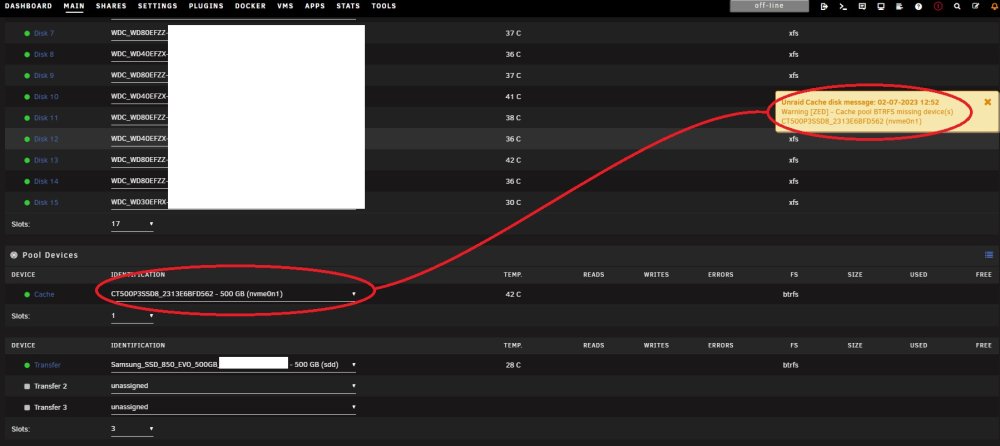
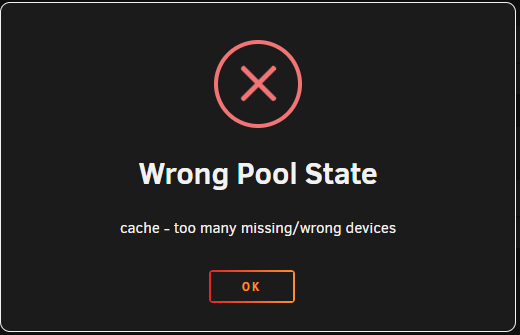
I have rebooted my server and am unable to start my array as my cache pool shows my cache device as "missing". The system shows a warning that the drive is missing, but it is definitely there in the pool. Array shows "Configuration Valid", but when I attempt to start, I get a Wrong Pool State error (see screenshots). Is there a workaround for this issue as I am unable to start my array? zed-diagnostics-20230702-1257.zip