arron9999
Members
-
Joined
-
Last visited
-
Is there anyway to tell what is a VIA chipset or not? I have checked through the Amazon listing and nothing was showing. Im concerned that it may happen again with the next one.
-
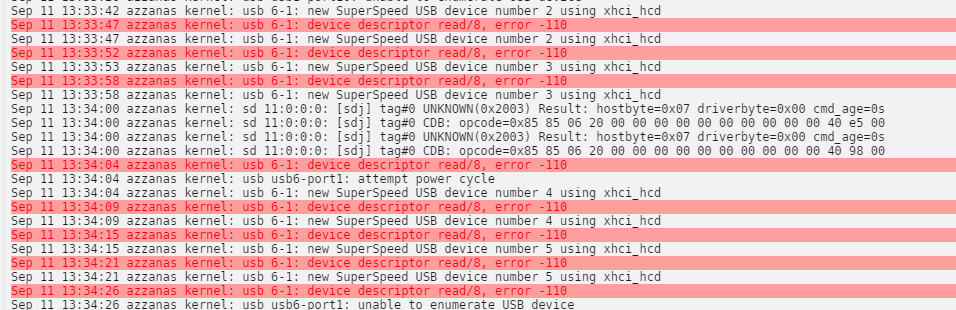
This is when i plug in the USB HD
-
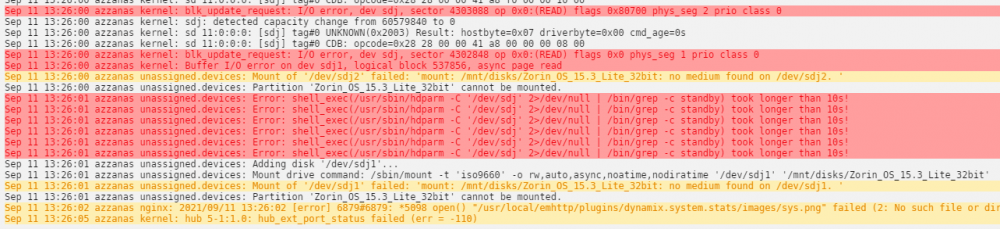
Hi everyone. I have been a Unraid user for a while not although still not 100% with how things work. I have recently bought a USB 3 Add in card as I am running with a combination of Sata and USB drives. I believe the add in card is being detected but nothing is showing in unassaigned drives. I have booted of a Live Flash drive into Zorin OS and this detectes the drive plugged into the controler without issues. This is the card i have bought https://www.amazon.co.uk/gp/product/B08LZDQ79D/ref=ppx_yo_dt_b_asin_title_o00_s00?ie=UTF8&psc=1 which i believe is [1106:3483] 05:00.0 USB controller: VIA Technologies, Inc. VL805/806 xHCI USB 3.0 Controller (rev 01) Bus 005 Device 001 Port 5-0 ID 1d6b:0002 Linux Foundation 2.0 root hub Bus 005 Device 002 Port 5-1 ID 2109:3431 VIA Labs, Inc. Hub Bus 006 Device 001 Port 6-0 ID 1d6b:0003 Linux Foundation 3.0 root hub When i refresh Unassigned drives this shows in the logs (Zorin OS is the flash drive) Any Help much appreciated. Arron