





timkelty
Members
-
Joined
-
Last visited
Everything posted by timkelty
-
@Squid Any other ideas to try is this doesn't work? I have all my volume mounts set to RW Slave, but a restore after power outtage always results in this: Unraid comes back online No matter how long I wait, when I log into Unraid, the NFS share will be unmounted, and the MOUNT button will be grayed out (FWIW, automount is enabled) 10s or so later, the MOUNT button will be orange, and I click it Now, in my containers, everywhere that is mounted (as RW Slave), I can cd into, but is empty. Once I restart the container, everything is back as expected.
-
@Squid Hmmm – I have the path set to Read/Write: Slave and I'm still seeing the behavior. Today I lost power and all my mounts are empty, and back when I restart the containers. Any other ideas?
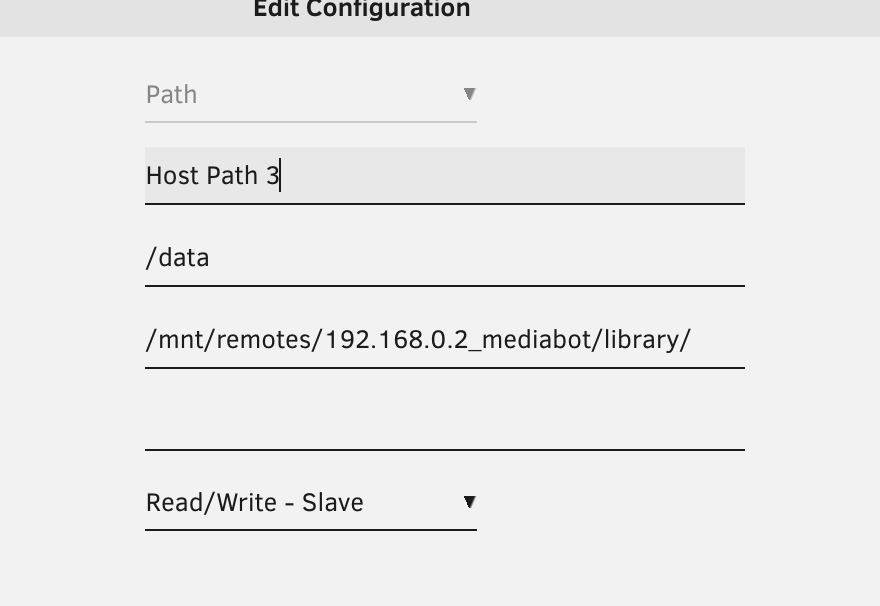
-
I just saw you your reply about this here, trying now. Thanks!
-
I have an NFS share via the Unassigned Devices plugin mounted at /mnt/remotes/192.168.0.2_mediabot It is set to automount. I also have docker containers (installed via Apps), using that as a bind mount, eg: /mnt/remotes/192.168.0.2_mediabot/library/ from the host/unraid is mounted to /data/ in the container. This all works fine, with one problem: If the NFS share unmounts/remounts (eg if that device restarts), it will be broken in the container until I restart the docker container. So, I'm looking for a way to either: - prevent the docker mount from breaking at all - automatically restart the container when the mount breaks - any other suggestions I suspect one approach that may work better is to actually use the docker nfs driver for the mount, rather than just relying on it being at that path on the host machine. I'm savvy with Docker, but less-so with unraid, and don't really know how to achieve that via the Docker container UI, so any tips are apprecaited.

