Funmonkey100
Members
-
Joined
-
Last visited
Everything posted by Funmonkey100
-
Just getting errors but everything is working ok.

-
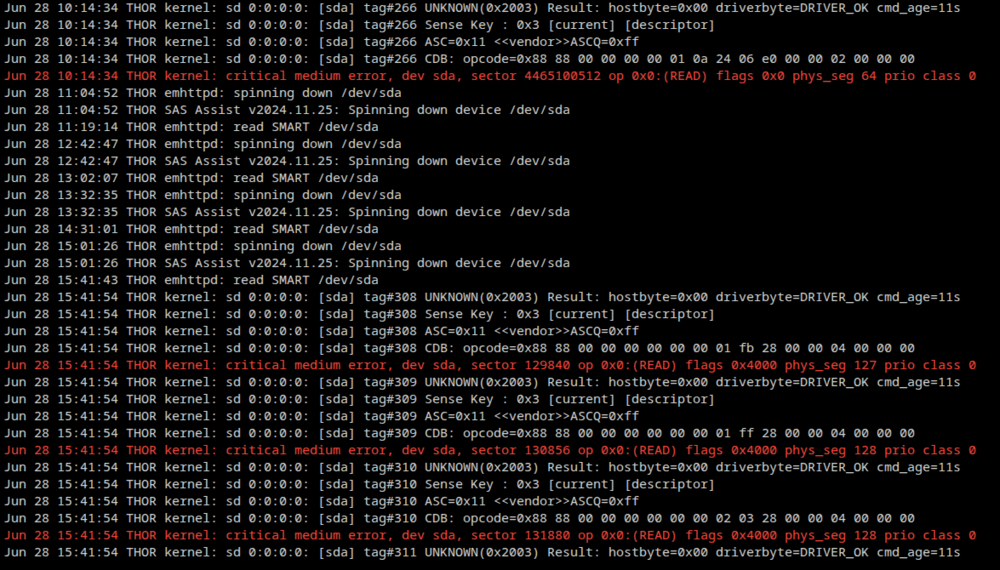
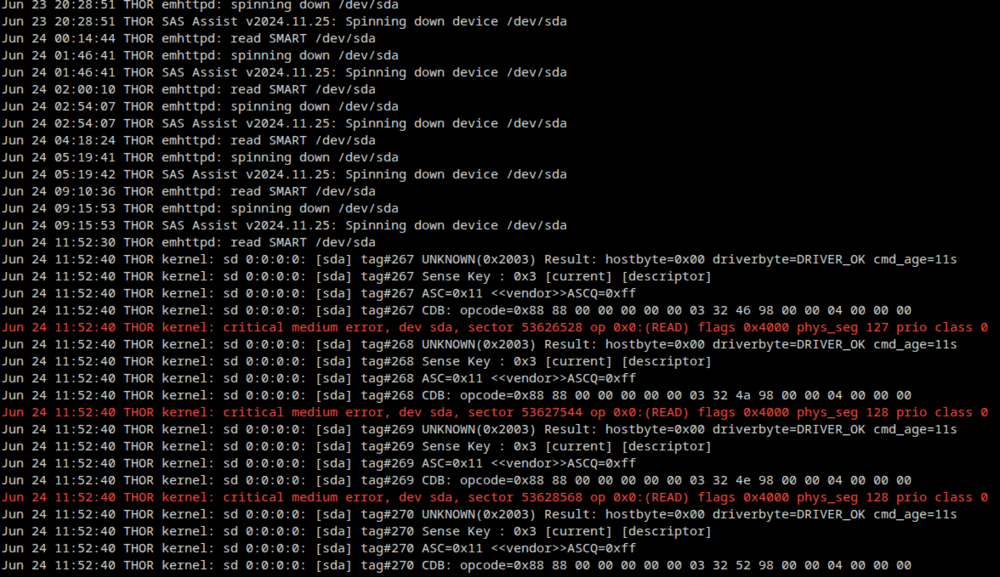
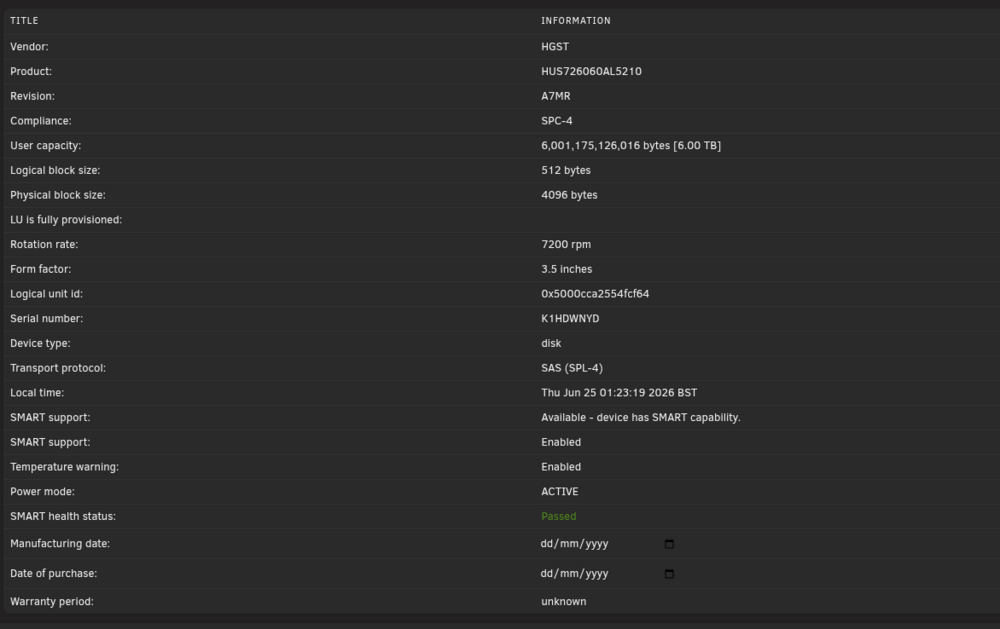
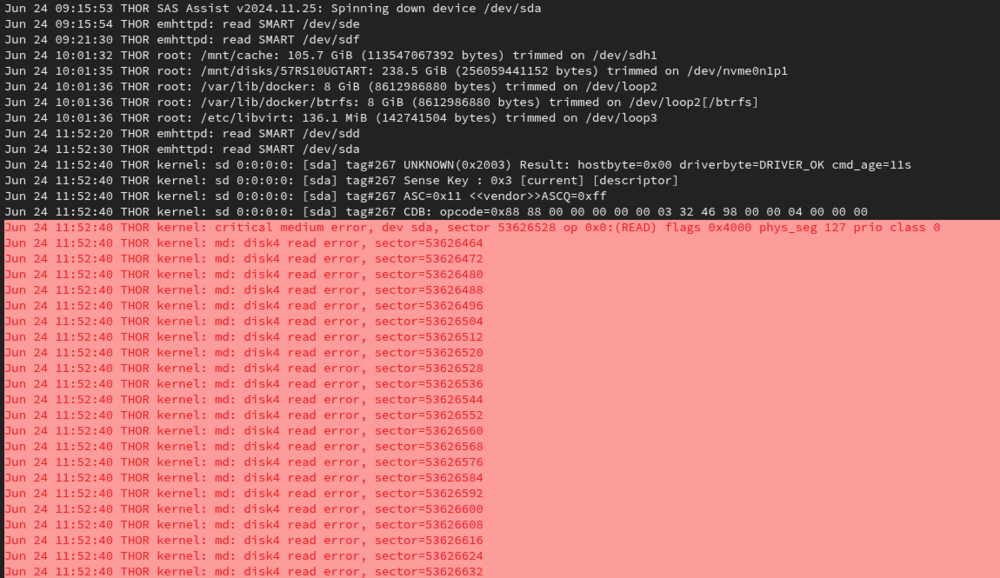
I have a SAS HUS726060AL5210 using the spin down it works. It spins up fine when I am using it and then spins down nicely but sometimes during some spin up's I get errors on unraid for that drive. Its some what random. If i try to reproduce the error I cant seem to by spinning it down and using something to spin it back up. E.g. Network Share/Plex/Manual all seems to work. Only thing I can see if it try's to run a smart test on the drive whilst its not spinning but some times its fine. Not 100% sure

-
After trying everything including removing any protection on it, I have found out that the firmware on the drive was the problem (7FA6) as it only works with a write and verify command, I will be getting a different SAS drive with a different firmware. Thanks for the help
-
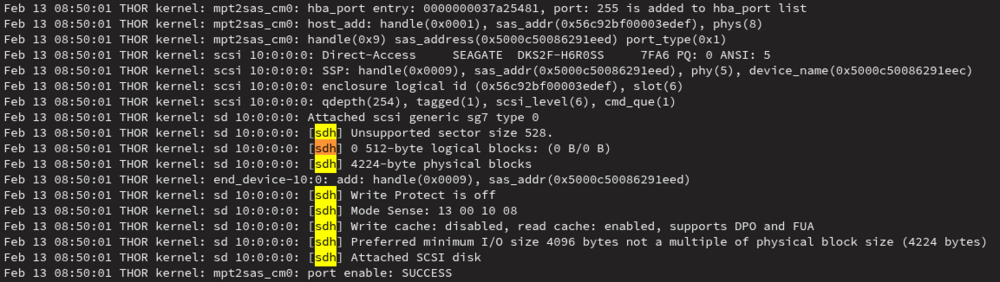
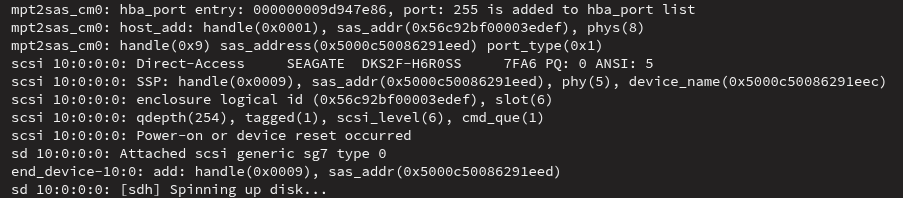
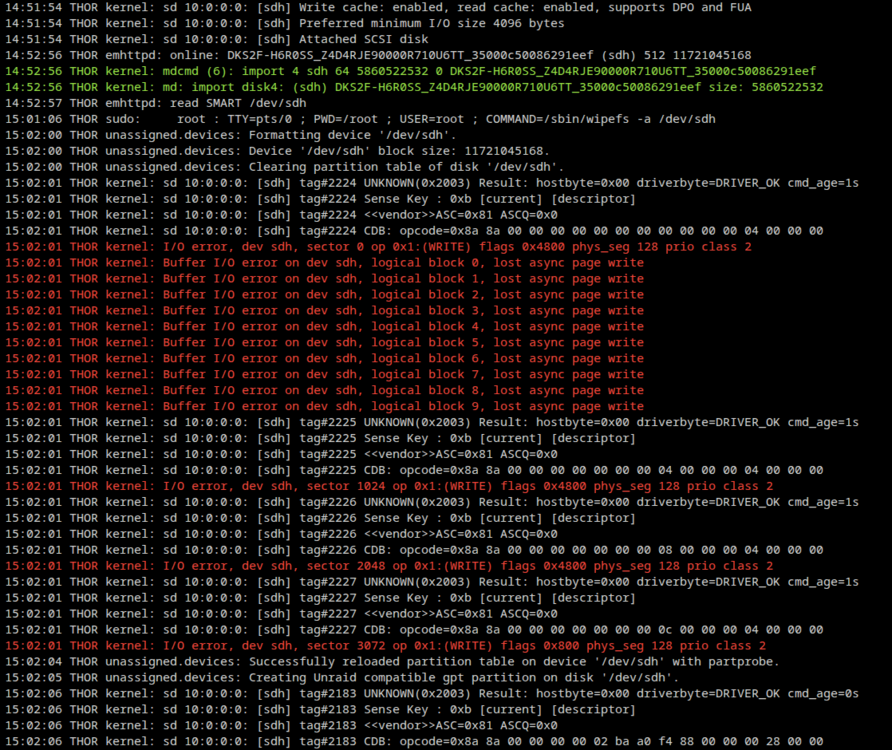
I have done a full format low level and fixed the sector size problem but i am still getting IO errors I have low levelled formatted the drive a few times but I cant get it to work. I have done 4096 blocks and 512 unraid can see the drive now. I have the zip below. Drive is still not mountable but can been seen. Commands I used to get it working sg_format --format --size=512 /dev/sg7 sudo ./setblocksize -b512 -t1440 /dev/sg7 <- This one actually corrected the block size thor-diagnostics-20260215-1518.zip

-
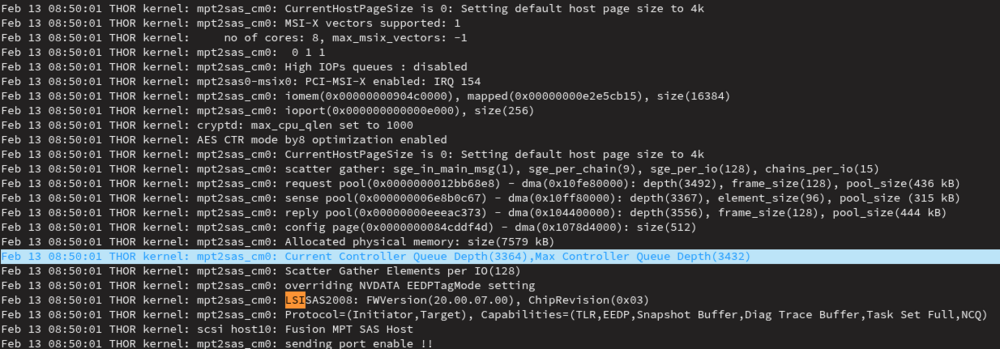
This hard drive is becoming a pain to get working it has no protection and I have formatted the Drive using sudo sg_format --format --size=4096 /dev/sdh and also 512 but i am having no luck I have decided to format it again with size=4096. Any one got experience on this drive and am I doing something wrong Update: If I use unraid to format I get an error saying IO error on further investigation I found it had a non standard block size. When I low level the HDD and set the correct block size it still won't take to the drive. That's using the included sg_format command in unraid.