





Xerv
Members
-
Joined
-
Last visited
-
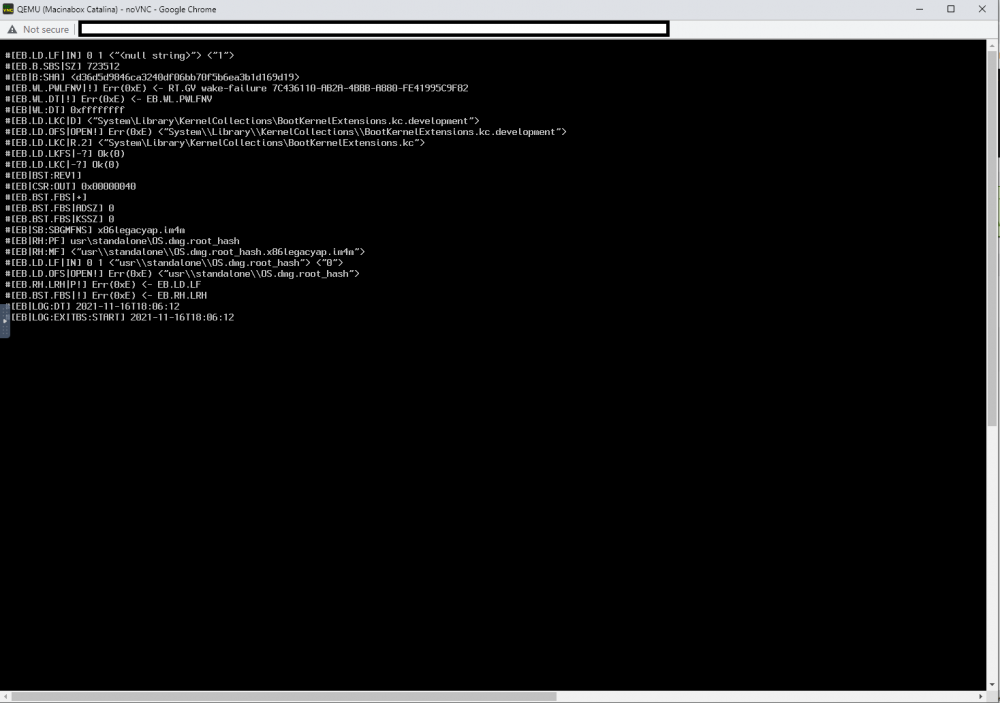
Hello, Thanks for taking the time to open my post. While running the VM generated by Macinabox I'm getting a strange error when I VNC into the VM. The log for the VM is below: https://pastebin.com/Ygk9DCcE Still getting comfortable with Unraid and VMs so please bear with me if this is a super obvious problem haha. Thanks,

-
Okay looks like both issues are solved. To whoever runs into the same issue I'll share what worked for me below. 1) Tried different USB slots and different cables none of them worked. What did was leaving the cable plugged between the Unraid PC the UPS and power cycling the UPS off then on. Not sure if there was some weirdness in the UPS that was flushed away with a power cycle. 2) I tried normal reboots and unassigning/reassigning the drives and that didn't work. What did was: Stop the array, unassign all cache devices, turn off PC, remove SSDs, turn on PC, start array and turn off array after 10 seconds, turn off PC, install SSDs, turn on PC, both SSDs now show up and assign them to a cache, start array. No data lose. Please note what worked for me might not work for others.
-
I updated from 6.8.2 to 6.9.2 and it looks like I've run into some issues on reboot. 1) The UPS which had an uptime of 134 days is now not connecting after the update. 2) Previously I had 2x 1 TB nvmes setup in the cache, now there only displays 1 drive. First time posting to the forums so I'm not 100% what to do so so please let me know what additional info you need. I've attached the diagnostic as well as a screenshots of my FoxCommonProblems results and of the Pool Devices. I'm a beginner with Unraid so any advice would be greatly appreciated. Thanks dynaserver1-diagnostics-20211115-0756.zip




