





vannie78
Members
-
Joined
-
Last visited
Everything posted by vannie78
-
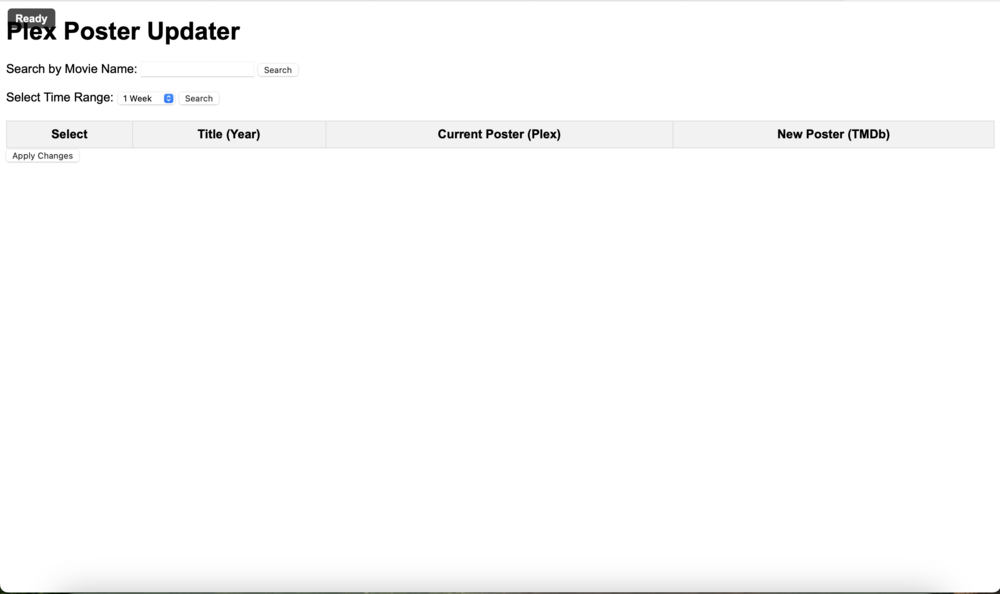
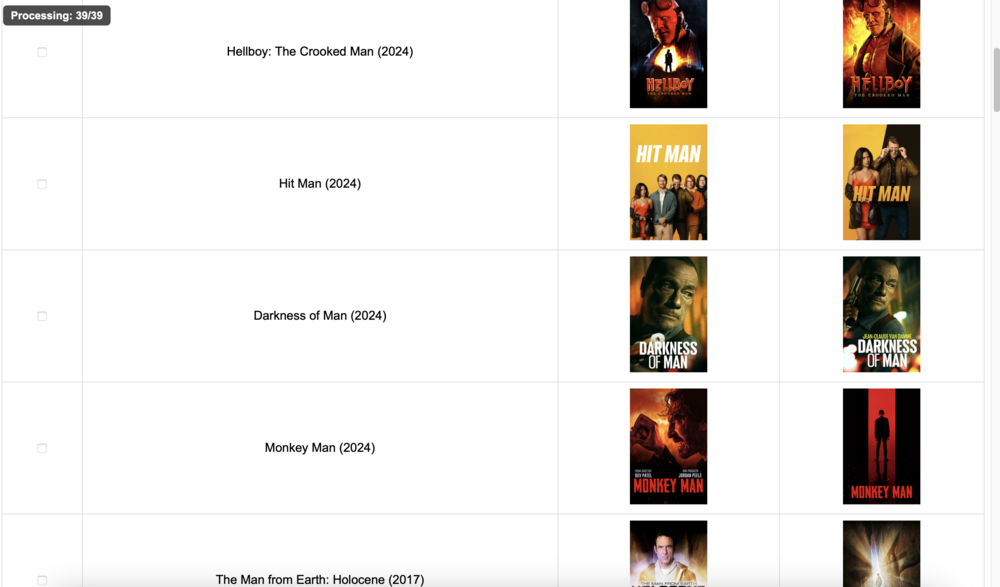
Hi guys, I'm George. have you been struggling with bad posters in Plex? I got fed up with having to manually change the posters and some scripts were difficult to follow so I created this tool help with the managing of it. Please feel free to ping me with any questions you might have. How to use: 1. Install from Community applications. 2. You're going to need: 2.1. Your Plex API 2.2 a TMDB developer API When you're setting it up, point it to your Plex url (ex: 192.168.1.50:32400) 1. Input your API details for Plex and TMDB 2 Select what your movie library is called in Plex. Sometimes it's movies, mine is "Films". 3. It will default to port 5000, change this to what your need. Access via your IP address : 5000 You can search with either the text function, for example if you put "day" in it might return Groundhog Day, Independence Day, Glory Days..... OR You can select the time period. (Movies added in the last week, 2 weeks, 3 weeks. ) Keep in mind the more results you might get in search the slower the response will be. The select the tickbox next to the movies you want the posters to change for and hit "Apply changes" at the bottom. That's it! Hopefully this works for you. Kind Regards, George

-
Oh thanks! will replace the cable.
-
Enabled. Here is the larger syslog. syslog.zip
-
Just a note, it's fine until I start the array. Then I lose the network,
-
So I tried to use a service this morning and it looks like the server was unavailable. I had to do a hard restart to connect a keyboard and monitor. It's up and running, till I start the array. Then I see a Farewell message and my network connection goes down. Could you guys please help me figure it out? tower-diagnostics-20231117-0928.zip


