





Gunnar997
Members
-
Joined
-
Last visited
-
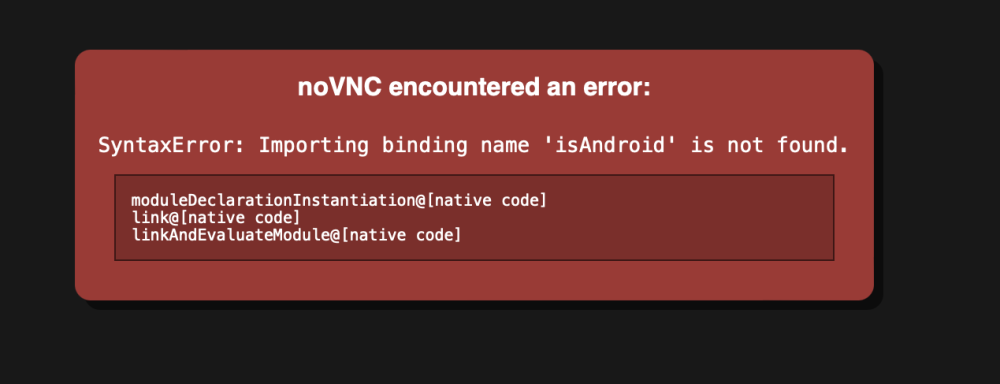
Running Binhex Krusader.. Haven't had any problems, but I recently had to reboot my system onto a new flash drive. All my other docker containers (and VMs) are running perfectly fine since the transition. Krusader isn't tho. When I attempt to go to the GUI it gives me the error in the photo. I have it setup as shown in SpaceInvaders video with no extra changes.. Should I just delete and restart? I am still fairly new, only been at this for less than a year so any advise is welcome.
-
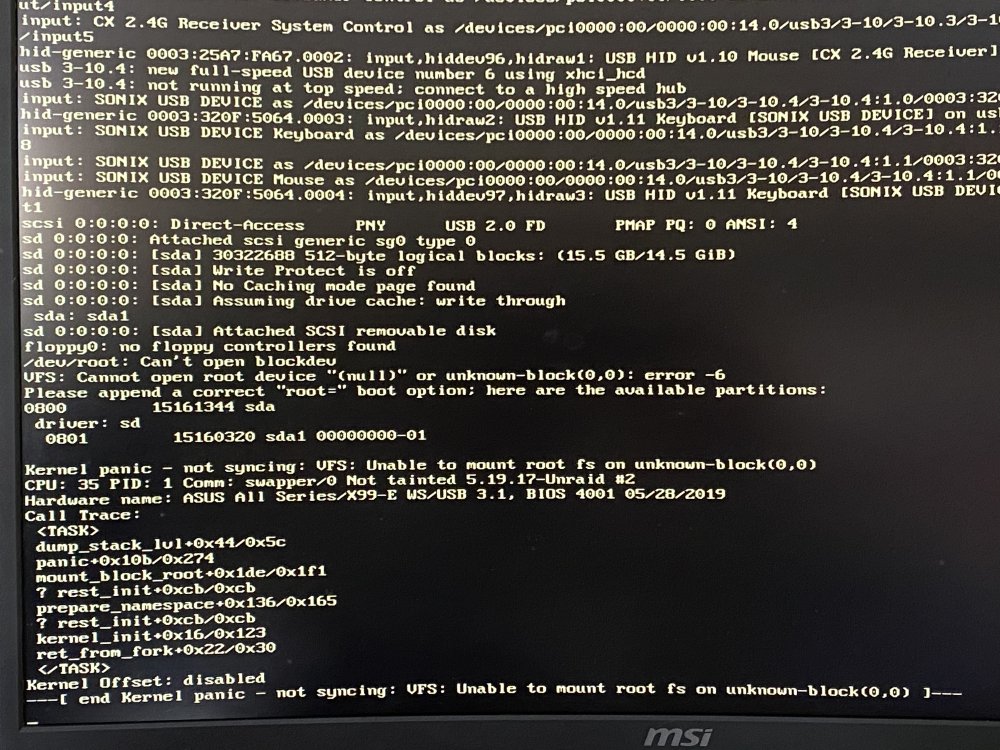
Turned off my server yesterday to upgrade my gpu so I could get encoding for Plex. Had a lot of issues. Finally got it to boot but now I am getting this message. Last line reads - “kernel offset disabled end kernel panic - not syncing: VFS: Unable to mount root fa on unknown-block(0,0)”
-
What do I need to change to make it not do that? I assume it has an effect on something, though I am not entirely sure what that is, still trying to learn how this all works.
-
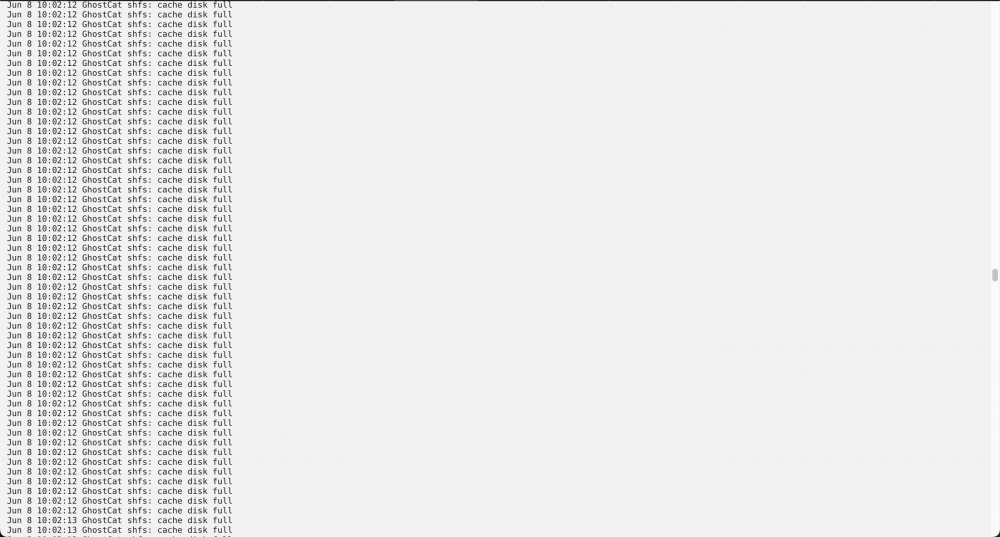
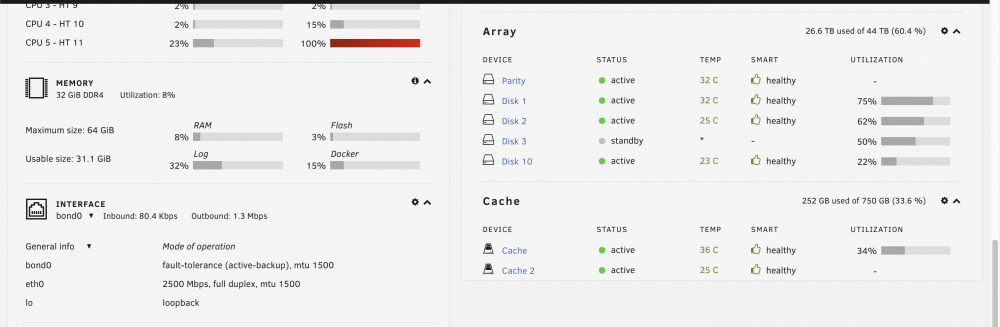
Log says cache disk is full... and it just keeps reading that.. its never ending.. but it isn't and I don't even have anything reading or writing to the array.
-
I am a photographer, trying to setup a server for remote access so I can backup files while out in the field away from home. This is the first time I have ever attempted anything like this so I really have next to no knowledge. I have followed the video from SpaceInvader - "The My Servers Plugin" I am at the point of setting up the port forwarding section and I just can't figure it out. He is using a Netgear Router in his video. I have an Apple Airport Extreme Router and the UI is very different from his setup. Anyone here ever setup the port forwarding on an airport extreme and have some photos of what my setup roughly should look like in the airport utility on a Mac? Thanks


