S0ulDrag0n
Members
-
Joined
-
Last visited
-
Hey Jorge, I get consistent speeds with turbo write enabled. This setting must have been enabled prior, but somehow got reset. The only recent event I could think of was an unclean shutdown during boot. I noticed the server name was reset, but nothing else had changed. If nothing else stands out to you, then I think I've finally gotten things in order. Thanks for your help!
-
Here you go. Two diagnostics of when copying a large file from the pool to array. One right after start and one in the middle when it slows down. sarva-diagnostics-20250102-1901.zip sarva-diagnostics-20250102-1902.zip
-
Found the issue. Somehow, another device stole the ip of the server.
-
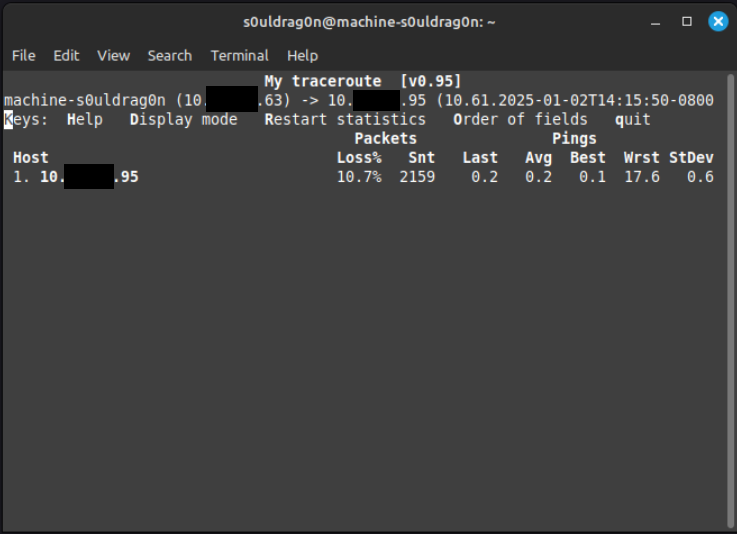
Getting lost packets when pinging another server on the network: This doesn't happen outside of the VM.
-
Thanks for your response Jorge. Please find the diagnostics taken during a large file transfer attached. The file transfer was of a 7.4GB file on a cache drive to another location on the same drive. It was also initiated through a share. I took two diagnostics: one at the start and one once it slowed down. I also took a third one since the second diagnostic was too close to the end of the file transfer while waiting for the first to finish. Something that also happened was that after the first file transfer, Unraid also locked up for several minutes and took awhile for the Web UI to respond. That was between the second and third diagnostics. This was never observed until now when I tried to get the diagnostics again. sarva-diagnostics-20250102-0947.zip sarva-diagnostics-20250102-0940.zip sarva-diagnostics-20250102-0939.zip
-
I've turned off my VMs and docker containers this time to see if I could capture a clearer picture. I was still able to reproduce the issue with everything off.
-
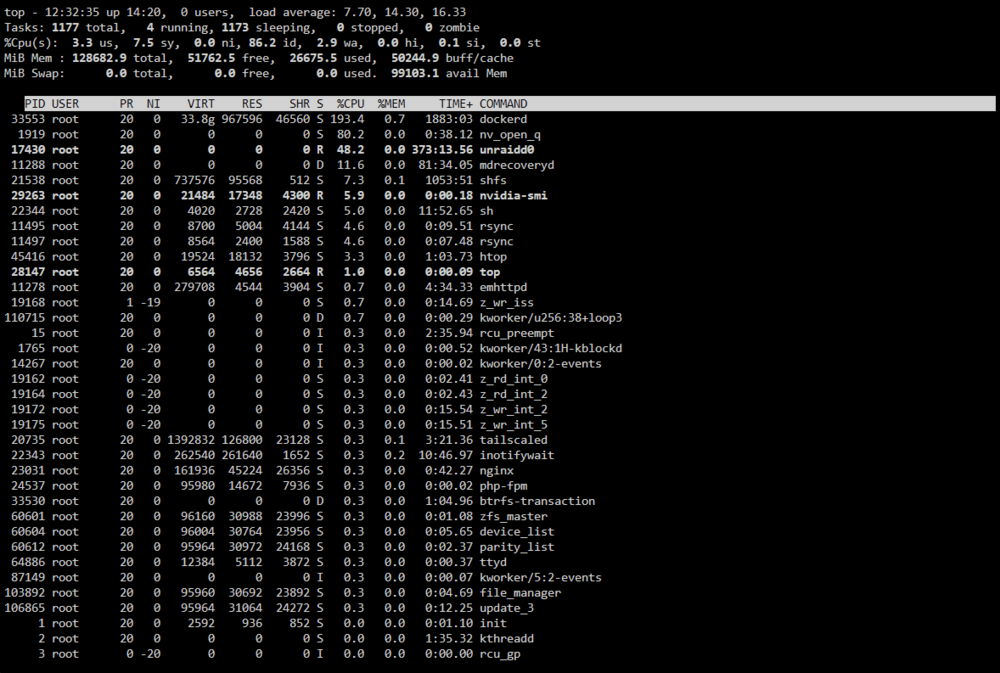
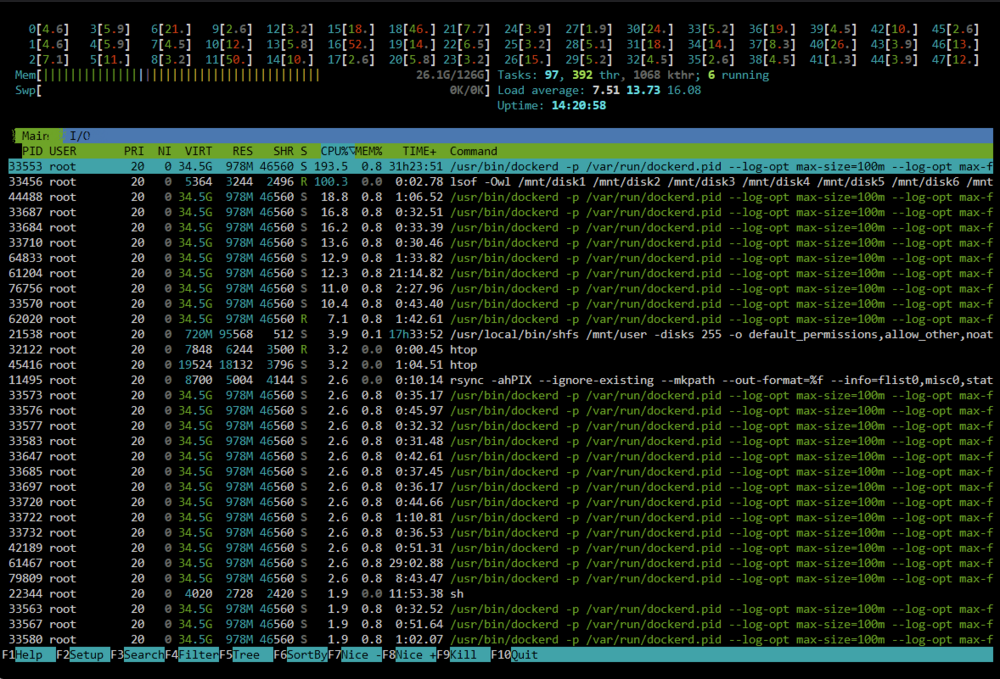
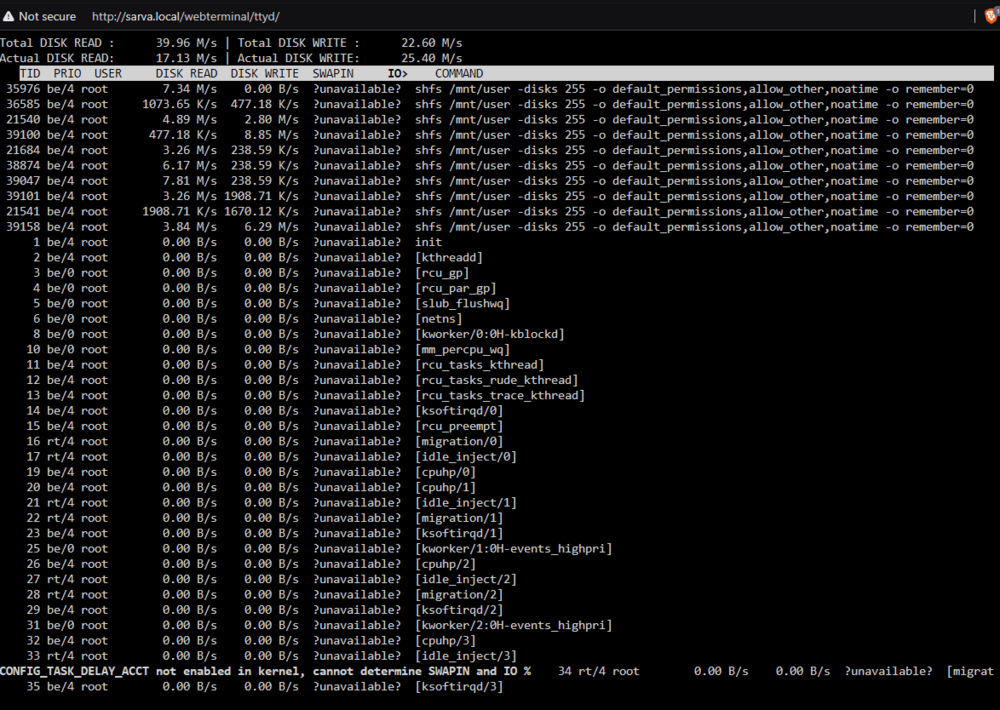
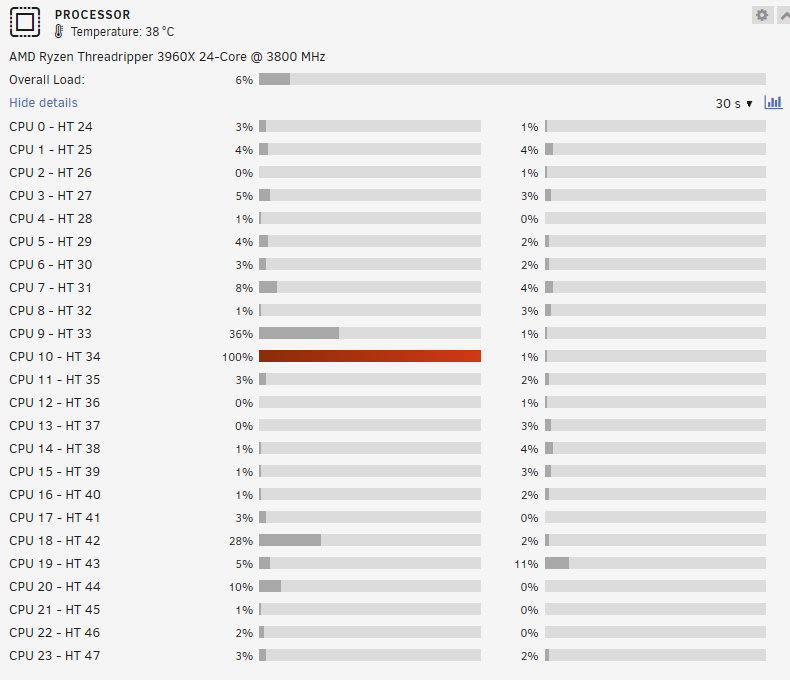
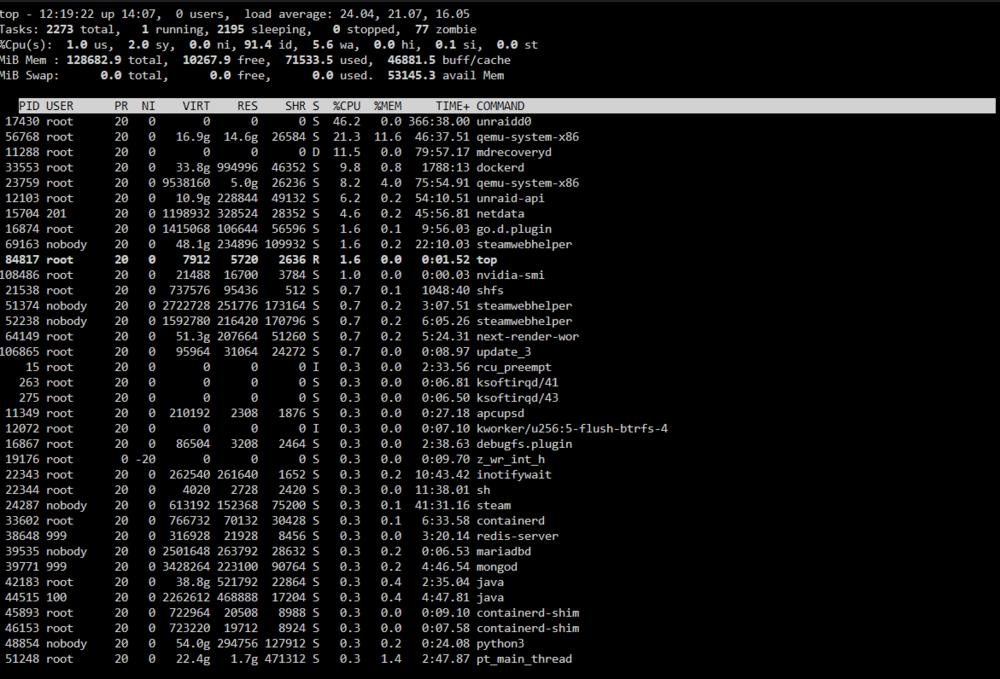
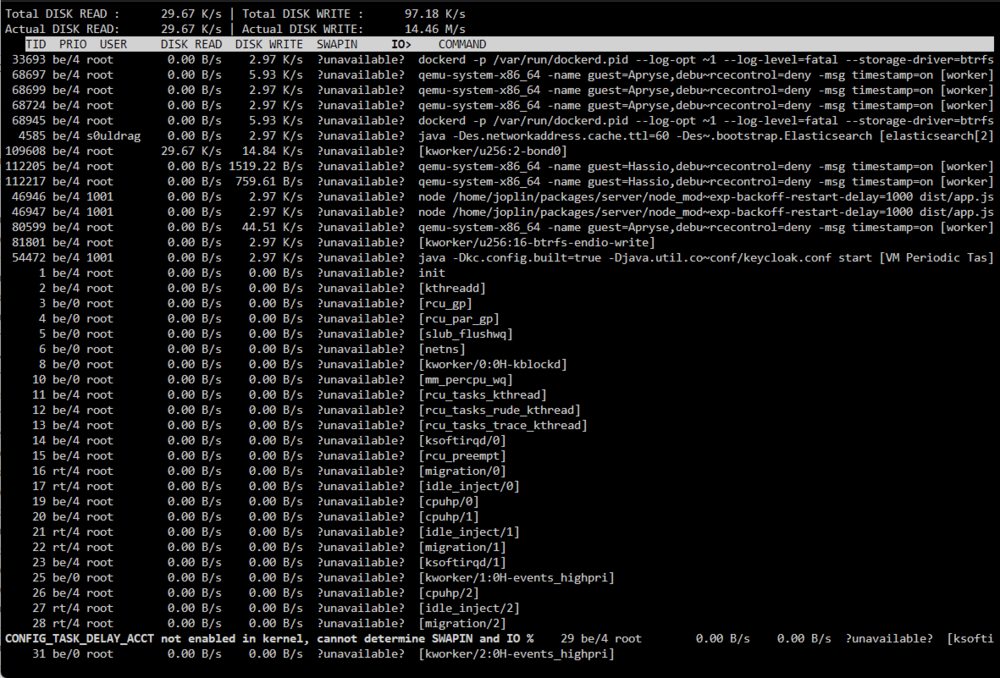
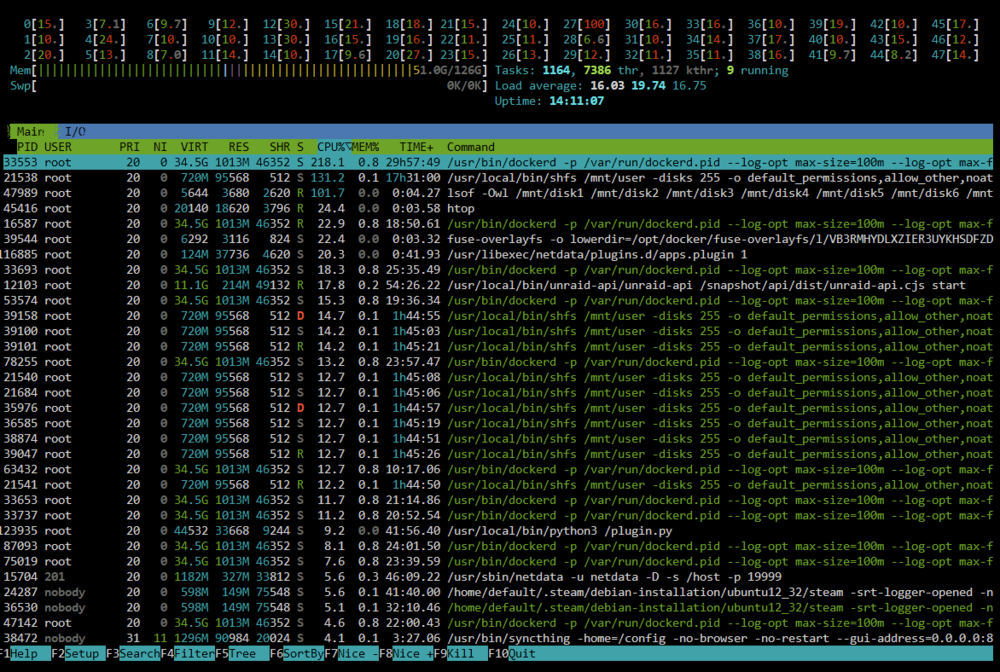
I am not so sure. I just tried copying a file from my zfs cache pool to another folder in the same pool. I saw the same behavior where it would start high 200-300mb/s then drop to 5-15mb/s. I did notice somthing this time since it got stuck under 500kb/s. One core stayed at 100% the whole time: I was able to reproduce this a few times. I've attached a few screenshots I tried to capture while this was happening from top, htop, and iotop.
-
Downgrading to 6.12.13 didn't resolve it.
-
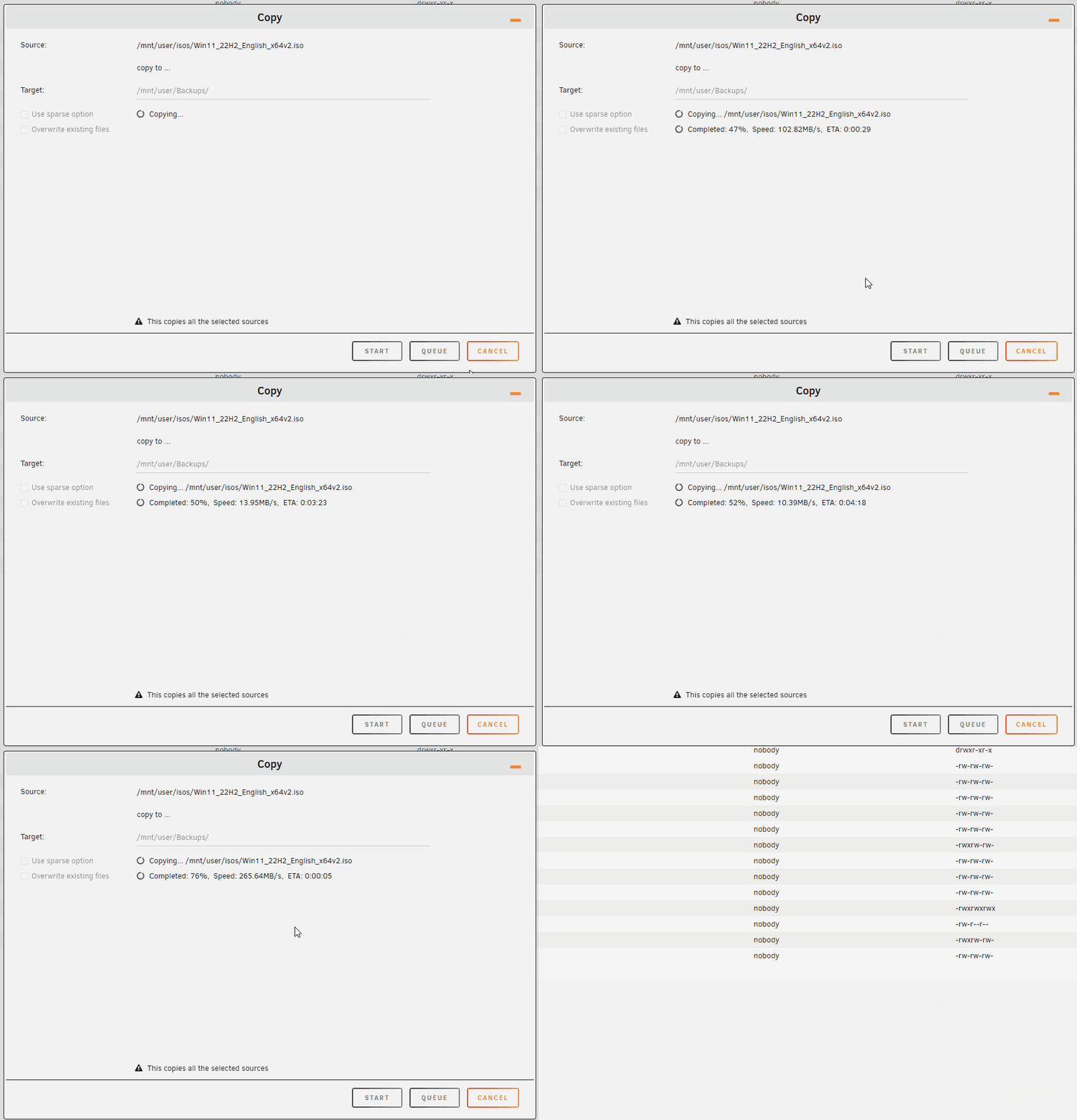
Previously, I had consistent transfers between disks in the array. They were about 200-250mb/s. However, after overcoming power issues, adding ZFS caches, and updating to 6.12.14, I've noticed that transferring files would start out fine, but then drop down to roughly 10-15mb/s, then pop back up after a short period of time. I don't recall this happening before, is there a cause someone could point me to? The diagnostics attached were taken during a file copy. To reproduce, I just copy a Windows ISO from an array share to another share on the array. Both are array only and do not touch the cache. All drives and SSDs (array and cache) are attached to a LSI 9300-16i SAS card. sarva-diagnostics-20241231-1250.zip
-
Just to update this topic. I think I found the issue, but I don't know the cause. It would appear my disks are operating strangely. When copying a 6GB ISO from one disk to another in the array, the speed would start at 250mb/s, then drop to 10mb/s, then increase back up to 250mb/s. This is strange as before it would maintain a consistant transfer speed. This is likely why occasionally plex streams will have low bitrate and perhaps the cause of why the VMs are unstable. When I run the live CD version in a VM, the downloads behave perfectly fine. Once I install it to a vdisk, then I get these errors. Could someone help troubleshoot this? I have attached the diagnostics taken during a file transfer for reference. sarva-diagnostics-20241231-1250.zip
-
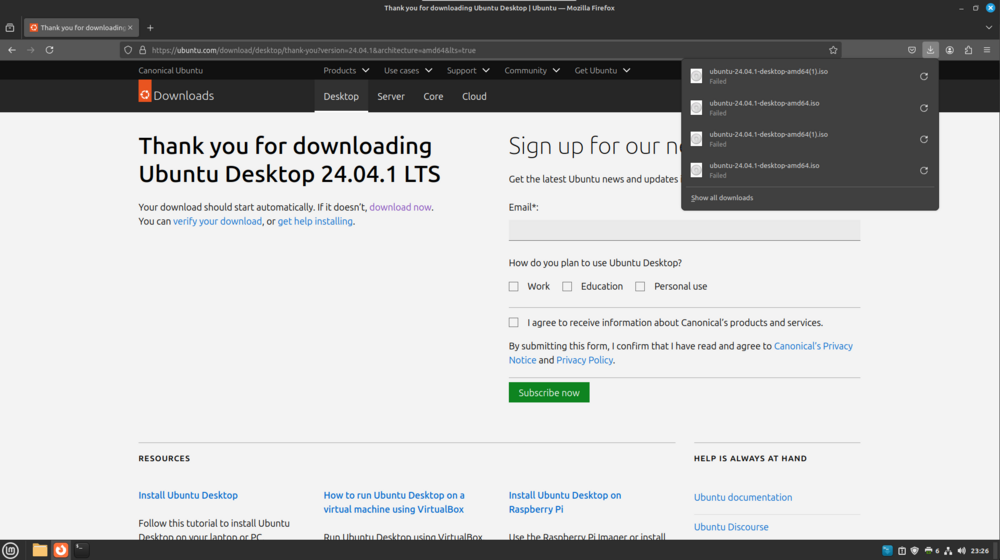
Hello! Merry Christmas, Happy Holidays, and Happy New Year to everyone! I recently overcame a power issue with my HDDs. I took the opportunity to change out my cache drives and move from btrfs to zfs. Everything moved correctly, except my VMs disappeared. I thought this wasn't a big issue since the vdisks were still there and proceeded to set it up. However, I noticed that a server I had running on one of the VMs was having issues with connections. It would occasionally lose it's connection with MariaDB (docker container). I thought it was the server application issue so I tried copying the latest installer (1.8g) to the VM, but it kept failing with a broken pipe error. I then tried downloading the Ubuntu ISO and it would consistently get a connection reset error. I thought this was strange and I tried a few things - Creating a fresh VM and downloading the Ubuntu ISO (ElementaryOS seemed to work but ZorinOS didn't work) - Running ping and mtr to check for packet loss - Bypassing Adguard home DNS - Deleting the libvirt.img file and letting it recreate itself again Nothing seemed to fix the issue. Everything else (networking wise) is working on the server. Just the VMs for some strange reason. sarva-diagnostics-20241228-2312.zip
-
Parity sync is done and it looks like it's stable. It seems like a power splitter I was using might be the cause. Not sure if it's just not capable of the power output or became faulty over time as this did not occur before when I had fewer low capacity drives. I do have a 450W secondary power supply powering all the drives now and will be switching other drives over slowly. Will keep you guys posted if something does happen.
-
Both my parity drives are 12tb, not sure if they're off by a bit. I did run into an issue with one of my parity drives which I've taken out for now. The issue I am having is mainly with one disk (disk2). It will error occasionally. I did notice something that I am not sure whether it is related. When it does error out, I can't rebuild immediately or it'll just run into an error again. I have to wipe it first. To make things go faster, I plugin my other Seagate 12tb drive to try and rebuild, while I wipe the one that errored on my desktop. I just write 0's to everything. The thing I noticed is after the error, the drive will typically not get detected immediately by my machine and tool. I have to unplug the device and plug it back in for the device to become recognized. This occurs on the drive I swap in when it errors out too. Both are the same brand and model. I think this was mentioned before. What I can try is directly hooking up the HDDs to my second power supply (which has more than enough capacity right now) and see if I run into the same issue. I will report back once parity is done rebuilding.

-
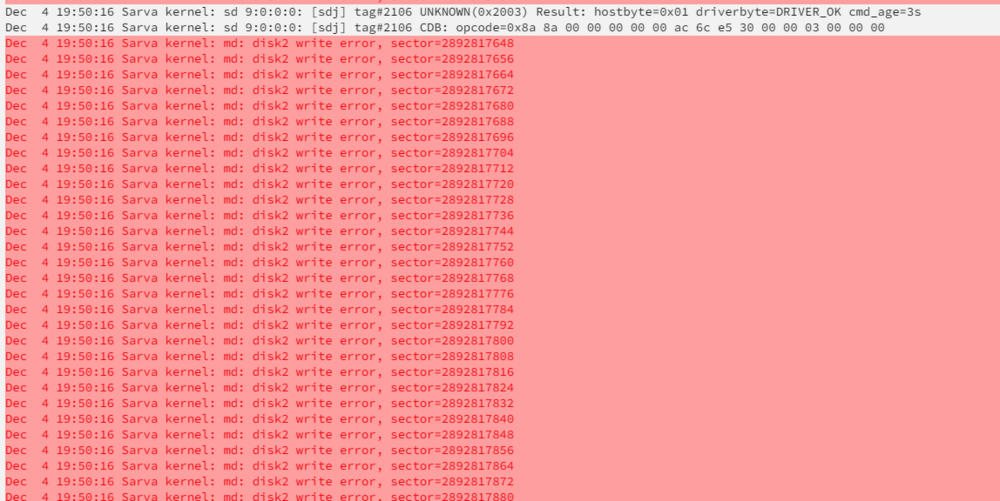
I have a few Seagate IronWolf drives (12tb) in my array (mostlyr HGST 4tb drives), but the Seagate drives keep running into parity issues. This is even after swapping for another LSI HBA 9300-16i card updated to the latest firmware. The server is running a Threadripper 3960x with 128gb of ddr4 ram (no-ecc). I would do an 18hour parity sync to rebuild, attempt to unbalance, and move files off the drive, but then ithe array would run into a parity error again on those Seagate drives. I see a lot of errors like this: This seems to happen on other Seagate drives I've plugged in. Some of which were only a few months old. Smart results report nothing. I've also wiped it on my PC and ran surface tests on it. They all report nothing wrong with the drives. Could there be something else at play here I am not seeing? sarva-diagnostics-20241204-2249.zip
-
Recently, my UPS battery kinda crapped out and left my disks in a strange place. One of my array disks would become invalid and I would have to rebuild it. This is ok, except part way through, my second parity drive would become disabled for some reason. I then rebuilt that and then my first parity drive became invalid too. I am not sure what is going on. I took my server offline and I am preclearing the second drive. My data is thankfully still there but I am afraid to bring up the server without parity. If anyone could give some insight into what's going on, that would be of great help. sarva-diagnostics-20240831-0011.zip