





cKone
Members
-
Joined
-
Last visited
Everything posted by cKone
-
That did the trick. Thank you very much indeed JorgeB
-
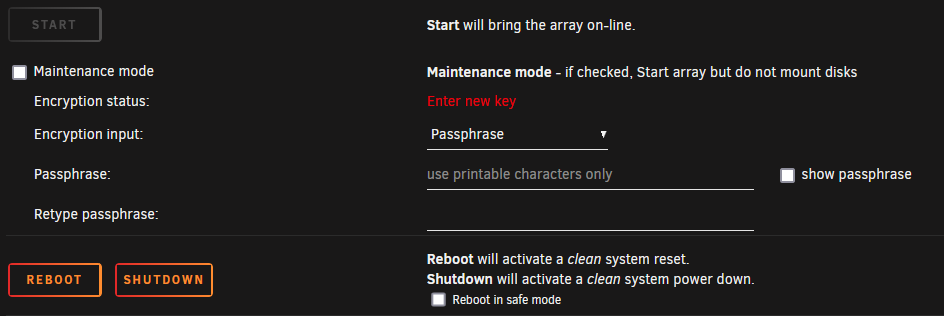
This is what it looks like with any slots-value other than 5:
-
I guess it seems that way because of how the pictures are displayed in this forum. If you click on the picture it gets displayed as a whole. I can assure you, that I become instantly unable to start up my array, once I change the Slots-number. This happens independent of whether I try to add another drive or leave the new slots unassigned.
-
Im still at a complete loss. How does Unraid behave in Your systems when you change the "Slots" amount? Are You able to start the array?
-
Thanks for the tip. Here it is (I'll also attach it to the OP)defiant-diagnostics-20220106-1916.zip
-
Hello everyone, first time poster here - please be gentle I purchased an unraid Plus license and built my first machine. I made an array with shares, which I populated with data from my 8 TB drive. So far everything works. I precleared said drive after I emptied it and now I want to add it to the array. However, once I change the "Slots" dropdown from 5 to 6 (or any other number), the start array button gets grayed out. (see screenshots). Rebooting didn't change anything. Can someone enlighten me as to how this "Slosts" thing works and how I can remedy my problem? Thanks in advance, Colin €dit: Heres the Diagnostics file: defiant-diagnostics-20220106-1916.zip
