betto95
Members
-
Joined
-
Last visited
-
Than you! I made 2 scripts, one that starts with array and stay in loop until my static ip can't be reached, so it stops some dockers, restart a vm and start the second script, that stays up until my static ip is up than it make the same thing but in reverse. Seems to work just fine
-
I have a static ip with my primary connection, I also have a backup connection that relies on lte and it's not unlimited. So I'm trying to figure out a way to stop some dockers when the primary connection is down, I think the easiest way is to write a script that checks the ip, so when it changes from the static one it shut down some dockers and when it's back up it restart those. I don't really know how to accomplish that I'd really appreciate any help, thanks
-
That solved it, thank you! I know that it could be something hardware related but I’ve tried swapping everything and the error was always there, the only thing that I’ve not tried is swapping mobo and cpu, but the error started randomly so idk. Anyway it’s solved atm so I’m happy lol
-
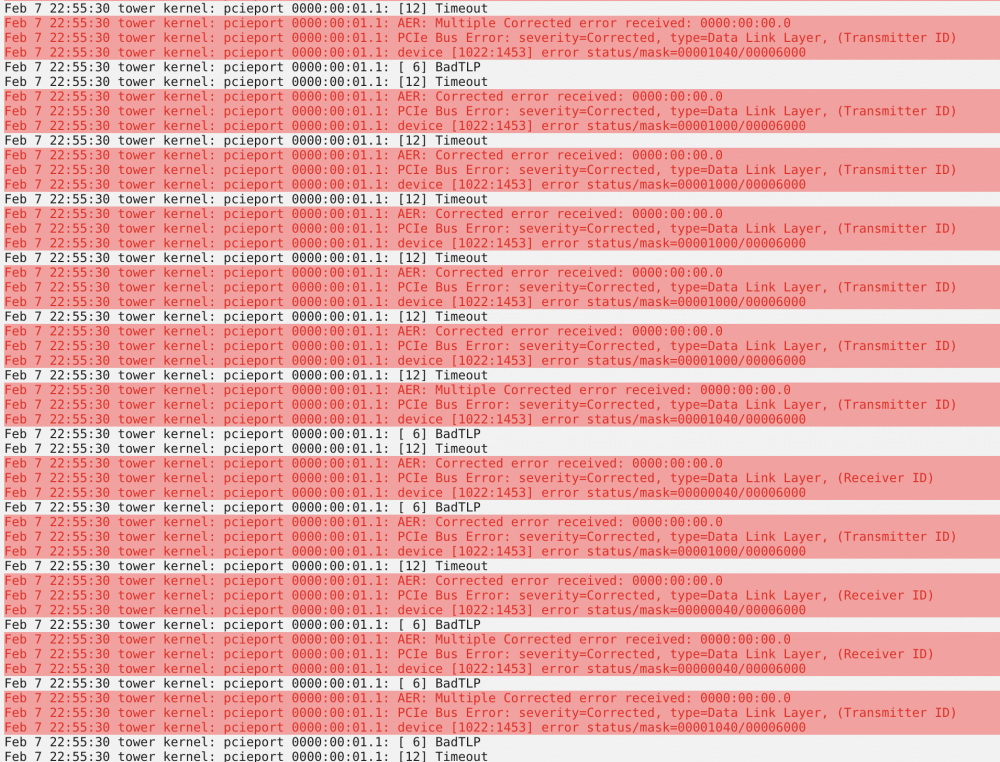
The syslog keep getting full of these errors, i've tried to add the pci=nommconf line but it bind a pool device to the vfio, i've tried swapping around the devices but it doesn't solve anything. I'm a newbie of UnRaid (also of terminal etc.) so maybe I'm doing something stupid, thanks for any help tower-diagnostics-20220207-2253.zip