





ddumont
Members
-
Joined
-
Last visited
Everything posted by ddumont
-
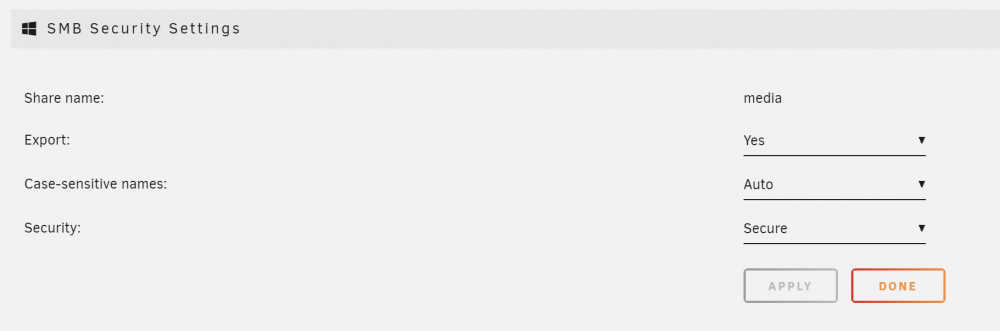
do you have the share set as secure? If not, I believe unraid allows guest access.
-
Yes it does, if it relies on openssl root certificates for things like connecting to the unraid app store thing. And downloading images for docker from public repos. update-ca-certificates is used to update the installed root ca's for the slackware install and anything else that uses openssl. No, absolutely not. I know how to do that. I'm runnning my own local CA for my home network. Inside unraid I'm running a container with dnsmasq to serve my domain addresses (on .home) I'm running a reverse proxy in a container to handle all ssl traffic to any other docker http endpoint. The reverse proxy is configured with a wildcard cert for my domain. I'm running a docker registry (inside docker... woohoo!) to serve my own custom docker images, over https (I would like to password protect this (it already is) but launching new containers from images there requires me to ssh into the unriad host and docker login. I have another forum post about that) ^-- this last one is where I ran into issues, because docker uses the root CAs of openssl to verify ssl connections, and it was not trusting my root CA. Not having perl installed (which is a dep of the openssl install unraid has, see: https://bugs.debian.org/cgi-bin/bugreport.cgi?bug=860254 ( i know it's debian and not slackware but it still applies )) breaks maintenance functionality of openssl. This would mean that I need to wait for a patch from unRaid guys to get new root certificates when there are new or changed ones (expirations, revocations, etc...) I know perl is big, but please don't remove it from the unraid images. Also, please make it easier to customize the root certs in unraid so i don't have to hack the init script to do this process on every boot....
-
I'd like to be able to store them with login creds so that they can be pulled from to check for updated images.
-
This is way harder than it needs to be. There's no /usr/local/share/ca-certificates directory which is the default for upgrade-ca-certificates Making that dir and placing my ca there Running upgrade-ca-certificates causes the certbundle to be deleted (because that's what the script does) and then it fails to construct the new bundle because perl is not on the system Download perl, install, re-run upgrade-ca-certificates with --fresh now and I have it installed. How do I get this to persist now? Can someone please add perl to the base os so that this stuff works?
-
I can't seem to get update-ca-certificates to take my ca cert, and when i reboot the folder no longer has it in there.
-
I had to turn off a feature of the host network. Then the use of Dnsmasq went away on the host. However I would like more flexibility on which nic I bind to when port forwarding
-
Yeah it would be great but the host (unRAID) binds Dnsmasq for a dhcp option for docker... On another interface. But unraid only does 0.0.0.0 portmaps, so it won't bind for me
-
hey so there's a dnsmasq server binding to an interface on the unraid box somewhere... annoying. I want to set up a bind9 dns docker image, and forward port 53 to it... but i cant specify the ip:port like you can in the docker cli docker run ... -p 192.186.1.2:53:0.0.0.0:53
-
The web config won't let me specify an ip to bind to (10.0.0.1:53 for example), the ':' is not allowed by the web ui. Where are these config kept on disk?
