





Cal
Members
-
Joined
-
Last visited
Everything posted by Cal
-
Thanks again for your help! I’ve done some initial testing and the problems I was having look to have been solved. Once I discovered the bad ram ( a place I never would have thought to look ) all the pieces fell into place as to the root cause that was flowing into the next causing all the issues.
-
Thanks so much for the help! Wait and see how everything goes but looks good so far. Out of curiosity are the read/writes of the pool drives meant to remain being the identical number as they are setup as raid 1. They always start out being the same from reboot but get out of sync.


-
The scrub results show no errors found.
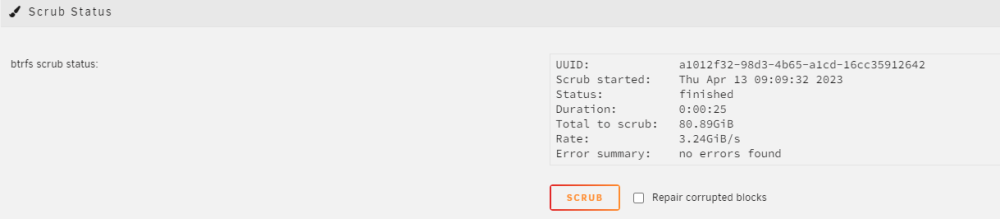
-
Ok so a memtest revealed bad ram, I've replaced that and rerun the memtest with a pass. I also wiped the cache and app_data drives I had and combined them into a parity cache. Please see the new diagnostic file zeus-diagnostics-20230412-2206.zip
-
Apologies this is the diagnostics file. zeus-diagnostics-20230411-0621.zip
-
HELP!!! When I copy files to the array cache some random files will not move to the array when the mover is run. These files can still be accessed and work perfectly fine they are just stuck on the cache and can’t be cut/copied from the cache the only way to remove them is to delete them. I have tried using krusader to move the files, windows smb shares nothing works once they are unmovable except to delete. I’ve changed the drive the config, fresh installed and file system btrfs to xfs and still the same issue. I’m at a loss to this issue. The only way this doesn’t happen is without the cache connected to the array. Which is a serious speed killer. PLEASE SOMEONE HELP!!
-
For whatever reason my unraid server cache won’t move random files to the array. I have 2 seperate cache drives set in parity (4 drives) and when files are put onto the cache drive for some reason randomly a file or two will then not be able to be moved off. The mover won’t move the files and they can’t be cut and pasted or coped to another location. Files still work on the cache but can only be deleted or left where they are. This issue happens randomly and doesn’t matter if it’s the cache that’s with the array or the other standalone cache that I have setup. I have formatted the drives and replaced them completely and still the same issue. The server worked as expected when first built and somewhere along the way this issue began relatively unnoticed as I only noticed once the cache drive began to fill up.



