APan79
Members
-
Joined
-
Last visited
Everything posted by APan79
-
Appreciate the response and this is a workaround i have considered. The odd thing is with dedicated nvme storage i would have thought that the performance would not suffer so much.. but apparently that is not correct. going to keep exploring this situation. Thanks for the response
-
I see a lot of views.. but no responses.. is this that advanced? haha
-
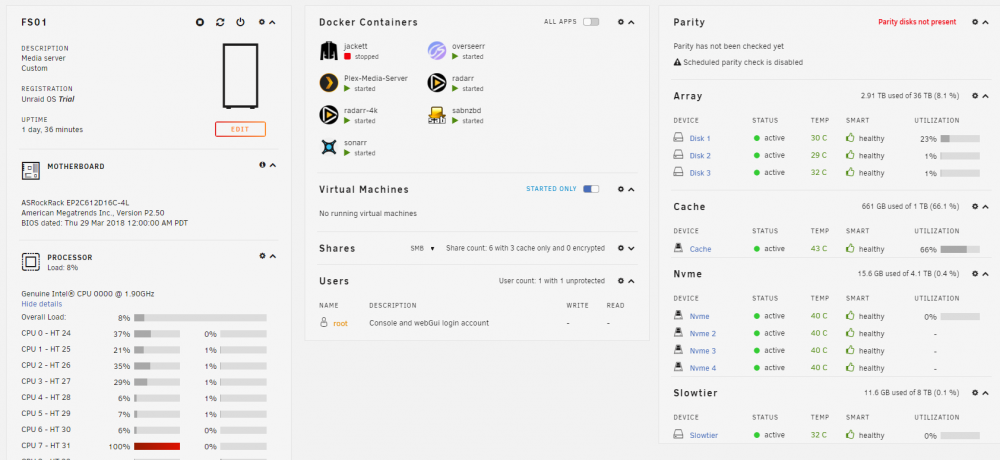
First post here.. so I am not sure what information to provide but ill start with server specs Dual Xeon 12 core 1.9ghz processors on an Asrock board. 64gb of ECC Mem... 1 NVME on board (1tb 4x pciee 3x)... 4 1tb NVME on an Asus M.2 x4 pci bifurcated card. 1 8tb WD Drive, 4 12tb Drives in an array ok so that should give you guys some solid information to start (btw 1 of my 12tb drives was DOA waiting on its replacement so im running without Parity for the moment) Primary use of this server is to host my media obviously.. Plex, and the rest.. and this works great. however I have a need for work centric Virtual machines that i would like to run on this server. I need to be able to easily run VPN without getting disconnected and have been spoiled by the hyper v enhanced session... So I have installed a Hyper-V 2019 server as a VM. This works ok... at best, but overall performance specifically disk performance is TERRIBLE! like Pata drive slow... I have the VM's set to run only on the NVME Raid 0 array of 4 nvme drives. Any ideas why this might be? overall everything seems ok performance wise other than disks.. Thanks