wultyc
Members
-
Joined
-
Last visited
-
I'll test it and post about it later
-
Ok, looks promising. I see even a few container names I've already deleted. Few questions you may be able to assist - is this file saved under the USB Drive to be persisted between boots? - is it safe to simply add values on this vale or there is any CLI tool from unraid to manage this file (I really don't want to break the system for something like this)
-
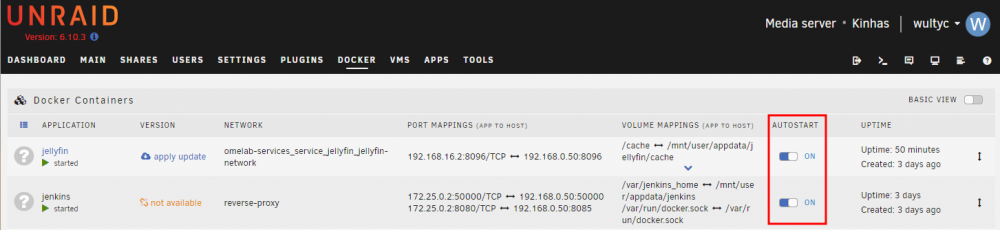
Hi all, I have an unRaid server I use for storage and to run some containers on my homelab. As part of my homelab I setup a Jenkins Server to automate the deploy process of some containers based using docker-compose. Everything is fine except the fact that the containers created from the CLI don't get the value of autostart flag as true I need to manually change this value after the deployment and this kinda fall apart the idea of automated deployment. Do you know if there is any way to change this value from the CLI (so I can add this step as part of my Jenkins pipeline) either from the docker command or a specific unraid cli?