Skip to content
View in the app

A better way to browse. Learn more.

Unraid

A full-screen app on your home screen with push notifications, badges and more.

To install this app on iOS and iPadOS
  1. Tap the Share icon in Safari
  2. Scroll the menu and tap Add to Home Screen.
  3. Tap Add in the top-right corner.
To install this app on Android
  1. Tap the 3-dot menu (⋮) in the top-right corner of the browser.
  2. Tap Add to Home screen or Install app.
  3. Confirm by tapping Install.

Yuzhi

Members
  • Joined

  • Last visited

Everything posted by Yuzhi

  1. Yeah, I tried. It doesn't work.
  2. syslog.txt vannuysstation-diagnostics-20220326-1327.zip
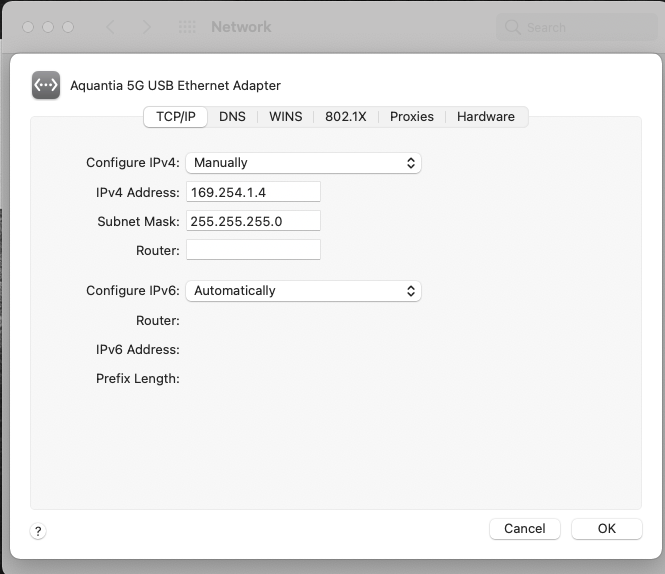
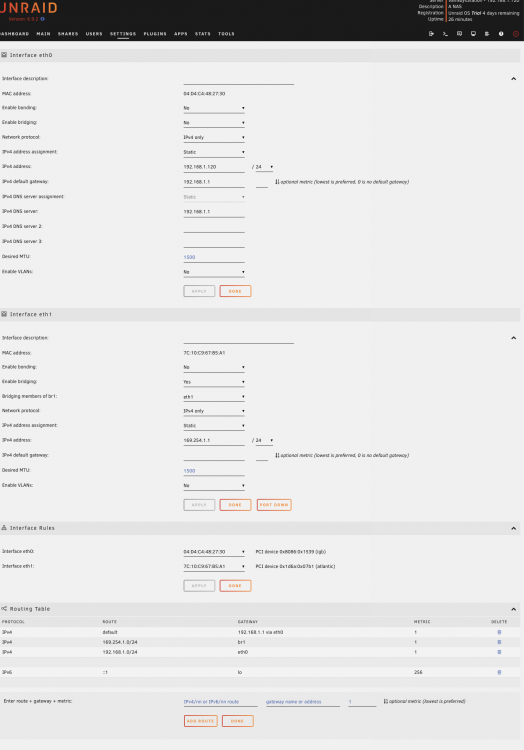
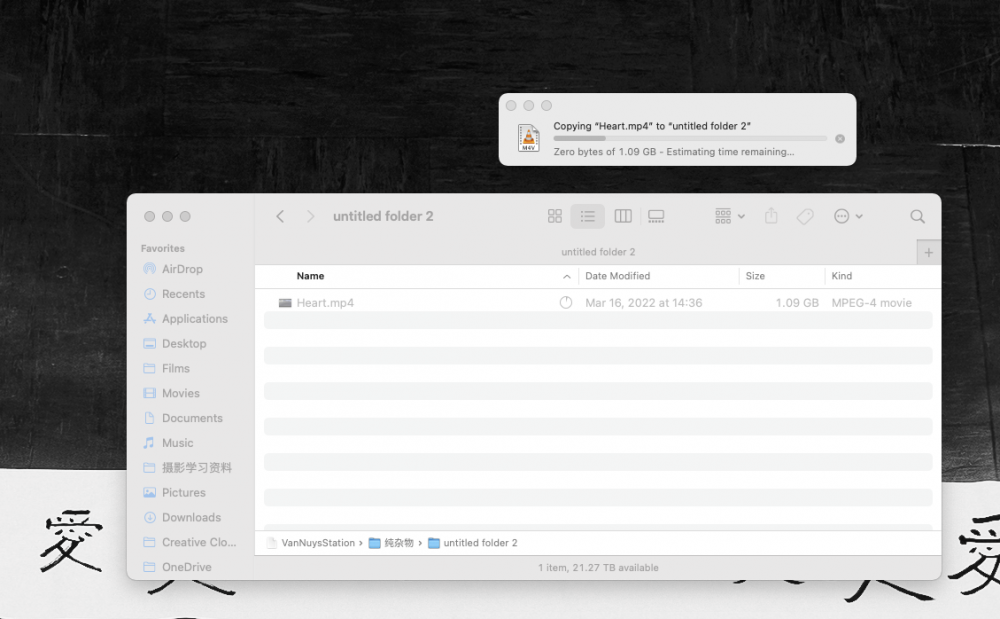
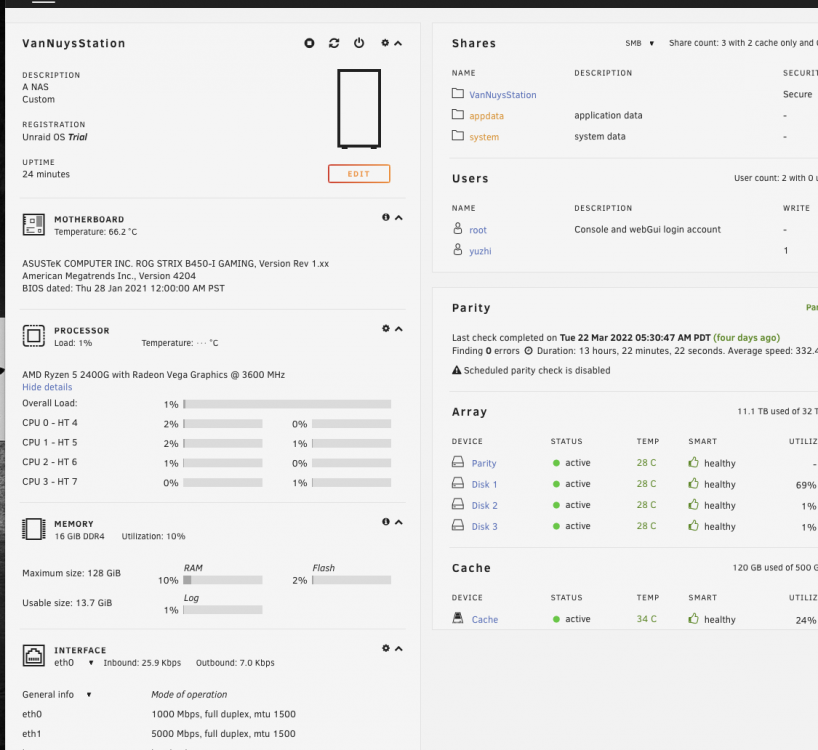
  3. I got a ASUS 10g RJ45 adapter in my NAS end, and I got a 5G USB-C RJ45 adapter in my computer end. I used the direct connect method that the Spaceinvader One uses. (setting up static IP address in both direct connect card) The setup in fully functionally under Windows 11, the speed is super fast. I can read the Array in MacOS but I cannot write anything. I use MacOS mostly, so unable to write make my life miserable. It will be very helpful if you can help me out! Thank you! vannuysstation-syslog-20220326-1601.zip
Account

Navigation

Search

Search

Configure browser push notifications

Chrome (Android)
  1. Tap the lock icon next to the address bar.
  2. Tap Permissions → Notifications.
  3. Adjust your preference.
Chrome (Desktop)
  1. Click the padlock icon in the address bar.
  2. Select Site settings.
  3. Find Notifications and adjust your preference.