





Aanonymouse
Members
-
Joined
-
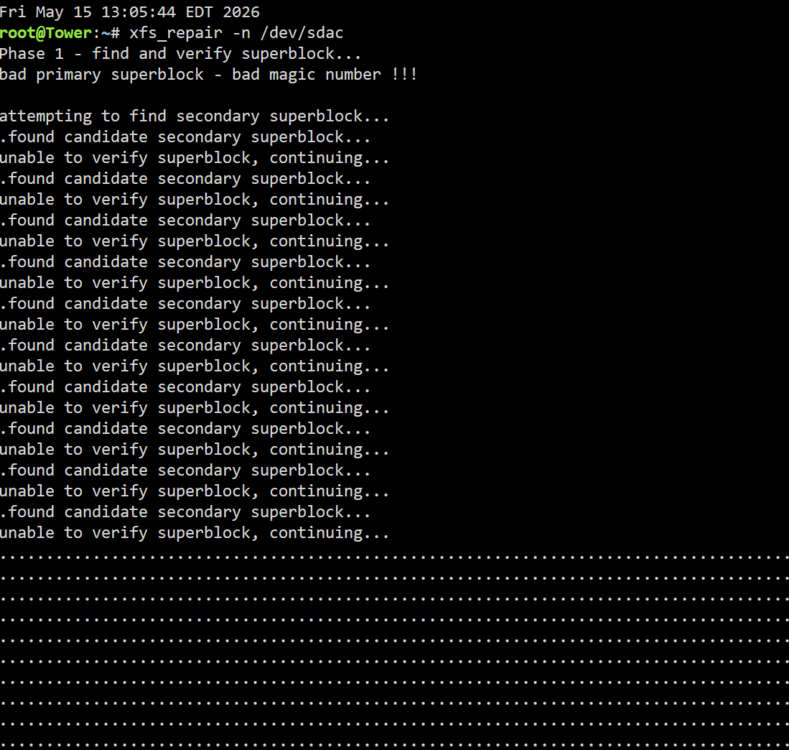
First time I ran it, it went for 33 minutes searching (stopped it to get a screenshot and am letting it run again now)
-
Disk /dev/sdac: 10.91 TiB, 12000138625024 bytes, 23437770752 sectors Disk model: HUH721212AL5200 Units: sectors of 1 * 512 = 512 bytes Sector size (logical/physical): 512 bytes / 4096 bytes I/O size (minimum/optimal): 4096 bytes / 16773120 bytes Disklabel type: gpt Disk identifier: 3007418A-245A-4472-8B24-2407BB26C6AE
-
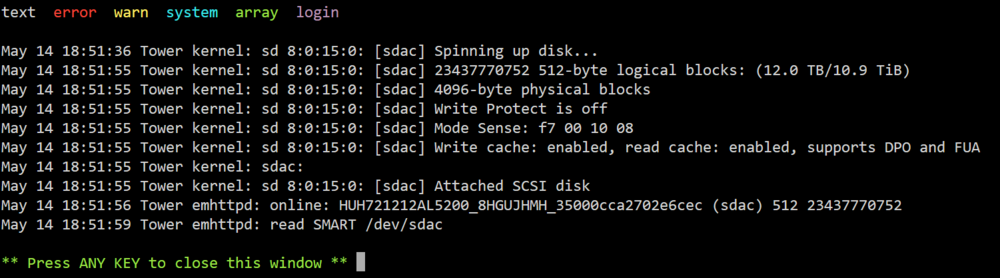
It does not look like I can. Here is what I am seeing in Unassigned Devices: Edit to add: physically this is connected via my original HBA card. The delay was getting an additional cable to plug it in.

-
Got the drive reconnected and is the SMART report is attached. . Any input/suggestions are appreciated. tower-smart-20260514-1900.zip
-
Thank you for the quick response. I recognize the error I made (I absolutely rushed into action before thinking and reading!) Disk19 is the new 24TB drive. It was just added (I was hoping to be able to move the emulated data over but did not have enough space. I do not currently have physical/port space for the drive that was disk17, but will try to get the SMART report for it (I have a new HBA card coming to be able to add). I will add the SMART report for that drive asap. Attached is what I am seeing in Unraid currently: I am not sure why it shows as mounted as there is nothing actually there (I absolutely may have compounded the issue by using that physical connector to add the 24TB drive that is now disk19).

-
Good day, Apologies in advance for the lack of clear information! A couple of days ago, following an aborted upgrade (adding an Adaptec HBA that did not work; no drives were ever attached to it), one of the drives on my server was reported as faulty/unmountable after a reboot. To the best of my memory: When reseating the drive did not resolve the issue, I tried using the Check/Fix (did not work). At this point, seeing parity was good (drive was noted as being emulated), I made a mistake and thought it would be safest to format the drive and rebuild it. When I went to restart the array, I ran into an error indicating that the replacement drive was too small (still using the same drive). I tried swapping in a 24TB drive that was pending installation. Still getting the same error about replacement drive being too small. I found the guide here to clear a drive (I found this article too late and definitely made a mistake in not digging more to try and repair the drive). As I was low on space anyway, I put the 24TB drive in a different slot, formatted it, and added it to the array. Last night, I stopped the array and attempted to use Global Share Settings to select the faulty disk for emptying. However, that disc is not listed (I am assuming it is because there is no disc in the slot). The odd part is that Unraid is now reporting that the size for disk17 (the faulty drive) is 28TB. I do have 2 28TB drives, but they are both parity drives and have never been assigned to a disk slot previously. I believe that this is why Unraid will not let me replace the drive with any of my available drives. Is there any way to fix this without loosing data at this point? If I can get a 28TB drive to, should I be able to rebuild the data currently be emulated, or is there any way to 'fix' the drive size Unraid is expecting? Thank you for any help/guidance anyone is able to provide. I will try to answer any questions I can as quickly as possible. tower-diagnostics-20260513-0729.zip


