




Skip to content
View in the app

A better way to browse. Learn more.

Unraid

A full-screen app on your home screen with push notifications, badges and more.

To install this app on iOS and iPadOS
  1. Tap the Share icon in Safari
  2. Scroll the menu and tap Add to Home Screen.
  3. Tap Add in the top-right corner.
To install this app on Android
  1. Tap the 3-dot menu (⋮) in the top-right corner of the browser.
  2. Tap Add to Home screen or Install app.
  3. Confirm by tapping Install.

MCooksey

Members
  • Joined

  • Last visited

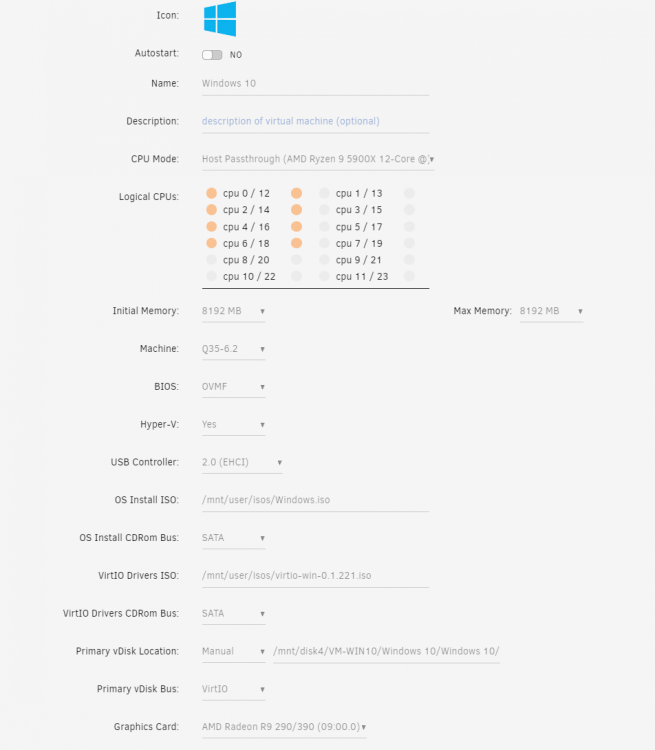
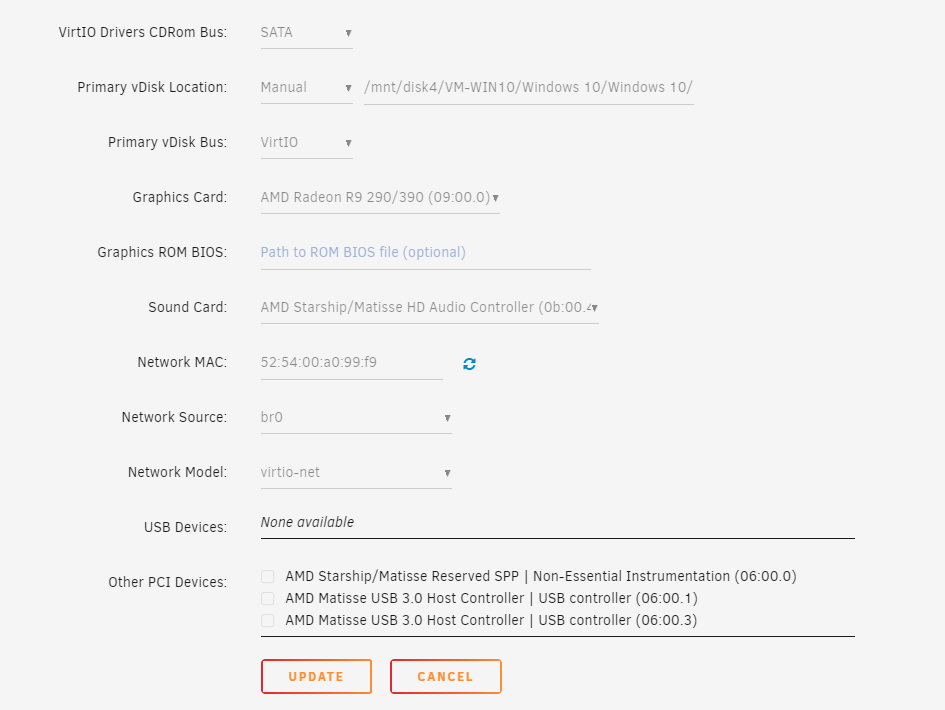
  1. Hi all, I have a Ryzen 9 5900X with a AMD R9 290 which I am trying to run a Windows VM on through unraid. The problem I am having is the GPU is not being recognised properly and won't let me install drivers, attaching diagnostic below! I kept getting a code 43 and now the GPU doesn't show up at all Also should I be using a cache drive for the VM? syn-server-diagnostics-20220806-1843.zip
  2. Hi all! Unraid Newb here, for some reason my Cache disk is filling up crazily fast without me transfering any data to it, can someone have a look at my log and figure out what I've broken? EDIT: I think I messeed up "Prefer" VS "YES" EDITOFTHEEDIT: Yep I dun buggered it, it's being normal now.

Account

Navigation

Search

Search

Configure browser push notifications

Chrome (Android)
  1. Tap the lock icon next to the address bar.
  2. Tap Permissions → Notifications.
  3. Adjust your preference.
Chrome (Desktop)
  1. Click the padlock icon in the address bar.
  2. Select Site settings.
  3. Find Notifications and adjust your preference.