





Anthadeas
Members
-
Joined
-
Last visited
-
Well I do appreciate all of your help. I have learned a lot trying all of these steps. In case the next person runs into this post with the same issue, here are a few additional notes I will add. Update 2: GTX 1060 and GTX 780 work without issue again. I made a change to the VM on accident and didn't catch it. Back to the problem going the 6700xt. Update: I am wrong. My VM with GTX 1060 is also not booting after restart. Looks like you are totally right ghost82. Well at least I know where to start. troubleshooting again. I don't think this is a motherboard issue, I installed a GTX 1060 on the same motherboard with and without the 6700xt installed as well and I do not have these same issues. The VM with the 1060 runs fine and I can restart it freely. I could be wrong and the motherboard just isn't playing friendly with AMD GPUs but after following all of the fixes from the above forums post https://forum.level1techs.com/t/6700xt-reset-bug/181814/36 and still not resolving the issue I just don't think it is the motherboard. I attempted the reset script from the forum post above. The script did not successfully run and it crashed Unraid. So exercise caution if you try that. I do believe after all of the attempted fixes that there is in fact still a reset bug that is effecting some 6700xt models at the least. After removing all of the other variables the 6700xt is the only remaining factor that I can see. Since I am not the only one with these exact issues drives me to this conclusion. Thanks again for your help ghost82!
-
ghost82, Your right! My day did get better! Your secret sauce code worked. Unfortunately it only allowed me to boot. In fact it even let me shut down and boot again once. But as soon I installed AMD GPU Drivers I am back to my original issue. If I restart or Shutdown/Boot I just get a black screen again. I think we are back to what you said about the GPU not resetting. Would you happen to have any other special secrets you could share? 😁 server-diagnostics-20220527-1220.zip VM Logs.txt
-
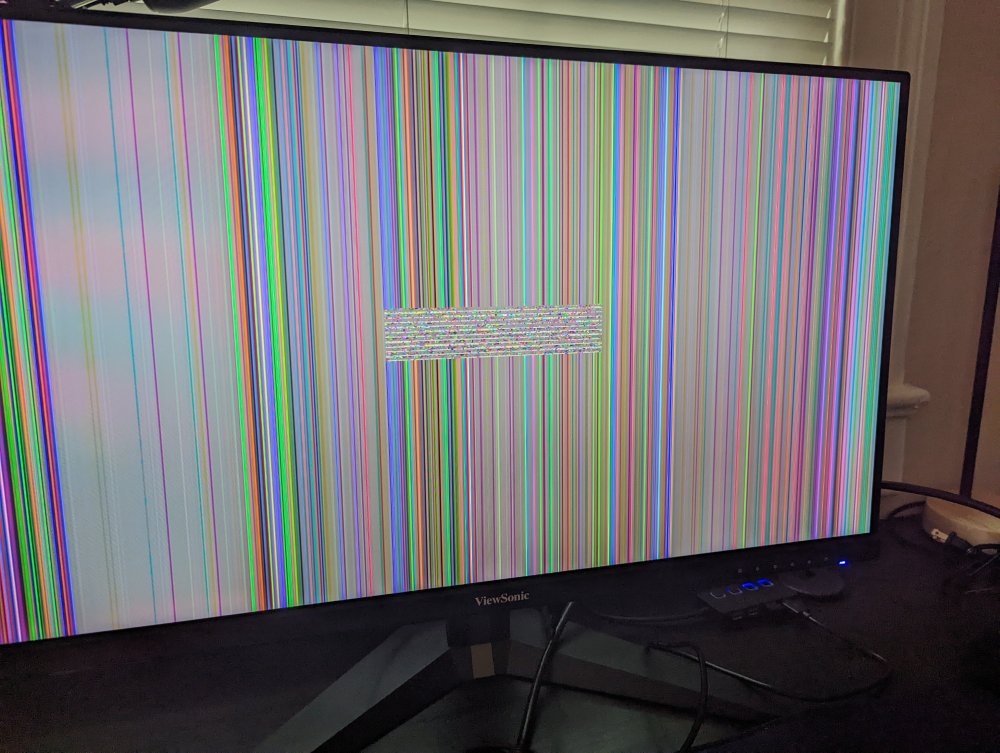
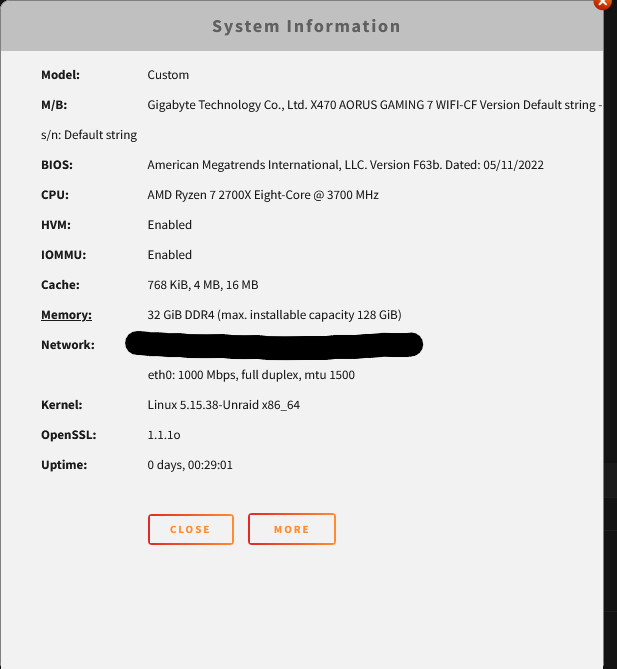
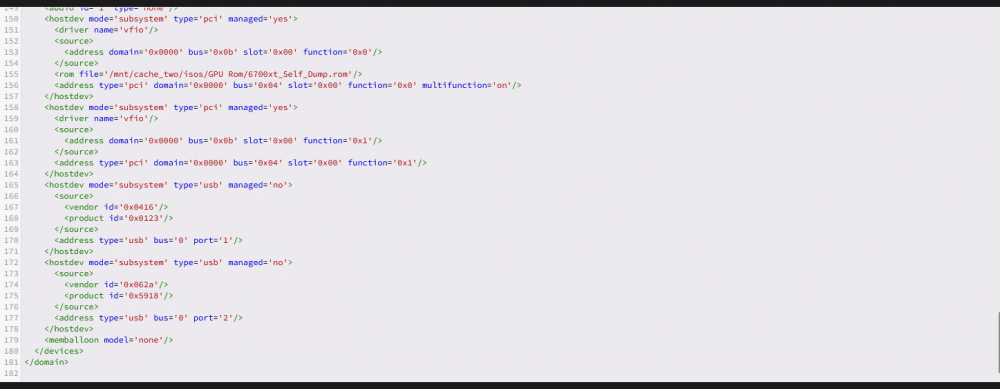
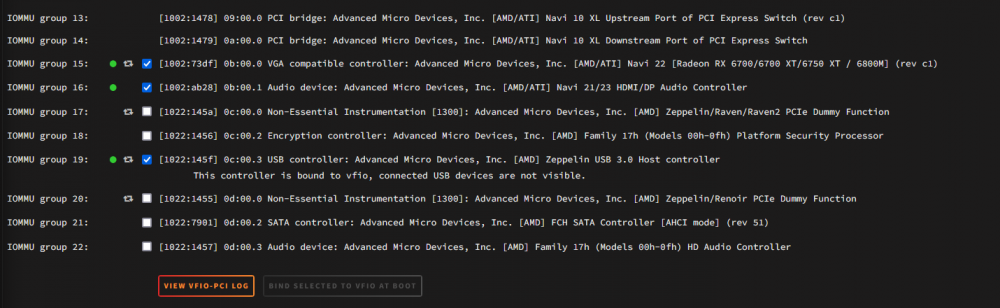
Hey ghost82, Thanks for the advice, I went ahead and gave the update a shot. I am now on the latest bios. Unfortunately things only got worse from there. I can no longer boot the VM at all with the GPU. Now when I boot I get a distorted image (Attached) Troubleshooting steps taken since Bios Update: 1. Ensured HVM and IUMMU was still enabled 2. Ensured XML was still correct with GPU Video/Audio still set to multi-function and on the same virtual slot. 3. Ensure IOMMU groups were still bound to VFIO 4. Removed Win10VM with discs and recreated it. 5. Swapped monitors and Displayport cables just in case. Do you have any additional advice for me? server-diagnostics-20220527-0854.zip VM Manager Logs 27 May.txt
-
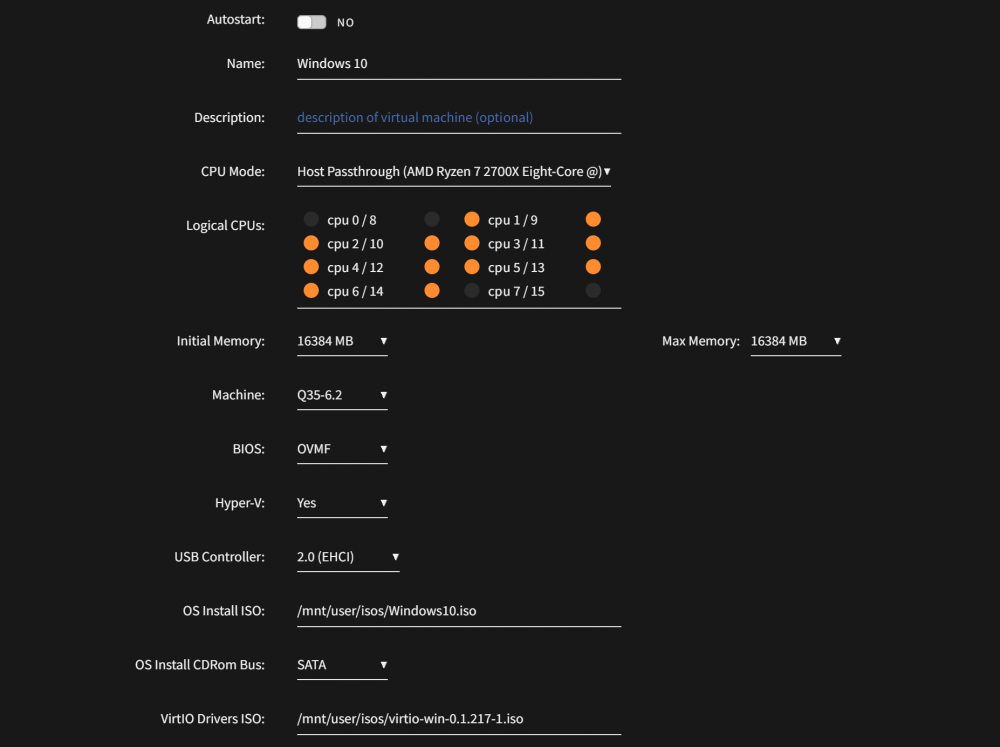
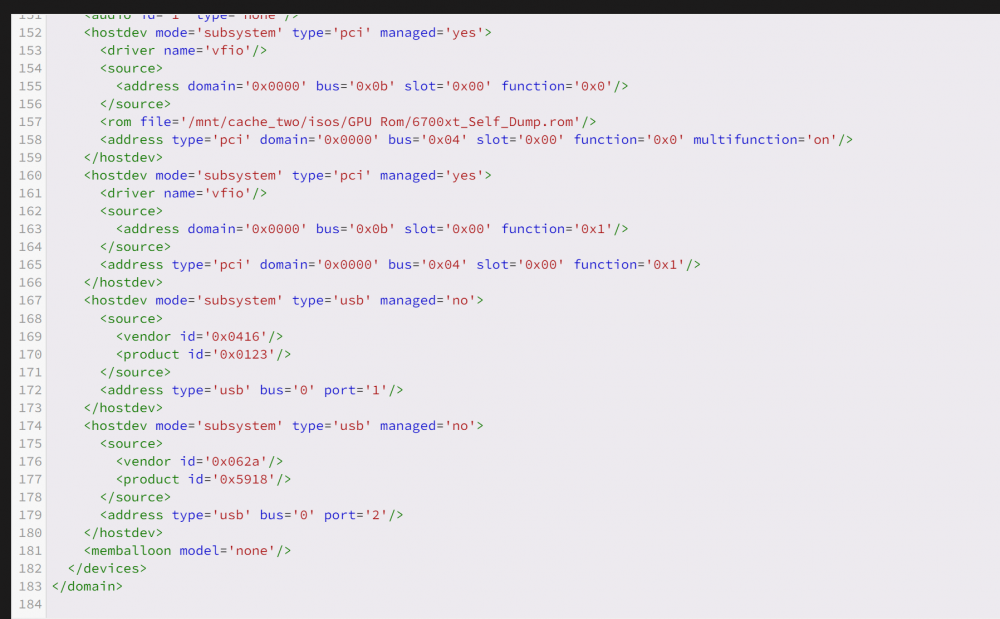
Good evening, I am trying to run a Windows 10 VM but anytime I restart or shutdown the VM it will not launch again unless I restart Unraid entirely. I can successfully create a Windows 10 VM and it runs fine. But as soon as I restart the VM or shutdown the VM (gracefully) and attempt to start it again I just receive a black screen and nothing more. I have splashtop and Steam downloaded so if windows was actually booting I would see it. Troubleshooting steps taken so far. 1. I have tried removing the VM with and without disks and recreating it. 2. I have swapped to my Nvidia GTX 1060 and have no issues 3. I have tried OVMF and Seabios. 4. I have tried with Q35 and i440fx 5. I am aware that the reset bug should not effect 6000 series AMD GPUs but I ran Spaceinvader script anyway just to check and it didn't fix my issue. 6. I have tried with and without Vbios. I attempted with Techpowerup Vbios, Self dumped one from Unraid and self dump from plugging GPU into separate working computer and dumping it through GPU-z 7. Tested the GPU on a regular WIndows 10 computer and it works fine. 8. Tried installing AMD GPU drivers. having them or not causes no difference. 9. I waited for Windows to install updates before trying to restart. 10. Switching to VNC allows me to boot no problem 11. Verified IOMMU groups had GPU in own group. Bound GPU/audio to VFIO at boot. Even tried every form of ACS override (Downstream, multifunction, both, etc) 12. Verified XML has Video/audio on same virtual PCIE slot. I just don't know where else to go from here. Any help would be appreciated. Thanks! server-diagnostics-20220526-2238.zip VM Manager Log.txt
-
Hey trurl, So i moved some files around but couldn't get any configuration to actually work. So I went ahead and moved all of the files back to the original SSD and disabled the pool of the other one. My dockers are all running but none of them work still. I just continue to get the attached error. I am not certain what to do now. Should I uninstall all of my dockers and reinstall them with the same settings? server-diagnostics-20220423-2129.zip

-
Right, I see what you saying. I did set them all to cache-yes and ran mover. I didn't see anything move but I assumed i was just dumb and maybe it did. So then I set them all to the Cache_etc I wanted to see if something did move from the array would move back. But nothing moved. I just haven't changed them since. Yeah I see what your saying. I do want those all on my cache. I just wanted to take domains and put it on a second pool since my first one was getting full. I wanted my Docker on one (To host an ARK game server) and Domains on my second pool to try out a Win 11 VM. I started to attempt moving things around ignorantly and ended up how I am now. I am going to move some files with Dynamix now and delete the duplicates now to see what happens. WIsh me luck!
-
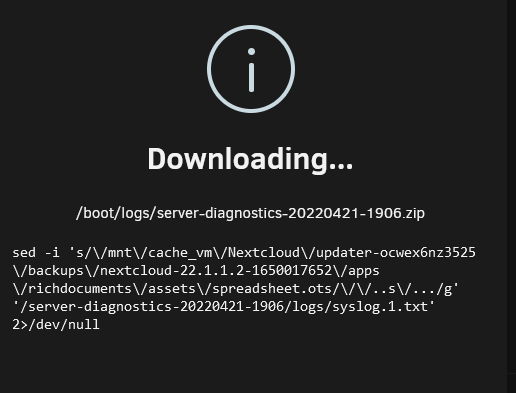
Right, and I remember the first one being super fast too. but I have been downloading this one since I have been home. and it has been cache_vm\/Nextcloud/Updater etc etc etc for hours. I really think it is going through every single thing. If i cancel it and do it with docker disabled it will be done in seconds. Edit: Diagnostics just finished! Good timing I guess. server-diagnostics-20220421-1906.zip
-
Yep that is what I tried to do. I made sure that I disabled VMs and Docker. But It appears nothing moved. Oh that is awesome. That helped see what was going on much easier. I also got Dynamix File Manager figured out a little bit so I think I will try and moved some stuff around and see what happens. Right, I checked and mine are setup as user shares. I think what is happening is that there is now a copy of some of the appdata folder in both cache drives now. the copied one has a nextcloud folder but nothing in it. I bet it is directing to that one. I think I will try and delete that one and see what happens. I am trying to link you new logs I started downloading them this morning when I went to work. I OpenVPNed in at lunch and they were finished. But something messed up and I couldn't save them to a folder. I started downloading them again a few hours ago. They are still downloading. (Not sure why it is taking so long, but it appears to be going through every file and photo on my Nextcloud and Photoprism now that my Docker is turned on) I will upload them as soon as they finish. By the way I tried looking at logs since they help you so much but I feel like I am just looking at 1000 lines of gibberish lol. Thanks again for all of your help so far.
-
trurl you are extremely helpful. First thing I did was just trying to reinstall the dockers from the Previous Apps page. They all reinstalled and started but the Webui button was gone (Nextcloud, Photoprism) and I got error 404'd when trying the IP address. I just wanted to see if it worked out of the gate but I am assuming since i renamed the pools they will probably stay broken until I get the data sorted out correctly. I went ahead and updated Unraid to v6.10rc3+ so I could install Dynamix File Manager. I have to head to work soon so I went ahead and tried your last option of moving everything to the array and then back to the correct pools using mover. (There isn't too much data on my pools yet) I don't think anything really moved. So I will try Dynamix or Midnight Commander as soon as possible (Busy schedule over the next couple of days) Question for you in the mean time. If I finally get all of my files sorted out correctly between the two pools will my dockers 'just work' again? Or will have some real work ahead of me? My Diagnostics are downloading now. I'll edit as soon as it is finished
-
I decided to add an additional SSD to my server. I watched Spaceinvader's guide to make sure I didn't break anything. ( I am a server noob) I got the new SSD installed. My original SSD was a cache and contained my Appdata, Domains, Iso, System, and Nextcloud folders. I decided I wanted my second SSD to be a second pool so they looked like this... Original SSD: Domains New SSD: Appdata, Iso, System and Nextcloud. I rename the SSDs and set each folder to its preferred pool. I knew a lot of data would need to transfer from Orginal SSD to new SSD. So I went ahead and ran Mover.....while my dockers were running... My data didn't move and I was confused why, found a reddit post that said I needed to turn off my dockers first. I went to the docker tab to stop them and they are all gone. I freaked out and went to settings and turned of docker all together and then ran mover again. My data is currently moving and I am just sitting here knowing that my dockers aren't going to magically come back after this move. How screwed am I? Is there a way to reverse this damage or I am i going to have to redo every one of my dockers? Thanks for any help in advance. I am sad but hopeful. server-diagnostics-20220420-2303.zip


