DeeGinge
Members
-
Joined
-
Last visited
Everything posted by DeeGinge
-
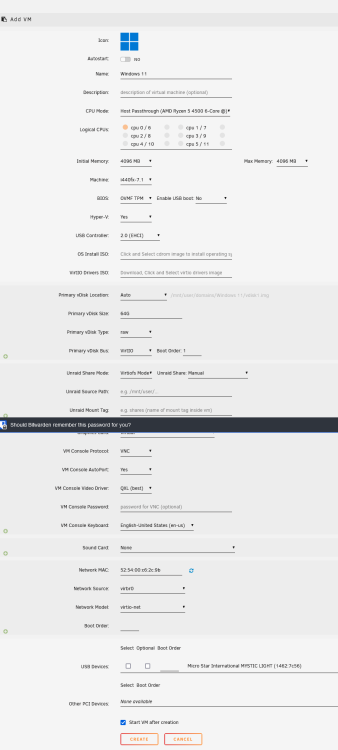
I swapped motherboards in an upgrade to newer hardware, and now my VMs don't have network adapters. The option in VM settings is just not there. I can create a new VM and select a network adapter, but VMs that existed before my hardware upgrade do not have the option to select an adapter. They otherwise boot and function without issue (as best as possible without networking). My docker containers appear to be unaffected and still have networking abilities. I've attached diagnostics and a screenshot of the VM creation screen to show it shows up there. This happened the last time I upgraded the motherboard, but my VMs at the time weren't of value so I deleted and recreated. If it makes a difference, I don't have any PCIe network cards, only the included motherboard I/O. I should note, this issue appears similar to sysop's issue last year. Using the inital information there, I've tried copying the <interface> tag from a newly created VM into the config for one of my existing VMs, but get an error about the PCI device already existing when I try to save, and am not sure how to identify which PCI domain/bus/slot/function to specify to try to get it to work. Is this even the correct path for my case? Any help would be greatly appreciated! Old Specs: AMD A10 CPU Asus A88X Pro board 40GB RAM New (and current) Build: AMD Ryzen 4500 MSI B550 Board 16GB RAM freenas-diagnostics-20230720-2049.zip OldVM-nonetwork.xml NewVM.xml