MindKill3r
Members
-
Joined
-
Last visited
-
Hmm... yes I do actually. binhex-urbackup specifically is set up with a static IP. On a side note is there anything about my hardware that strikes you as an issue? I just want to make sure I cover all my bases.
-
MindKill3r changed their profile photo
-
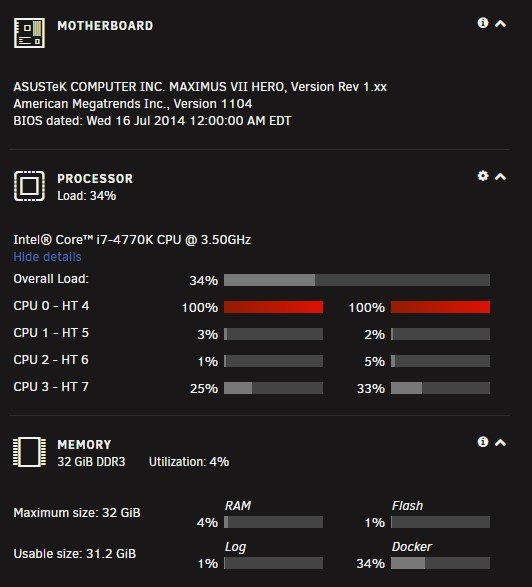
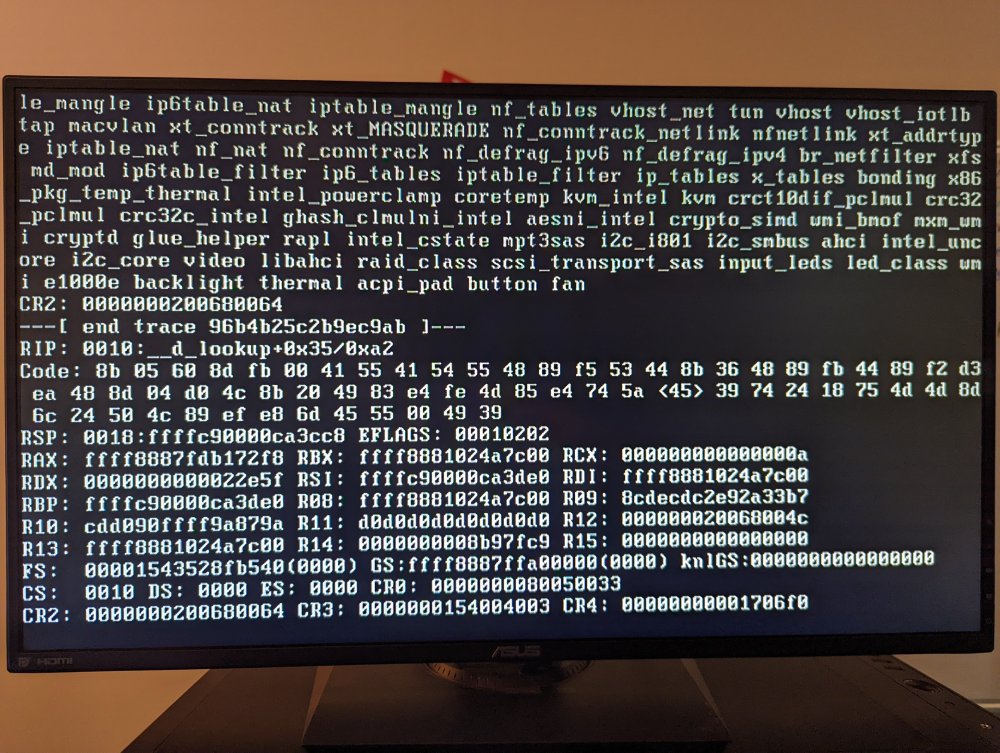
Hey everyone, I'm experiencing some really bad issues with a older gaming build I repurposed as a UnRaid server. When I first built the server everything was working great for several weeks but recently i have been experiencing some very bad and consistent crashes which require hard booting the server. I was recently able to reproduce these crashes manually and I believe it has something to do with Docker. I am not really running anything crazy, just Krusader, binhex-urbackup, cyberchef, DVWA-web, and OpenVAS. Every time i interact with one of these docker containers (start/stop/remove/change settings) the entire server crashes. I am hoping someone can give me some guidance on what to do, I am attaching the diagnostic report and some screen shots of what I'm seeing when the crashes happen. Listing the hardware specs below: CPU: Core i7-4770K Motherboard: Asus Maximus VII Hero Ram: CORSAIR Vengeance Pro 32GB (4 x 8GB) DDR3 1600 HBA: LSI 9211-8i P20 (IT Mode) Below is typically what happens as the crash occurs. This is what's displayed if i plug a monitor into the server as the crash happens. central-dogma-diagnostics-20220515-1342.zip