TeddyS.
Members
-
Joined
-
Last visited
-
No recent changes at the moment, I do have I think two SATA power extensions to add 4 more connections off the existing SATA chain cable. Maybe one is loose.
-
Understood perhaps a SATA connection issue somewhere. I will check them over.
-
That may have been intentional based on the timeframe, I think when I saw initial slowness I paused the parity then issued a reboot on the host. That aside when I pulled it up this morning the speeds appear to have increased dramatically. Perhaps just an issue with early steps in the parity?

-
No nothing has been done other than creation then running the parity check, no writes should be occurring
-
Diags lilanton-diagnostics-20240222-1708.zip
-
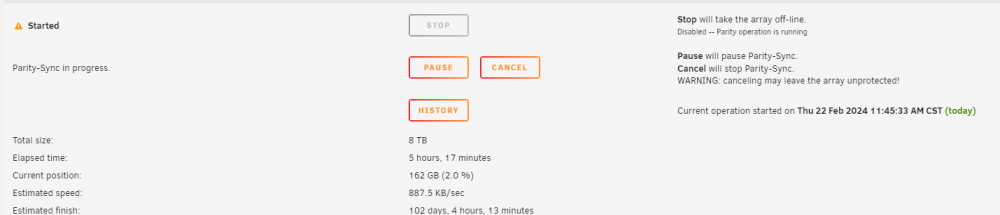
I just fully recreated my array after clearing all partitions and issuing a new config. I assigned all disks to the array and ran the format but the initial parity check after array boot is running extremely slowly (10 MBps or slower that dips down to 1 MBps frequently). I have already used the DiskSpeed docker plugin to verify all disks are operating at appropriate speeds and cannot figure out where the slow down is coming from. I would appreciate any help that can be given. Array is 11+1 8TB drives with the 1 as parity.