PHIT
Members
-
Joined
-
Last visited
Everything posted by PHIT
-
-
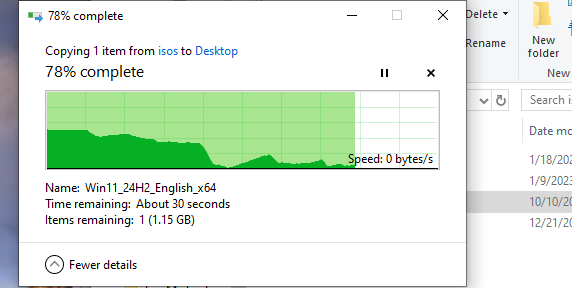
Good Morning! Dealing with some generalized network slowness from my Windows 10 VM. When transferring files from the array to the VM it seems to fall on it's face for a few seconds the pick back up again. it doesn't do this when accessing files on the array from a network PC. Seems to be local to the VM. Even accessing the VM from RDP is very laggy. Few thing's I did to try to help. MACvlan: Tried following the steps to resolve this error from fix common problems. VM lost connection and Community App's would not load. So i put the settings back. Updated vertio's on the VM: Didn't change anything. Disk speed plugin: Array speeds are good. Just not from the VM. Smart Tests, SSD trim, Ect on VM Drives: all came back good. Out of my depth here. nas-diagnostics-20241030-1108.zip