





wang1zhen
Members
-
Joined
-
Last visited
-
建议你检查翻墙用的插件,很有可能是docker相关的域名没有被正确代理到。 我先前使用的是passwall,需要手动将docker相关的域名加入到代理的列表中。后来使用pw2,可以直接根据geoip/geosite来分流,docker的域名在国外自动会被解析,问题也就解决了。
-
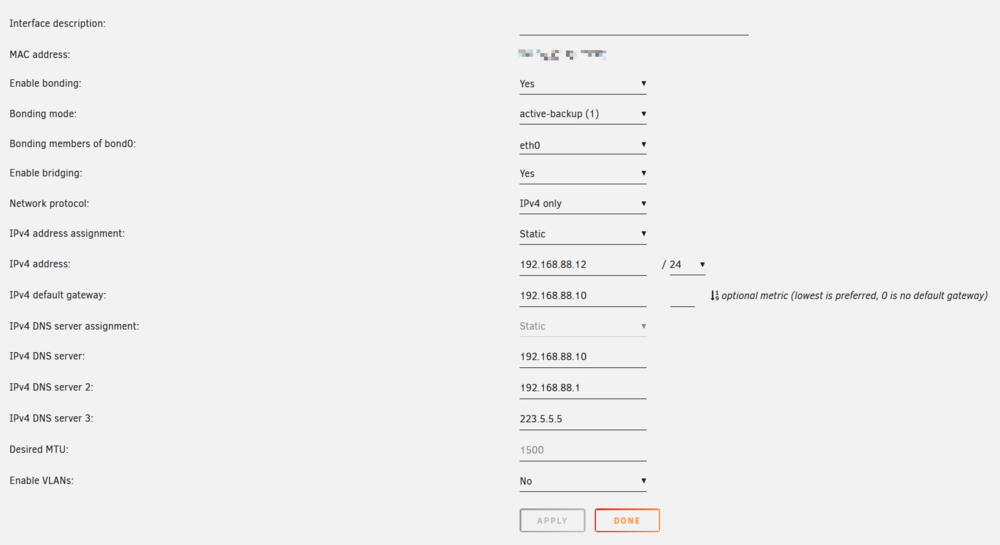
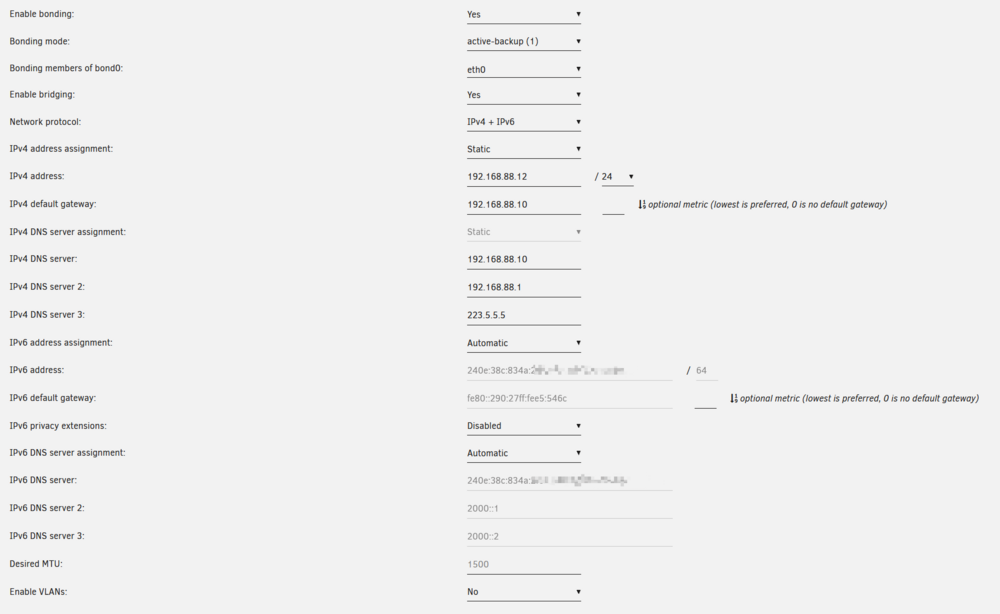
同样pull一个镜像,上面的是ipv4+ipv6的情况,下面是纯ipv4的情况,只有ipv4的情况下能正常代理。 求教,有偿亦可。

-
ipv4 only,可以正常代理所有流量 ipv4+ipv6,无法正常代理
-
在我的网络环境中有一台旁路由网关,运行了passwall用于科学上网。unraid有不少资源在外网上,因此我把unraid的网络设置为静态协议,固定了ip的同时将网关指向了这台旁路由。 目前的问题是,如果设置为ipv4 only,那么代理相关一切正常;但是如果设置为ipv4+ipv6,代理就会失效,无法正常拉取docker镜像、更新CA插件等等。 ipv6的相关设置请问有什么需要特别注意的吗?
-
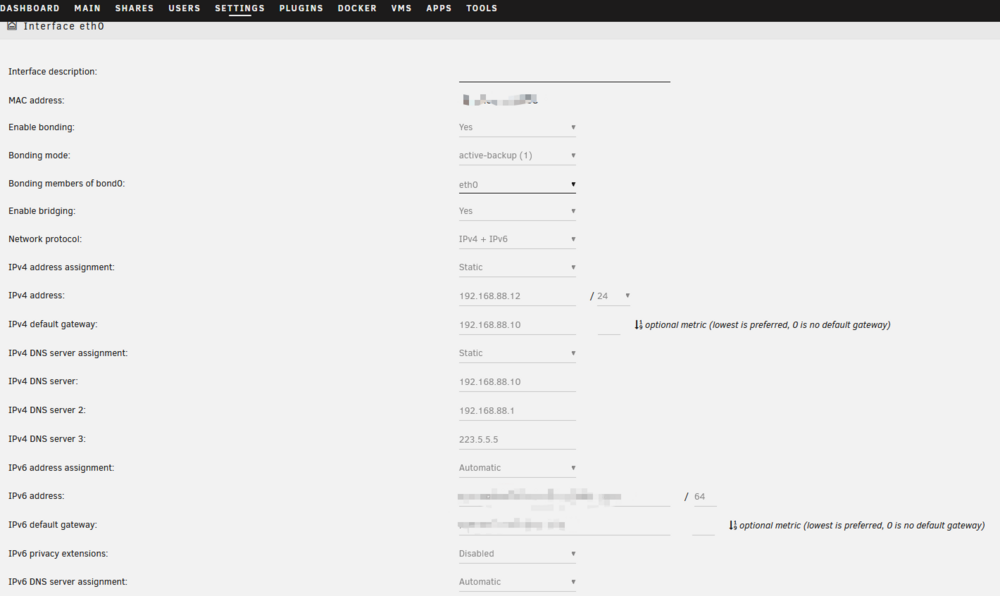
在unraid虚拟机中安装了openwrt并配置好了ssrp,ip地址为192.168.88.10。局域网内的其他设备都可以通过设置静态ip,将网关设置为openwrt的ip地址来实现透明代理,但unraid本身即便网关指向了openwrt,无论是更新plugin还是docker都非常慢(偶尔失败),通过命令行ping google也不成功。 openwrt是旁路由,就一个br-lan,也没有使用任何直通。从openwrt的网络诊断可以正常访问openwrt.org: traceroute to openwrt.org (64.226.122.113), 20 hops max, 46 byte packets 1 192.168.88.1 0.768 ms 2 180.172.110.1 6.016 ms 3 61.172.75.13 4.125 ms 4 61.172.75.2 5.029 ms 5 202.97.51.206 6.013 ms 6 * 7 202.97.51.254 158.261 ms 8 218.30.53.51 133.711 ms 9 * 10 129.250.6.238 187.879 ms 11 129.250.2.36 203.055 ms 12 129.250.2.110 215.619 ms 13 129.250.3.191 250.860 ms 14 212.119.4.189 216.092 ms 15 143.244.224.146 242.818 ms 16 * 17 * 18 * 19 * 20 64.226.122.113 260.000 ms 但ssh到后台再tracert或者ping都不通: root@OpenWrt:~# ping openwrt.org PING openwrt.org (2a03:b0c0:3:d0::1a51:c001): 56 data bytes ^C --- openwrt.org ping statistics --- 112 packets transmitted, 0 packets received, 100% packet loss root@OpenWrt:~# traceroute openwrt.org traceroute to openwrt.org (2a03:b0c0:3:d0::1a51:c001), 30 hops max, 72 byte packets 1 240e:38c:8849:3f00:5054:ff:febb:405c (240e:38c:8849:3f00:5054:ff:febb:405c) 0.538 ms 0.487 ms 0.392 ms 2 240e:38c:8849:3f00:5054:ff:fea6:ef9c (240e:38c:8849:3f00:5054:ff:fea6:ef9c) 0.321 ms 0.423 ms 0.322 ms 3 240e:38c:8849:3f00:5054:ff:febb:405c (240e:38c:8849:3f00:5054:ff:febb:405c) 0.482 ms 0.598 ms 0.587 ms 4 240e:38c:8849:3f00:5054:ff:fea6:ef9c (240e:38c:8849:3f00:5054:ff:fea6:ef9c) 0.480 ms 0.629 ms 1.221 ms 5 * 240e:38c:8849:3f00:5054:ff:febb:405c (240e:38c:8849:3f00:5054:ff:febb:405c) 1.328 ms 0.993 ms 6 240e:38c:8849:3f00:5054:ff:fea6:ef9c (240e:38c:8849:3f00:5054:ff:fea6:ef9c) 0.709 ms 0.715 ms 1.440 ms 7 * 240e:38c:8849:3f00:5054:ff:febb:405c (240e:38c:8849:3f00:5054:ff:febb:405c) 1.644 ms 1.270 ms 8 240e:38c:8849:3f00:5054:ff:fea6:ef9c (240e:38c:8849:3f00:5054:ff:fea6:ef9c) 0.934 ms 1.059 ms 0.972 ms 9 * 240e:38c:8849:3f00:5054:ff:febb:405c (240e:38c:8849:3f00:5054:ff:febb:405c) 2.436 ms 1.468 ms 10 240e:38c:8849:3f00:5054:ff:fea6:ef9c (240e:38c:8849:3f00:5054:ff:fea6:ef9c) 1.303 ms 1.163 ms 1.551 ms 11 240e:38c:8849:3f00:5054:ff:febb:405c (240e:38c:8849:3f00:5054:ff:febb:405c) 1.192 ms 1.383 ms * 12 240e:38c:8849:3f00:5054:ff:fea6:ef9c (240e:38c:8849:3f00:5054:ff:fea6:ef9c) 2.598 ms 1.628 ms 1.305 ms 13 * * * 14 240e:38c:8849:3f00:5054:ff:fea6:ef9c (240e:38c:8849:3f00:5054:ff:fea6:ef9c) 2.294 ms 1.412 ms 1.446 ms 15 * * * 16 240e:38c:8849:3f00:5054:ff:fea6:ef9c (240e:38c:8849:3f00:5054:ff:fea6:ef9c) 4.260 ms 2.053 ms 2.006 ms 17 * 240e:38c:8849:3f00:5054:ff:febb:405c (240e:38c:8849:3f00:5054:ff:febb:405c) 3.485 ms * 18 240e:38c:8849:3f00:5054:ff:fea6:ef9c (240e:38c:8849:3f00:5054:ff:fea6:ef9c) 3.024 ms 2.344 ms 1.759 ms 19 * * * 20 240e:38c:8849:3f00:5054:ff:fea6:ef9c (240e:38c:8849:3f00:5054:ff:fea6:ef9c) 3.640 ms 3.141 ms 2.160 ms 21 * *^C 求助到底哪里出问题了,这结果非常诡异……
-
ughh... that sounds sad to me. It is quite weird that unraid automatically mounts the zfs dataset while setting the primary storage of it to be the array, isn't it? Gatta clear up my mind and try to figure out the best layout for me. thx for help!
-
It suddenly occurred to me that since unraid supports zfs now, I can just use the whole zfs pool as my only array device, and get rid of my previous poor 16G optane in the array holding the symlinks. I will give it a shot.
-
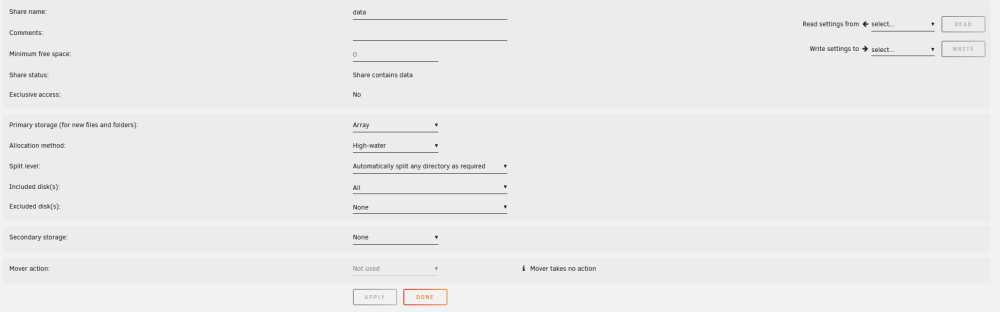
Thanks for the clarification @JorgeB , this time the import was successful. There is still something I cannot quite understand concerning the mechanism that unraid handles zfs pools. As I have imported the pool named "zpool-io" with a single dataset "data", i found that the pool was mounted at `/mnt/zpool-io`, and it automatically creates a share named "data" which seemed to contain all of the files inside my zpool-io/data dataset. But it's confusing that when I browsed the configs for data share: the primary storage for data share was array, not my zpool-io. As I wish to store everything except the system data on the zpool, shall I continue to use the data share or continue my previous practice which uses the symlink to the folders under the zpool dataset?
-
Here's what I have tried: First I exported the pool named Io: root@Unraid-HomeLab:~# zpool export Io root@Unraid-HomeLab:~# zpool status no pools available then in the unraid GUI I stopped the array and added all these 8 drives with the following configs: After I started the array, the zfs pool is not recognized: and if I created the pool with only 7 drives excluding the hot spare, the result is the same.

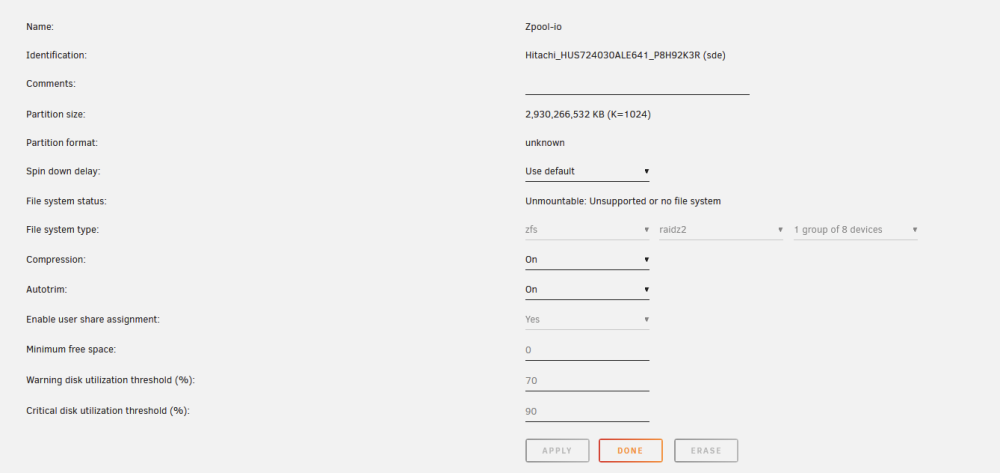
-
I don't quite believe that is the case... To make it clear, my array consists of only one Optane 16G ssd, which holds the system files. The zfs pool contains 8 HDDs, and is mounted at /Io. I made several symlinks under /mount/user/Io as posted above, so that I could share the data in the zfs pool. Honestly, I supposed that the new version of unraid now supports zfs, then I shall do nothing for the migration as the setup for the pool is kept the same. I would be happy to have the pool alongside the arrays and use it like what I did before, but now I get totally confused. I wonder if unraid 6.12 supports command line zfs operations? And what could I do for now?
-
Previously, I ran zfs with zfs companion on unraid 6.11, and it worked perfectly. I mounted my zfs pool at `/Io` and made symlinks from `/mnt/user/Io` to the actual zfs path to share it. Now with unraid 6.12, I am not able to visit it. I can import the zfs pool with `zpool import`: root@Unraid-HomeLab:/# zpool import pool: Io id: 2096410902201209442 state: ONLINE action: The pool can be imported using its name or numeric identifier. config: Io ONLINE raidz2-0 ONLINE sde ONLINE sdd ONLINE sdi ONLINE sdf ONLINE sdc ONLINE sdj ONLINE sdg ONLINE spares sdh and then `zpool import Io`: root@Unraid-HomeLab:/mnt/user# zpool import Io root@Unraid-HomeLab:/mnt/user# zpool status pool: Io state: ONLINE scan: resilvered 28.3M in 00:00:23 with 0 errors on Fri Jun 16 15:03:29 2023 config: NAME STATE READ WRITE CKSUM Io ONLINE 0 0 0 raidz2-0 ONLINE 0 0 0 sde ONLINE 0 0 0 sdd ONLINE 0 0 0 sdi ONLINE 0 0 0 sdf ONLINE 0 0 0 sdc ONLINE 0 0 0 sdj ONLINE 0 0 0 sdg ONLINE 0 0 0 spares sdh AVAIL errors: No known data errors The symlink worked as expected, but the share did not work: root@Unraid-HomeLab:/mnt/user/Io# ls -al total 0 drwxrwxrwx 1 nobody users 133 Jun 21 00:38 ./ drwxrwxrwx 1 nobody users 30 Jun 21 00:37 ../ lrwxrwxrwx 1 root root 15 Jun 21 00:38 Camera -> /Io/data/Camera/ lrwxrwxrwx 1 root root 20 Jun 21 00:38 Collections -> /Io/data/Collections/ lrwxrwxrwx 1 root root 16 Jun 21 00:38 Scripts -> /Io/data/Scripts/ lrwxrwxrwx 1 root root 18 Jun 21 00:38 Syncthing -> /Io/data/Syncthing/ lrwxrwxrwx 1 root root 21 Jun 21 00:38 Transmission -> /Io/data/Transmission/ lrwxrwxrwx 1 root root 16 Jun 21 00:38 appdata -> /Io/data/appdata/ lrwxrwxrwx 1 root root 16 Jun 21 00:38 domains -> /Io/data/domains/ lrwxrwxrwx 1 root root 13 Jun 21 00:38 isos -> /Io/data/isos/ And most importantly, the `zfs import` was not permanent, and after reboot, there are again no zpools at all, which means I had to import the pool again. I do not wish to destroy my data in the zfs pool, so any help?


