MarvinFS
Members
-
Joined
-
Last visited
Everything posted by MarvinFS
-
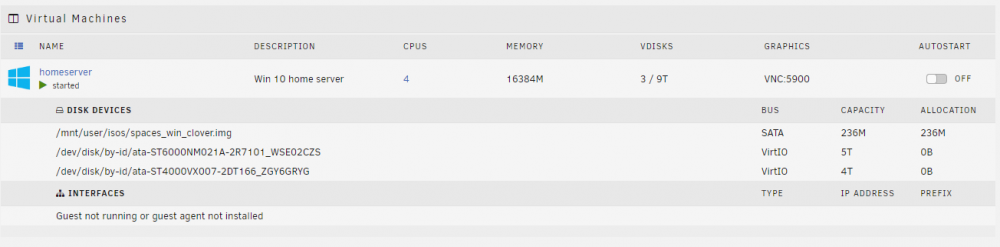
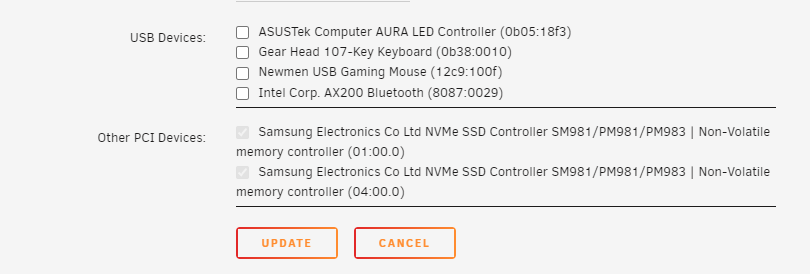
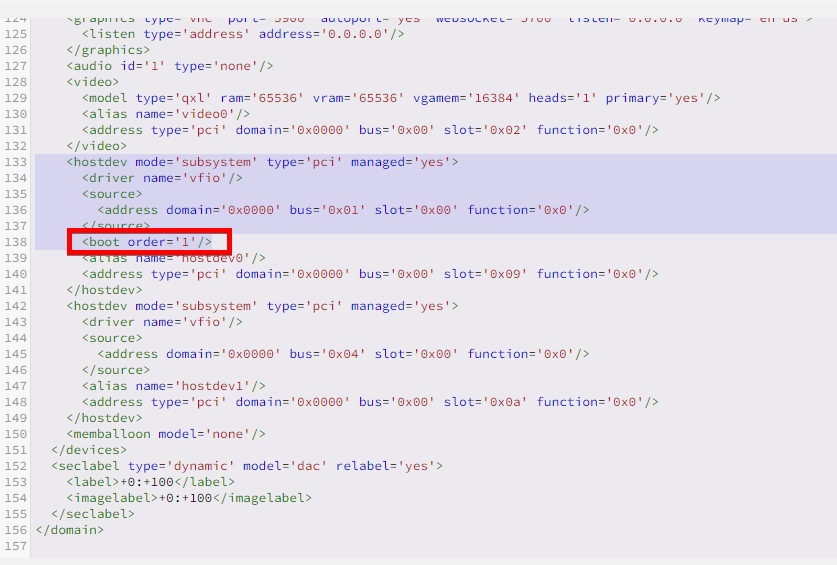
So I was experimenting also with unraid and NVME - I'm sorry for resurrecting this old thread. I'm on latest 6.10.3 version (as of mid 2022) After reading and watching tons of solutions I also tried modified clover EFI img file from Spaceinvader One.... aaaaaand it didn't work. On boot it just shows empty screen with bios white and orange logo (what ever it's called there I forgot the word) So in XML view I've added <boot order='1'/> in the corresponding NVME boot drive, for clover img I changed it to 2 and it worked like a charm, hope it helps other people. Just for the record, I left clover img as primary manual image drive either, because why not? haven't even tried without it. with this VM (I will change later to proper virtual drive, just a quick hack to get it running while I'm experimenting) I have 2 NVMes and 2 HDDs passed-through (screens attached) Regards, MarvinFS