Ascari
Members
-
Joined
-
Last visited
-
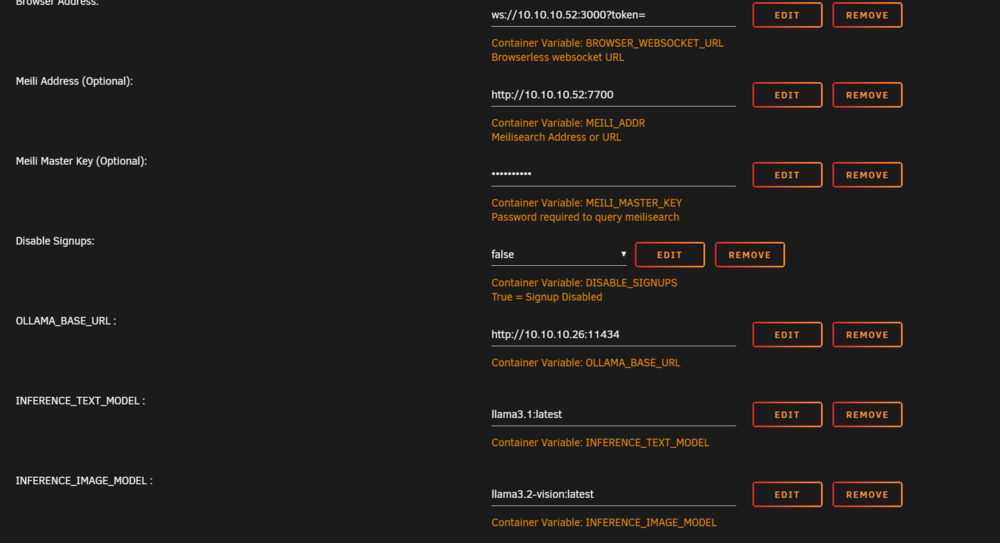
I think that was it. I re-added all the Ollama related variables to the config and it started working. Thanks!
-
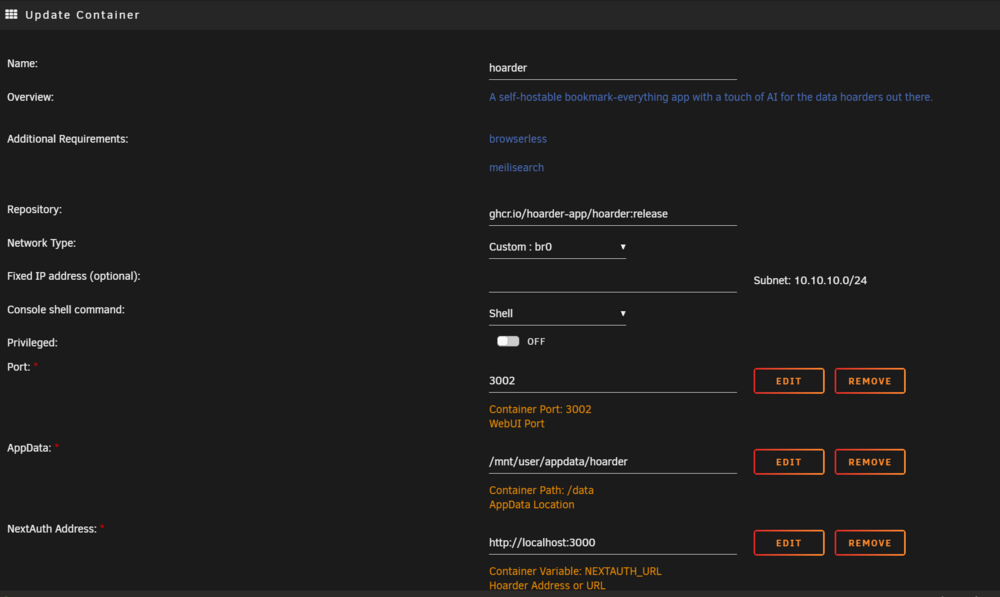
HI, I can't seem to connect to Ollama with the new version of the app. I get the following error: (Use `node --trace-deprecation ...` to show where the warning was created) s [TRPCError]: No inference client configured at /app/apps/web/.next/server/chunks/1479.js:1:31491 at h.middlewares (/app/apps/web/.next/server/chunks/6667.js:4:33575) at a (/app/apps/web/.next/server/chunks/6667.js:4:32969) at Object.next (/app/apps/web/.next/server/chunks/6667.js:4:33081) at /app/apps/web/.next/server/chunks/1479.js:1:17255 at async a (/app/apps/web/.next/server/chunks/6667.js:4:32963) at async t (/app/apps/web/.next/server/chunks/6667.js:4:32336) at async a (/app/apps/web/.next/server/chunks/6667.js:4:32963) at async a (/app/apps/web/.next/server/chunks/6667.js:4:32963) at async a (/app/apps/web/.next/server/chunks/6667.js:4:32963) { code: 'BAD_REQUEST', [cause]: undefined Found a couple of relevant issues on the Github but I think your template has moved away from the worker version so not sure if they're applicable. https://github.com/hoarder-app/hoarder/issues/733 https://github.com/hoarder-app/hoarder/issues/660 I can connect to Ollama through VSCode on another machine on the network so I think that is unlikely to be the problem. Also attached my configuration for the container. Any points appreciated!!