Rolf Schäuble
Members
-
Joined
-
Last visited
-
Just checked: after fixing the scheduler settings, parity check now properly resumes instead of starting from the beginning. I've now also installed the Parity Check Tuning Plugin. It's so nice being able to restart the server without also having to start all over with a parity check.
-
Great. Totally makes sense now. I've updated the scheduler settings, so it should make progress tomorrow.
-
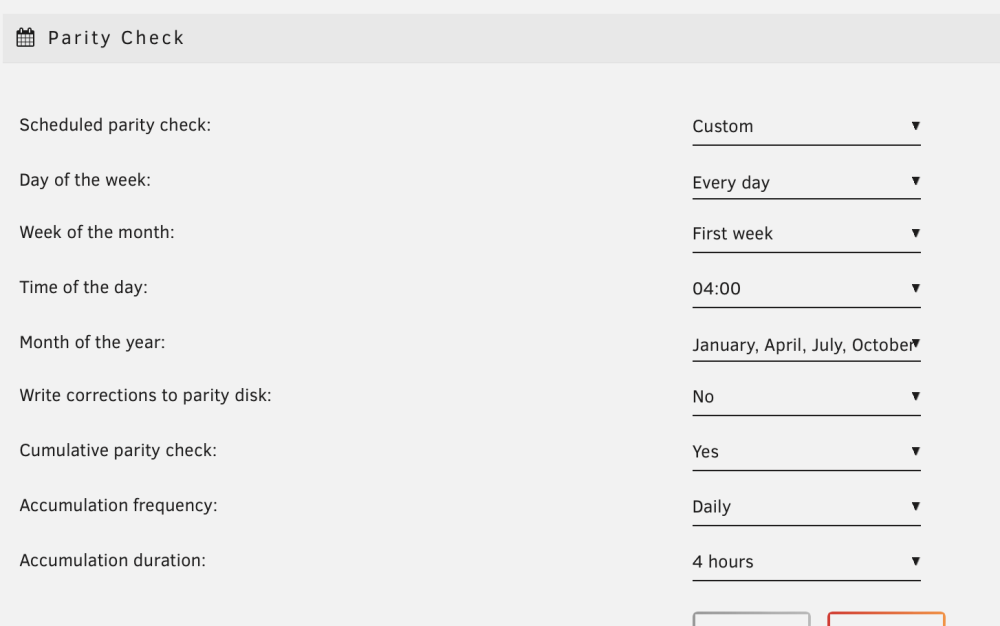
Ah, so it starts from the beginning each day? Makes sense; I totally misunderstood the settings 🤦♂️ So I guess I should configure it to start on a specific weekday on the first week every 3 months; then it should do what I want. Thanks for your help 😀
-
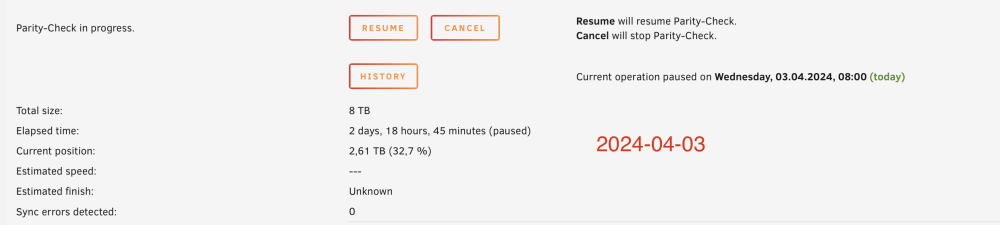
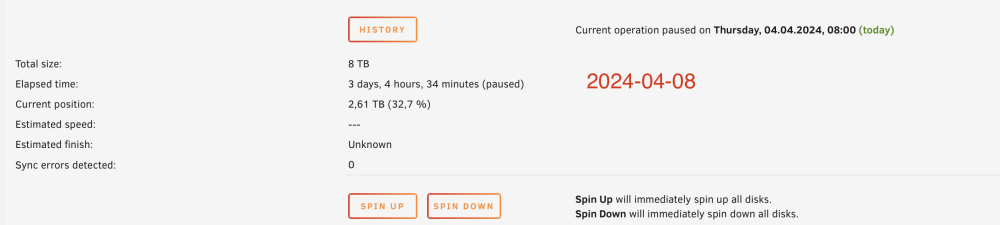
Hello, I've scheduled a parity check to run every 3 months, running for 4 hours per day. Beginning of this month, the parity check started, but now it seems it is stuck somewhere in the middle. This is not the first time this didn't work as planned. In fact, while manually started parity check always completed, the scheduled ones that only run for a few hours at a time never worked properly. I've added screenshots of the scheduler settings, the parity check history, and the progress report from two consecutive days. Any ideas how to make this work? Best regards, Rolf EDIT: added diagnostic data as well. diagnostics-20240404-0841.zip