





Zenichiro
Members
-
Joined
-
Last visited
-
It's happened with all versions, I'm on the latest update now. It doesn't seem to be tied to any paraticular page on the GUI, just an overall function of having been logged in for a while. It seems to have begun when the browsers got stricter about what they consider secure. I haven't done any testing recently but I recall that if I was accessing via a hostname rather than an IP, with a suitable SSL it would never give this problem.
-
This issue is quite a nuisance, I never found a solution. Using another browser works - until it also encounters the same problem after a little while. The only 'fix' seems to be to close the website in your browser and wait a fair while - very frustrating. It doesn't just affect the data from the display on pages, you also can't open any console sessions from the web, or the logs as they are all blocked.
-
I meant to post, I've been doing more troubleshooting - it seemed to be down to the stream of data from the server being blocked - I re-loaded the browser and it worked again. For some reason, browsers now seem to time out on unsecure pages even when in use, so this seems to be the root cause.
-
So it's not the first time I've tried to troubleshoot this problem, but it looks like I've figured a few things out properly for once. I just noticed that if I launched a NOVNC connection to my Home Assistant VM, it would suddenly kick in to life - then clicking on the Main tab would be blank and would stop the data being captured again. For the first time I could consistently stop and start this issue of data not being captured - great. Further investigation has revealed that it only seems to be an issue if I access the GUI via IP address, the way I've always used it. I had it setup with a custom local TLD in the past, but as a test I just tried it with .local - and it displayed all the data - I also tried the myunraid.net URL and it worked okay with that. So for some reason - intermittently, it doesn't like the use of local IP addresses - I suspect the browser is rejecting it without issuing the 'Are you sure you want to access this data' prompt.
-
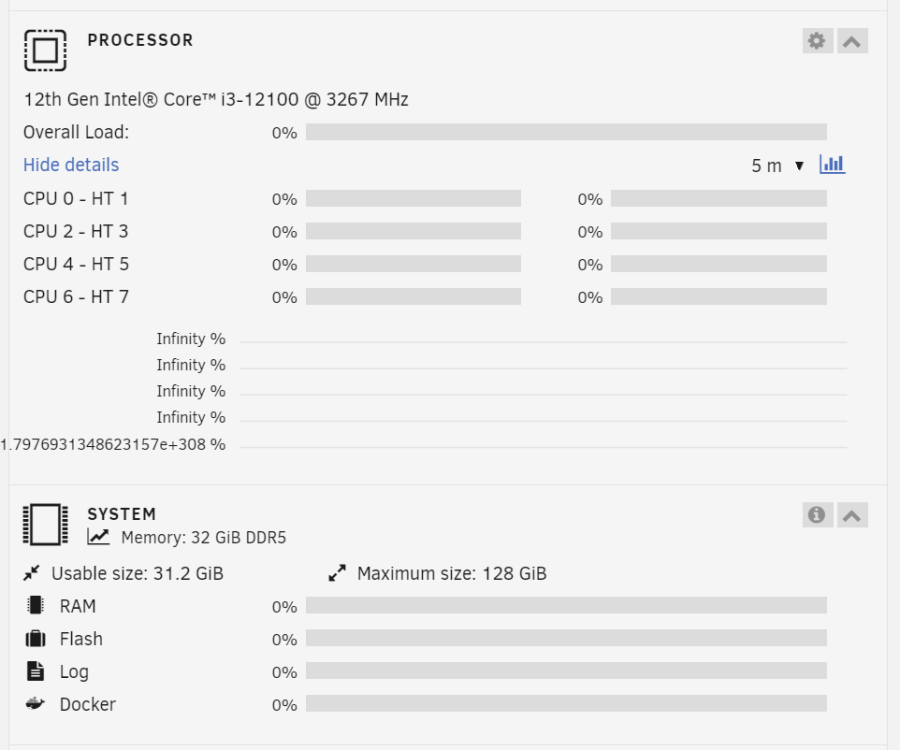
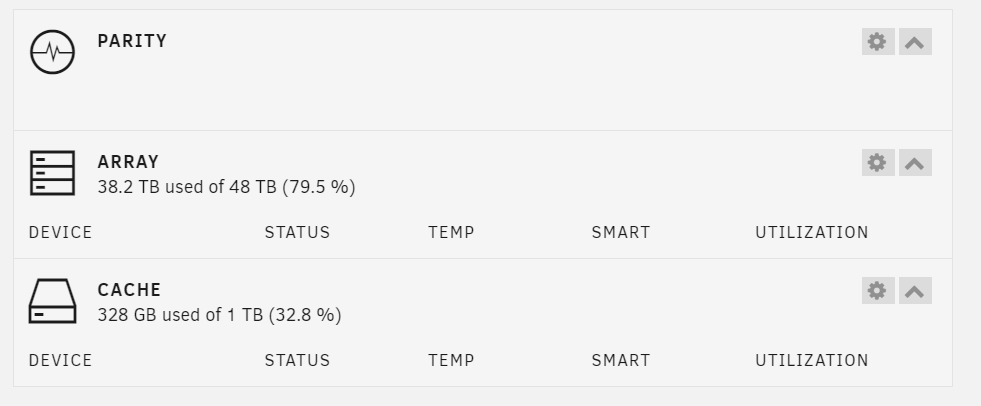
I wonder if anyone else has experienced this problem or has any ideas what could be the cause. This has been an issue with my Unraid server since I first built it and I thought maybe it could be related to the fact it was a pretty old base, an i7-2600k based system. However, I rebuilt the system last night with a MAG-Z690 Tomahawk and i3-10100 last night and it's now doing the same thing this morning - it was all fine last night. The basic problem is that randomly, the processor, system ram, interface, etc go blank. The array and cache will correctly list size and usage, but will not list any devices. Clicking on Main will not list any devices either. Also, any attempt to launch a terminal window for the main unraid system or any docker will pop up and then close down again. This happens randomly and goes away on its own. Sometimes a reboot SEEMS to fix it, but not every time. Everything functions correctly, sharing still works, all the dockers still run. I just noticed that with the stats plugin, the system stats are updating live. Any ideas what could be the cause?
-
That seems to have worked, it's back online. I'll run through a full parity check and then restart to bring up Docker - fingers cross, thanks! I'll mark once I've run the check.
-
I've been running Unraid for 18 months / 2 years now and up until I think the release of 6.12.0, it had been completely rock solid for me, literally zero problems with stability. However, since the upgrade, after a short period of time, from 1-3 days, Docker would crash and wouldn't be able to be restarted without a reboot. Parity check would always show no errors after the boot and it'd run fine again. I realised that turning off Docker would prevent any issues, and most recently I noticed that just having a few Docker containers running also seemed to prevent problems. I had it running mostly just the basic requirements for Sonarr etc for the last few weeks or so and it has remained stable. Until today. I just logged into the server and it was showing alerts saying that the cache drive was full / unreadable - although the info bars were showing it still at around 23%. I thought I'd try a reboot to see if it'd fix it - no luck - now it won't mount at all. All the drives were brand new when I built the server and given the timing of the problems began with the upgrade, I don't think it's a hardware issue. What can I do to resolve this? I've attached my diagnostics bundle. spacestation01-diagnostics-20230813-1810.zip

