





mardershall
Members
-
Joined
-
Last visited
Everything posted by mardershall
-
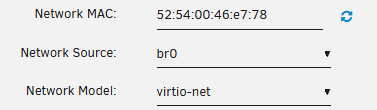
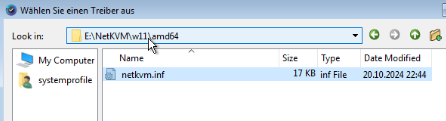
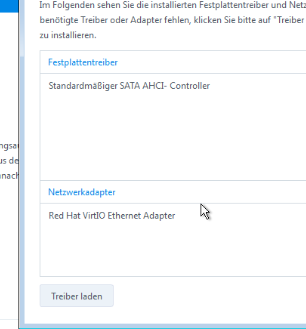
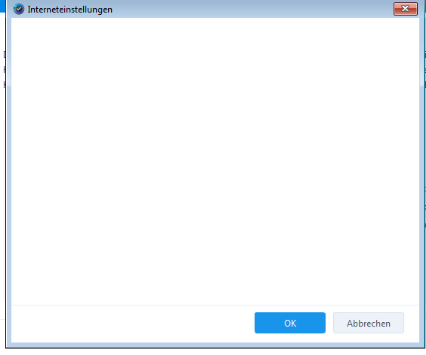
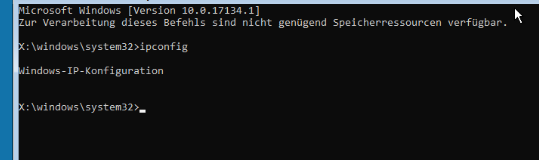
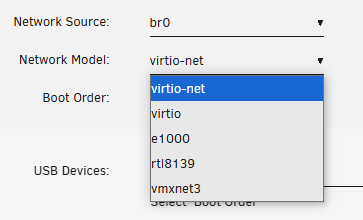
Hi, I have a Synology Disk Station and use the App "Active Backup for Business" to create Backups from serveral physical PCs. It is similar to the Acronis stuff. Windows is running a background tool which is creating scheduled backups and is stroing them to the Diskstation. To recover a PC, you have to create a USB Bootstick which runs the backup programm. This program needs to have LAN connection to be able to access the diskstation so find the backups. The backup tool is also working in a Unraid 7.0 Windows 11 VM an backups can be created sucessfully stored to the diskstation. But i am struggeling with restoring a backup to a new virtual machine. Here is my way: 1. Create a new VM with Windows 11 template 2. The ISO to boot is from Synology, downloaded from Synology Website. 3. I set this as network configuration in the VM like I always do: 4. Starting the VM and booting the ISO image works good: 5. Then the bootprogram regocnizes missing LAN driver: 6. I click "load driver" an give him this from the virtio: 7. Then the LAN driver is loaded correctly: 8. Next step is to connect to the Synology DS but this does't work. The "vm" does not have any LAN connection. When i click "Internetconnection" the field is emtpy. Also when I access console, I should normall show some IP adresses: This is the point where I am stuck. How can i make the vm get LAN connection? I also tried may differen drivers from the virtio and aswell i tried all other network models in the vm settings. None of them made a LAN Connection. Any ideas? Thanks!


-
Hi everyone, I am looking for the command line to start all VMs that have autostart enabled. I am running several VMs and sometimes some of them just shut down for no reason. So I want to automatically start all VMs every morning. But I want the script to start only the VMs that have autostart enabled. How can I realize that? I could run a script like virsh start vm1 virsh start vm2 virsh start vm3 It will start all the VMs listed, nevermind if they are already running. But then I have to maintain this list manually. But I want to create a script in the sense of virsh start *allVMwithAutostartEnabled* Just exactly they same my system will do after a reboot. Can anybody help? THX
