Cure
Members
-
Joined
-
Last visited
-
Thanks a lot. Checked disk, corrected error and everything working fine. Thanks.
-
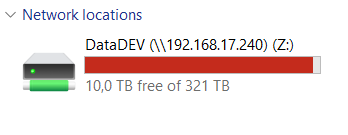
After update from 6.12 to 7.01, 2 disks were inactive, 1 data, 1 parity. I have rebuilt them, and after that no shares appeared. meanwhile system updated to 7.1.2. and I cannot see share, data on disks are present but I cannot access over network. root@DataDEV:~# ls -lah /mnt/user/ total 0 drwxrwxrwx 1 nobody users 44 May 15 10:45 ./ drwxr-xr-x 32 root root 640 May 15 10:35 ../ drwxrwxrwx 1 nobody users 6 Apr 7 11:41 BackUP\ Skripti/ drwxrwxrwx+ 1 nobody users 8 Jan 21 13:35 DataDEV/ drwxrwxrwx 1 nobody users 100 Jun 1 2023 Instalacije/ drwxrwxrwx 1 nobody users 0 Sep 2 2022 domains/ drwxrwxrwx 1 nobody users 6 Jun 5 2023 ftp/ drwxrwxrwx 1 nobody users 6 Aug 10 2022 isos/ drwxrwxrwx 1 nobody users 14 Sep 2 2022 system/ root@DataDEV:~# ls -lah /mnt/user/DataDEV ls: reading directory '/mnt/user/DataDEV': Structure needs cleaning total 0 How to solve this problem? Thanks datadev-diagnostics-20250515-1123.zip