ChrisRos
Members
-
Joined
-
Last visited
Everything posted by ChrisRos
-
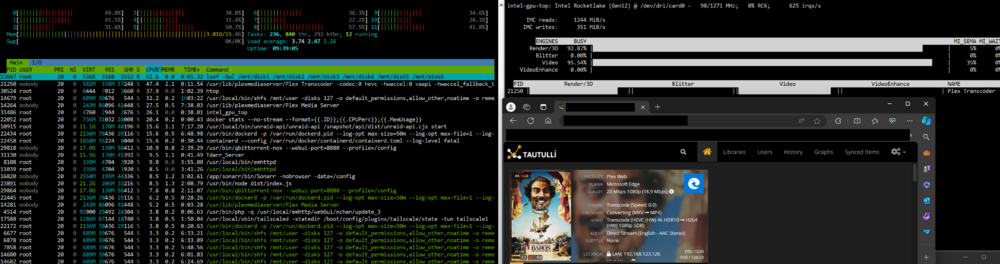
Issue: Having Plex playback issues and unable to find cause. 11th Gen Intel (11500) iGPU transcode have low transcoding speed and spike the CPU usage. Behaviour is identical on Plex, Jellyfin and Unmanic. Tdarr is not displaying this. Plex playback with transcode is constantly buffering with transcode speed at 0.1-0.6. This is with HW assisted encode/decode, direct stream audio and no subtitles. Enabled: HDR tone mapping/HW accel/HW accel encoding. Identical behaviour with HDR TM disabled. Previously, transcoding the same files would utilize iGPU with low to no CPU impact. Used to be able to run +4 4K HDR transcodes with low system impact. Now it cannot even run one without non-stop buffering. Uncertain when this started, it may have been even before 6.12.6. Any idea what a possible cause could be? Test case: Video transcode on Tdarr, Plex, Jellyfin, Unmanic (QSV/VAAPI). Test results: Tdarr: 100% iGPU, low CPU Plex : +90% iGPU, high CPU Jellyfin: 100% iGPU, high CPU Unmanic +90% iGPU, high CPU Tdarr: Plex: Versions: CPU: Intel 11th gen 11500 - iGPU UHD 750 Unraid: 6.12.6, tried 6.12.10 (from 6.12.6 to 6.12.10) and ran into identical behaviour. Plex: linuxserver - issue present on tested versions - 1.29/1.31/1.40. Jellyfin: bbergle - latest Tdarr: official - latest Unmanic: josh5 - latest