





StewLoft
Members
-
Joined
-
Last visited
Everything posted by StewLoft
-
Looks ok for now
-
Is it showing anything concerning?tower-diagnostics-20220806-1537.zipOK.Should I power up and reboot Unraid?That is correct.Yes, I guess so. Sorry if I am causing confusion. I use unraid basically for media and backup. I have not ventured into VM's or anything more complicated than basic use.I have a system with windows but it boots to unraid view the USB.I replaced the cable going to disc1 and checked the rest. Power up?The unassigned SSD is my OS for the base system the unraid is built on.What about the 6TB HDD that was my original parity? It is still in the system connected. It is dev2 in the unassigned list.I can order another. I have 2 pcie to sata 4 port cards currentlyNo extra ports. It is maxed out.OK, will shutdown, check connections and reboot. The spare is a 4TB WD Red. Should I put it in place of disc1 now?I can pull one from another computer. What are the steps to rebuild?Yes, both show the files listed. How do I know if the controllers are Marvell? I will look for alternatives.But on Main it shows.
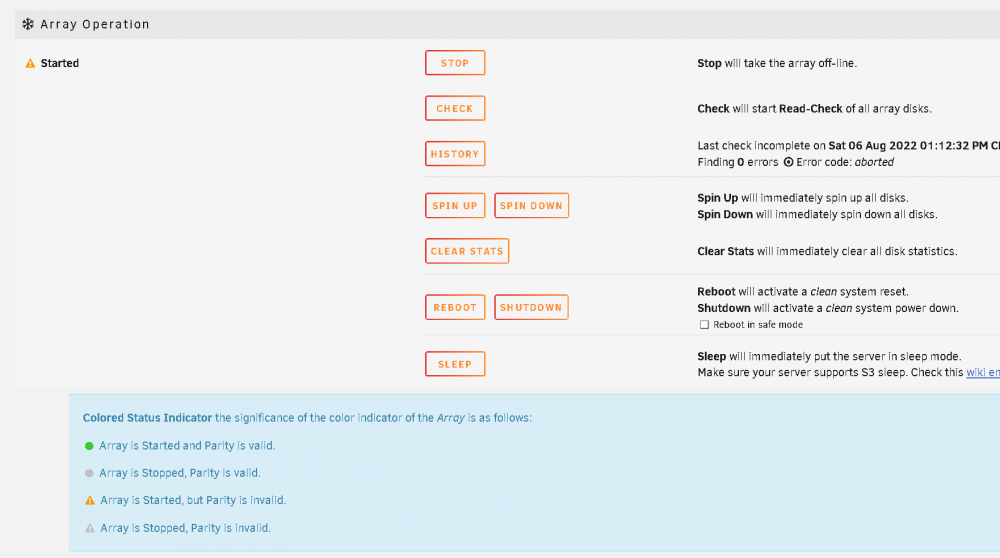 So, this is what is says now on Dashboard.
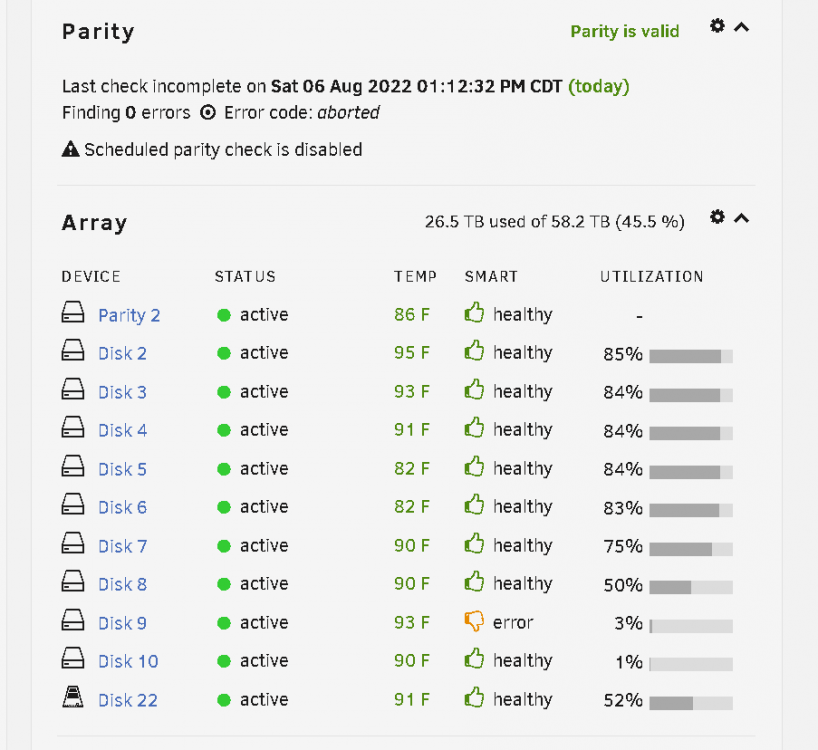 docker disabledNot for any of the media.OK, thank you very much for looking at this. I will do the same and check back in an hour.Yes, Parity2 was in for approximately 1 week and showed valid before I removed parity (6TB) from the assignment.When I first removed disc1 (4TB HDD) it was showing in unassigned. Now it is not listed there...It is still connected via sata and power though.


