immaburr
Members
-
Joined
-
Last visited
-
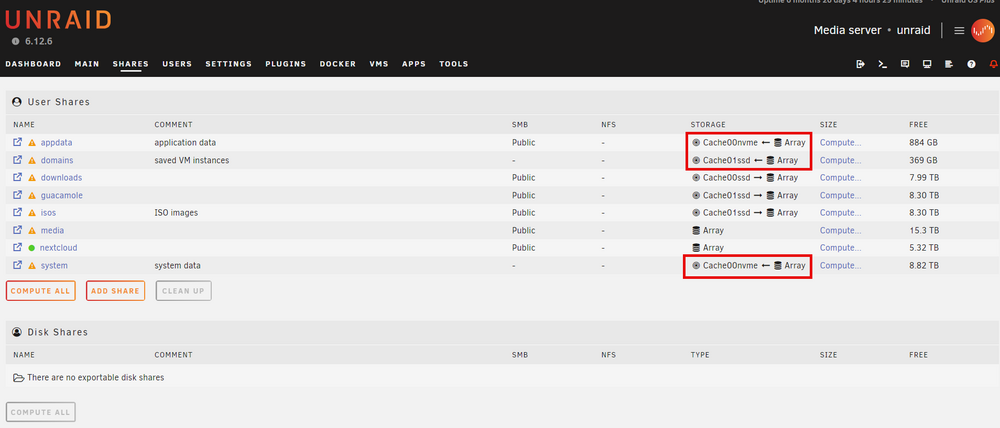
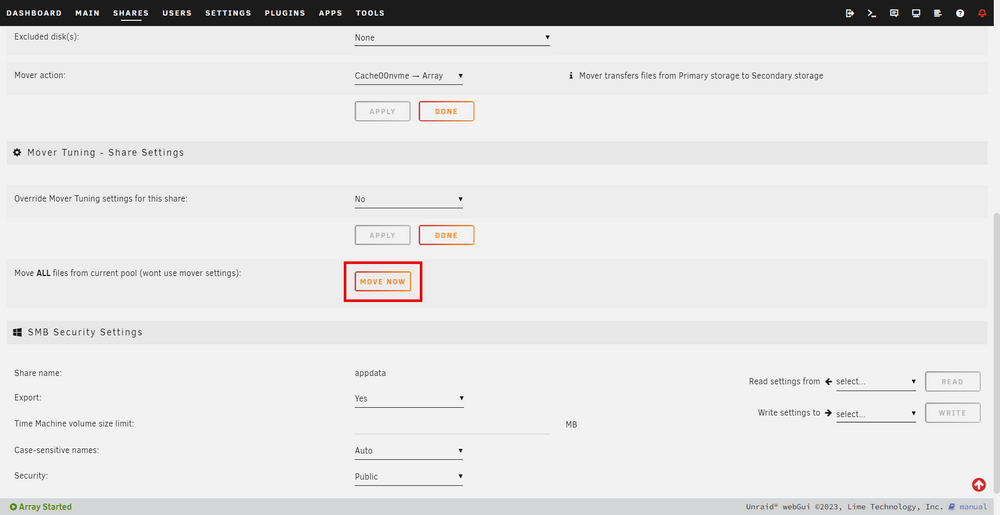
I have 3 cache drives that I am wanting to spin down and upgrade with larger drives: Cache 1 - appdata, system Cache 2 - downloads Cache 3 - domains, guacamole, iso I followed spaceinvaderone's tutorial "How to add a cache drive, replace a cache drive or create a cache pool" to the point where I switched the highlighted to Cachexxx -- > Array: I then turned off VM and Docker Services and tried to run mover. Move did not move anything so I went into the share and into "Moving Tuning" and did a "Move Now". This has moved most content with the exception of the folders: appdata, media and domains. When I try to say "Move Now" it behaves the same way as Mover did when I followed the video. There is still space utilized on the cache drives. Did I do things wrong on this? I think I'm missing a few steps somewhere. Edit: After moving everything that could be moved 2 of my cache drives still have data left on them: appdata - looking into this folder it looks to be a small file from qbittorrentvpn "ipc-socket" I can't even open the file to edit it and wondering if this is something that can be deleted? media - some media files I thought would be on the array. When I try to go to media and move the files there's no option to move them. Worse case I can acquire these again.