Skip to content
View in the app

A better way to browse. Learn more.

Unraid

A full-screen app on your home screen with push notifications, badges and more.

To install this app on iOS and iPadOS
  1. Tap the Share icon in Safari
  2. Scroll the menu and tap Add to Home Screen.
  3. Tap Add in the top-right corner.
To install this app on Android
  1. Tap the 3-dot menu (⋮) in the top-right corner of the browser.
  2. Tap Add to Home screen or Install app.
  3. Confirm by tapping Install.

Radu

Members
  • Joined

  • Last visited

  1. Sweet baby Jesús, going crazy over a setting like that. It works. Is it new? don't remember having to manually set that on the old setup.
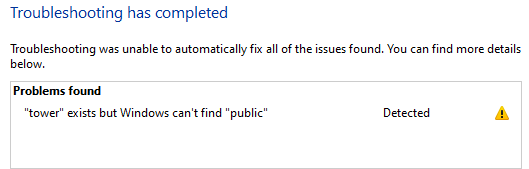
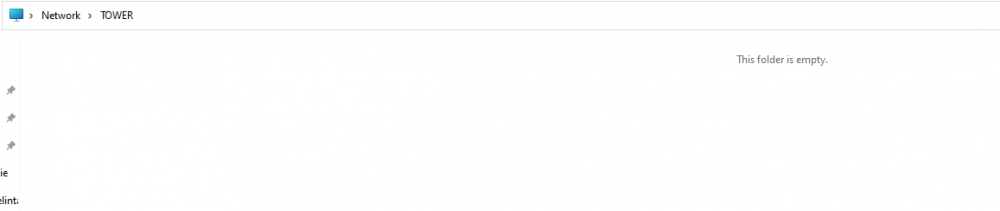
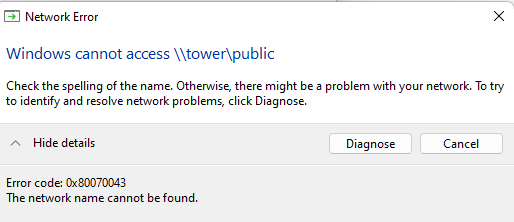
  2. Hello, I'm getting a very strange error, this is my second time setting up unraid, first time (2 years ago ) i did it in like 30 minutes. this time i'm almost 8 hours in and i still can't access my shares ( i have tried almost if not all the suggestions found on forum ). 1) i have a SMB share on a windows PC that i can access with no problem 2) the server shows up under network but it's empty ( i can't see the shares that are marked as public ) 3) can't access any share public/private with user Any tips will be appreciated ( i have 6 PC's on the network, win 10 and 11, none can access the share, they all give the same general 80070043 error )
Account

Navigation

Search

Search

Configure browser push notifications

Chrome (Android)
  1. Tap the lock icon next to the address bar.
  2. Tap Permissions → Notifications.
  3. Adjust your preference.
Chrome (Desktop)
  1. Click the padlock icon in the address bar.
  2. Select Site settings.
  3. Find Notifications and adjust your preference.