





Mr.Dee
Members
-
Joined
-
Last visited
Everything posted by Mr.Dee
-
Thank you it's work fine now
-
any tips ?
-
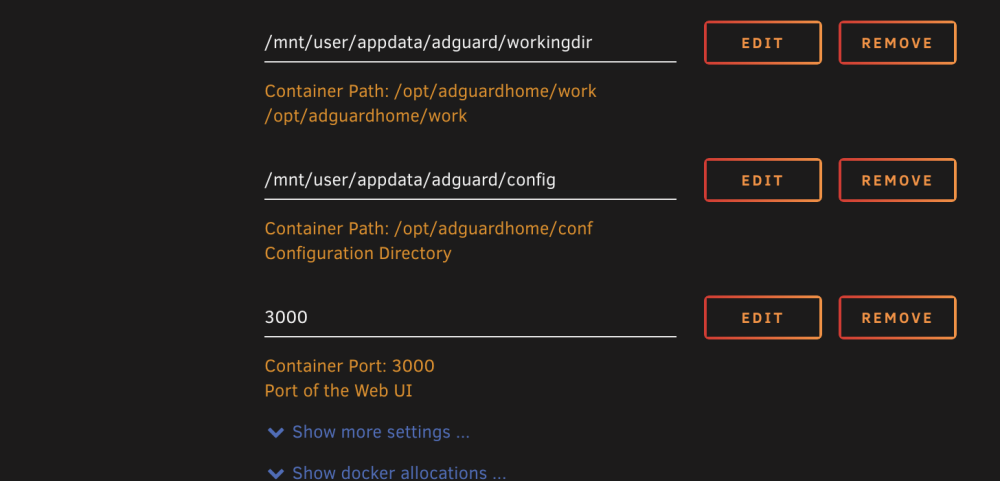
Hi, before update to 6.12.3 I have webui for adguard on port 3000, now after update is starting on 80 but in settings is 3000. but in logs is port 80 and it's working only on 80 Why he set up 80 and how force him to change for 3000 ?

-
I edit /boot/syslinux/syslinux.cfg and set safe mode to be the default, then downgrade to 6.11.5. Now works fine. Thank you
-
No it's start normall but only in cli mode. I can't access to webgui through ip and also after reboot boot menu won't show up. I want to boot with gui os and then upgrade to 6.12.3
-
Hi, I just updated unraid to 6.12.2 and web gui is unresponsive. I know that fix is in 6.12.3 for ip6. I tried to disable ip6 by command line but without any rusults. Now I have only access to cli. I want to enter boot mode and start with gui to upgrade system but boot menu never show. How to enter to boot menu ? or upgrade from terminal ?

