dudly0
Members
-
Joined
-
Last visited
Everything posted by dudly0
-
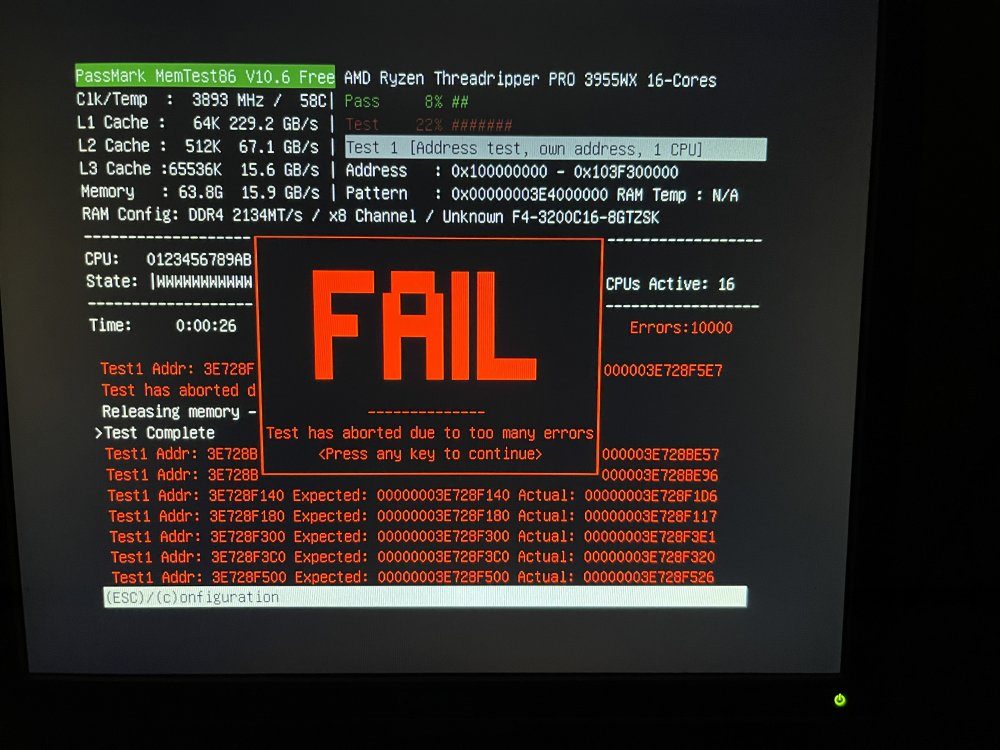
Thanks JorgeB, I was able to download the latest memtest86 as itimpi recommended. I ran it and wouldn't you know that it failed miserably with 10,000+ errors. I had some spare RAM lying around and replaced what was installed in the server. Things are back up and running smoothly. Thank you for your help!
-
Attached is my syslog file for debugging. I've also attached the diagnostics following the crash and reboot. syslog anonymized-threadripper-diagnostics-20230922-1346.zip
-
Thanks JorgeB and itimpi, I've enabled the syslog server to write to USB and will post when it crashes again with the logs. I do not have the swap file plugin installed either. I do however boot using UEFI mode so I will likely need to run in legacy mode or download a version from memtest86.com if we need to go that route (I'm still not convinced it's RAM related just yet).
-
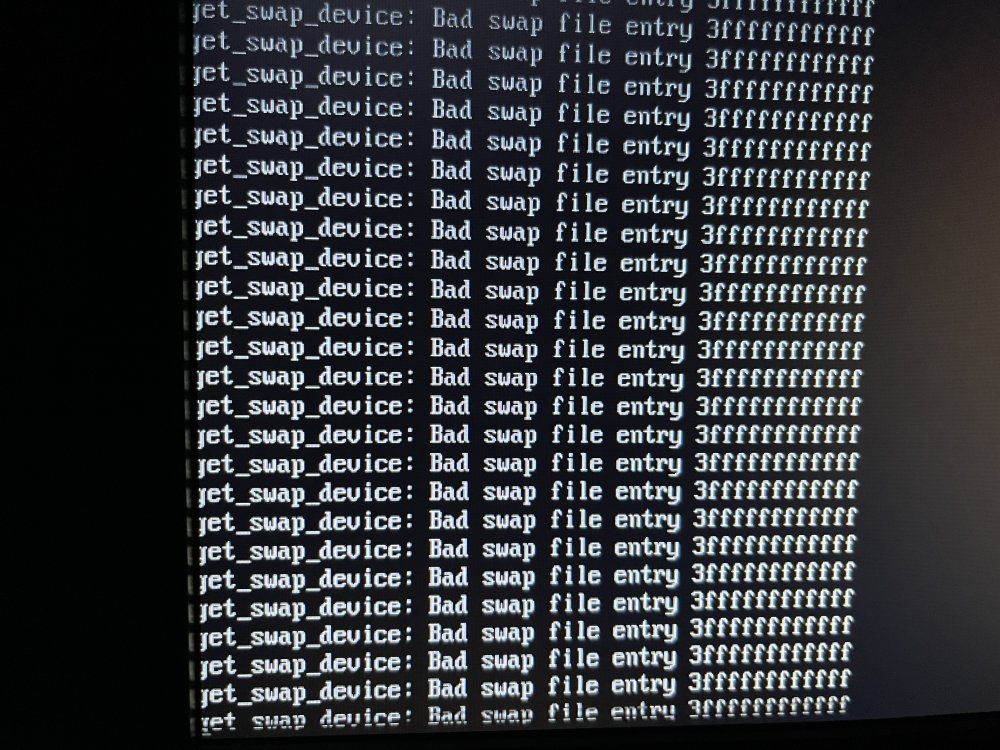
I've searched other Unraid forums and saw two similar items, but none of the topics covered described my specific scenario or fixed the issues I'm seeing. I'm trying to debug an issue with my Unraid server where it won't stay online and active for longer than 5-10 minutes without hitting the error that constantly repeats over and over on the plugged in monitor (See attached screenshot), "get_swap_device: Bad swap file entry 3ffffffffffff." When it happens, I can no longer login to the Unraid web GUI, I cannot reach the SMB shares, and I cannot do literally anything on the terminal (I've pressed CTRL+C & other various key combinations, to no avail). The message is spamming the screen very rapidly and I'm unable to use the keyboard for anything once it shows up. Here's what I've done so far to diagnose the best I can: I replaced the USB device as it wasn't happy when I plugged it in to my Windows machine. Doesn't seem to have made much of a stability difference other than my ability to now see the error message in the terminal window described above. I've started the array in safe mode with no plugins enabled, waited overnight for the parity process to run, but the server was frozen by morning. If I had to guess it was about 8 hours in before it froze and was unresponsive. **Note** This was done with the old USB device I've updated the Unraid OS from version 6.12.3 to 6.12.4. Still seeing the freeze. **Note** This was using the new USB device The only other thing of note that I saw prior to the freeze was in the Dashboard menu, I saw under the System widget the LOG was taking up 100% of the system. I also haven't downloaded/installed anything new for at least 5 or so months, just randomly appeared today so I highly doubt I have a new application that's causing the mess. I saw in other forums the Network Statistics app causing issues, but I don't have that installed. I am also unable to run memtest+ prior to Unraid booting. Every time I use the keyboard to select that option (both on old USB device and new USB device) the server reboots to the main screen and starts the boot process over again. Not sure what to make of this yet, but I don't believe it's related yet. Any help in other diagnostic attempts is greatly appreciated.