





1euro7cent
Members
-
Joined
-
Last visited
Everything posted by 1euro7cent
-
i followed this: https://docs.unraid.net/unraid-os/manual/storage-management/#rebuilding-a-drive-onto-itself and it is being reconstructed now at ~150-200 mb/s
-
Ive shutdown the server, reseated the drive and started it. the drive appeared again. but i cant select it for reconstruction tower-thomas-diagnostics-20250617-1842.zip
-
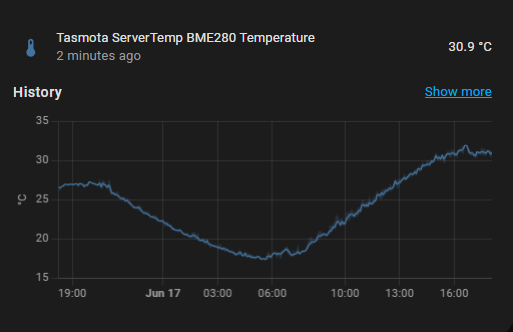
Hi, I have a dual CPU server from Lenovo. Main board: LENOVO 00YL827, CPUs: 2X Intel® Xeon® CPU E5-2620 v3 after setting the on onboard SAS raid controller to jbod mode all drives showed up and unraid worked for like 4 months now. But recently it started to fail to read from disks. I changed 3 of them already. An hour ago I changed one 750 GB hard drive to a brand new 1 TB hard drive. Data rebuild was really slow (talking like 2 mb/s and 8 days until finish). Like 50 minutes unto data rebuild, unraid cant read from the newly inserted disk anymore. I tested the disk on my pc and did some analysis before putting it in the server. The new disk I installed: ST1000LM048-2E7172_ZKP5YDYE-diagnostics-20250617 disk3 (sdh) I have also tested all other drives I changed and all of them are okay. Except of one but that is a really old and worn down drive. But again unraid cant read from the drives and after like 300 read errors cuts out the drive completely. I have the thought that unraid isn't working right anymore, and it's just wasting my money in new drives. If this matters: the server room has an ambient temperature of around 30 °C atm Can someone help me with the issue? tower-thomas-diagnostics-20250617-1759.zip
-
Some side info. I tried to install Windows 10. It worked flawlessly (I needed to install the drivers for the raid controller) I'm going to try to mess a bit with the bios and maybe that fixes it. Windows can only use one CPU but all the ram. Even the ram on CPU #2
-
I've tried this now: Unraid 6.12 Unraid In GUI mode In safe mode In safe GUI mode Proxmox Ubuntu server And even windows server Memtest(passed) Removed a power supply Removed the other power supply Rearranging ram Removing every ram stick except one for each cpu And I inspected the Mainboard for physical damage such as blown capacitors Nothing changes anything I also tried: Disconnecting everything unnecessary for boot. (Removed all drives, raid controllers and USB hubs(build into the case) and even a CPU) It always gets stuck at some point or another. Always blinking Cursor goes away
-
I tried it on my PC and it works. I tried it on a different USB stick (on the server) and it's stuck on blinking Cursor
-
Its a clean new install while having the first boot
-
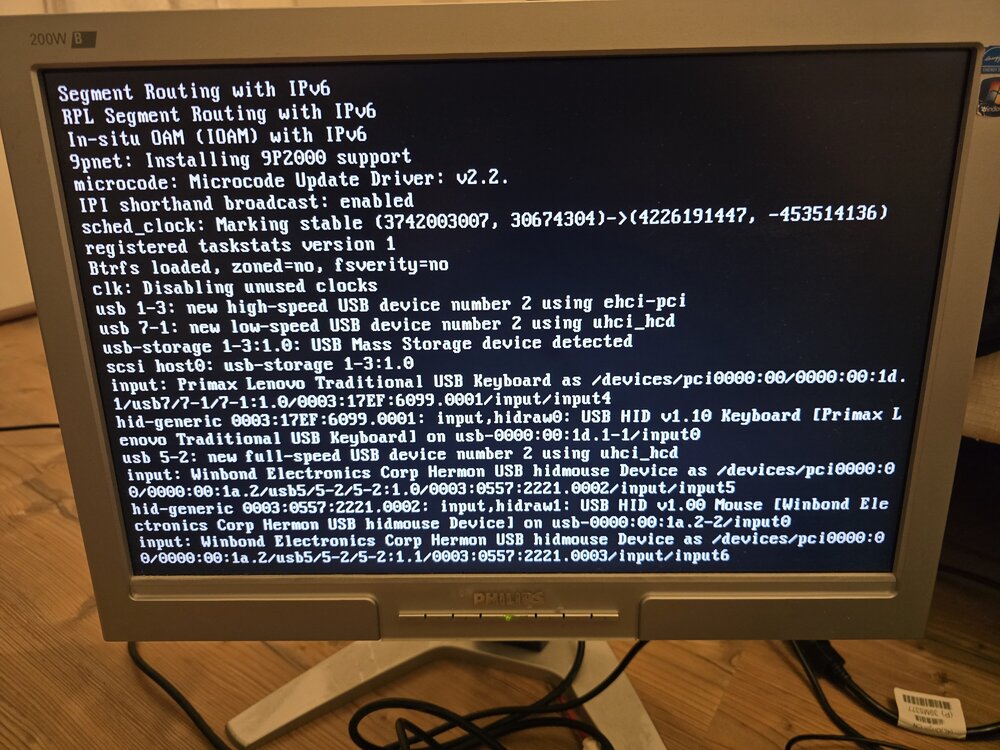
I have already 2 running instances of unraid, and they work fine. I tried to install unraid on a true server with 2 CPUs and 48 gigs of memory. The problem is that unraid gets stuck at this screen. Blinking cursor stops and nothing happens anymore I already tried: Plugging the USB in another slot disabling fast boot disabling TPM
-
I tried and it worked. Since 1 day and 20h unraid hasn't killed the vm. But my question is why is unraid killing a vm that is using 2 gigs instead of the docker container that is using more than 10
-
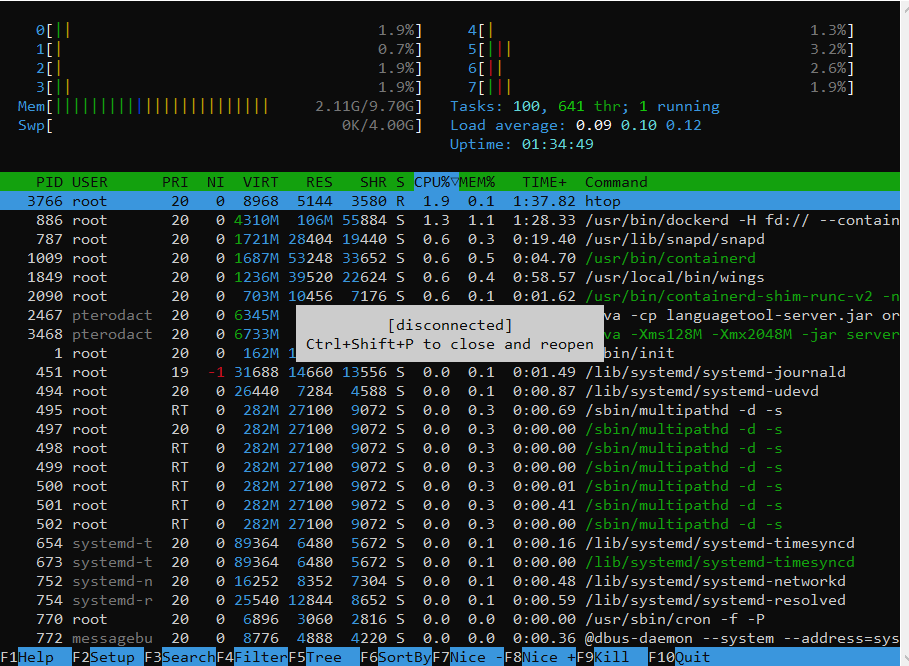
Hey. unraid is constantly killing my vm. as pulled from the log it is an Out-of-Memory (OOM) kill. But unraid and the vms have enough ram to live. unraid had ~70% usage and the vm had 2/10 gigs used. ive tried to set the max ram to 8 gigs. Still killing. 8 gigs min and 10 max. Still killing. 10 min and 10 max. Still killing. And of course I tried to reboot unraid. After reboot, it lasted ~1.5h instead of ~45 mins but still. And before you ask the vm has so much ram because pterodactyl wings is running on it and all "servers" including Minecraft servers, are running and consuming ram here is an image of htop before it lost connection: Diagnostics: tower-thomas-diagnostics-20240615-1837.zip
-
I found out that my network card (my pc) was causing the slow internet speed. The initial issue was resolved by switching SATA controller
-
I am trying to copy to "Bulk drive" with cache pool "cache" that bulk cache is not used with the problem I have
-
I have a cache pool with 2 drives
-
I bet when I reboot unraid it works just fine for a few hours. It is always like this.
-
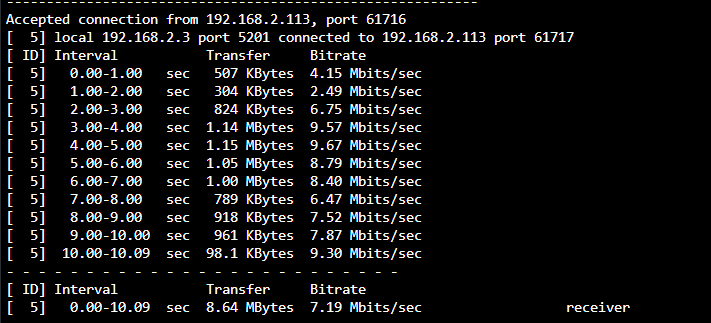
i made this test my Ethernet to the outside world is https://www.speedtest.net/result/14042949900 that makes no sense to me
-
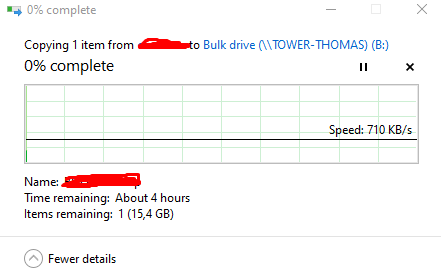
In short term it seems to work. But I have a different issue now the connection to windows is extremely slow. I am trying to move files, and it only has like 1mb/s. We have a 1gigabit connection from me to unraid. The disks itself are working at full speed. That share uses a share of 2 drives (should be fast). In case you need diagnostics again. Here it is: tower-thomas-diagnostics-20221207-1647.zip
-
I freshly started a new check and made diagnostics. tower-thomas-diagnostics-20221204-1344.zip
-
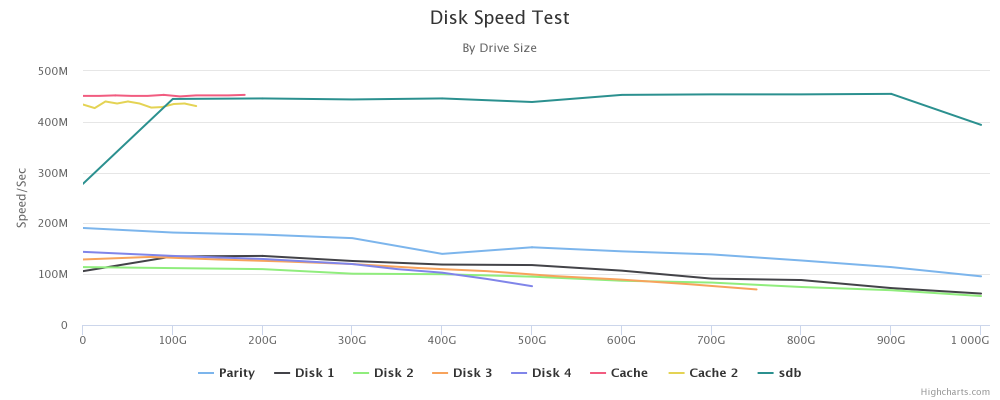
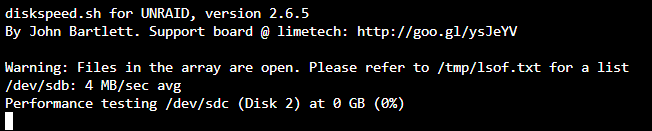
Everything is going well with disk speeds. I even made a speed test of them: after every parity check all the speeds drop to 4 mb/s I cannot finish this test above because it would take ages I didn't finish a parity check for like 3 weeks now because it takes forever, and the disks are getting hot the only way to resolve this is to reboot unraid. Until next parity check this issue won't come back

-
i let the program run through and it seems that the vmdisk file is not found. after a litlebit of digging the program crashed
-
yeah. your right. i plugged directly in and now it gets detected
-
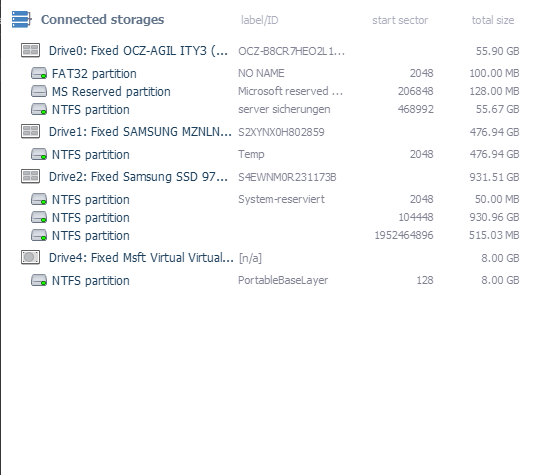
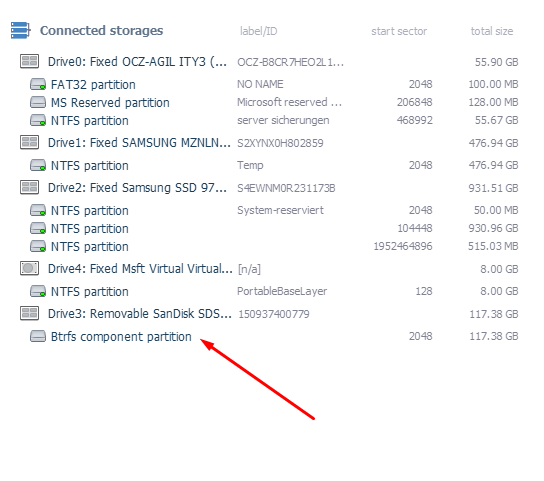
a image with the vm drive installed an other disk that was in unraid as cache
-
the error message popup

-
it just does not show up. all other drives including unraid array and cache drives are working except that one on that ont either just nothing happens or a error message from windows pops up that says the usb device is not recognized i use an adapter from sata to usb.
-
UFS explorer does not find the drive
-
for that i mean either unraid detects the vm file back or at least to recover using raw byte data



