





Doommius
Members
-
Joined
-
Last visited
-
Here you are @JorgeB tower-diagnostics-20260203-0950.zip
-
I have an issue that the ssh server crashes every few weeks, it's always this same error, Is there anyway to avoid this? Jan 24 03:10:50 Tower rc.sshd: Updating SSH server daemon... Jan 24 03:10:50 Tower sshd[1688101]: Received signal 15; terminating. Jan 24 03:10:50 Tower sshd[1688958]: error: Bind to port 22 on 169.254.55.139 failed: Cannot assign requested address. Jan 24 03:10:50 Tower sshd[1688958]: fatal: Cannot bind any address.Currently i have out of band management so i can manually restart it an the UI when it crashes, but it's a bit annoying, is there a work around to resolve this so the ssd and nginex doesn't have this issue ? Another small thing is that these logs are under login not error/warning Jan 24 03:10:50 Tower sshd[1688958]: error: Bind to port 22 on 169.254.55.139 failed: Cannot assign requested address. Jan 24 03:10:50 Tower sshd[1688958]: fatal: Cannot bind any address. Feb 2 15:28:55 Tower sshd[2022557]: Server listening on 192.168.1.173 port 22.And logs like this are under error Jan 21 22:24:30 Tower sshd-session[2401656]: Read error from remote host 188.177.1.52 port 54664: Connection reset by peerI might be a nit thing about the log grouping but.. still thought i'd mention it here,
-
This link here is dead. I found a thread on reddit. leading to here which helped solve the issue
-
This link is dead, are you able to repost the solution here ? i did this with my write cache on mistake.
-
It would make sense with used drives maybe. if case that they contain sensitive content and such. but with no drives it seems weird. maybe burning them in in case they're defective or have issues? that would make more sense.
-
Is it recommended installing the plugin? I've just setup my server and I am currently ingesting data from some NTFS drives.
-
The issue was incorrect version. Solution added to above post.
-
I've been trying to run rsync via nohup, however it is failing with the following errors. rsync error: received SIGINT, SIGTERM, or SIGHUP (code 20) at io.c(518) [generator=3.2.6] rsync error: received SIGINT, SIGTERM, or SIGHUP (code 20) at rsync.c(713) [sender=3.2.6] rsync: [receiver] write error: Broken pipe (32) From what I've gathered this is due to an issue with nohup. I then went to install screen from the Slackware repo and installed the two packages mentioned in the wiki screen and utempter wget http://mirrors.slackware.com/slackware/slackware-current/slackware/a/utempter-1.2.0-i586-3.txz installpkg utempter-1.2.0-i586-3.txz wget http://mirrors.slackware.com/slackware/slackware-current/slackware/ap/screen-4.9.0-i586-1.txz installpkg screen-4.9.0-i586-1.txz When I then try to execute the screen command, I get the following. root@Tower:/usr/bin# screen screen screen-4.9.0 root@Tower:/usr/bin# screen-4.9.0 -bash: /usr/bin/screen-4.9.0: No such file or directory root@Tower:/usr/bin# screen -bash: /usr/bin/screen: No such file or directory Am I doing something incorrect here or missing something? It's also mentioned that screen is available via the NerdPack but since this is deprecated in 6.11 it wasn't of much help. Fixed. I installed the wrong versions. To do it correctly run the following code as od 2022/10/03 cd /boot/extra wget http://mirrors.slackware.com/slackware/slackware64-current/slackware64/a/utempter-1.2.0-x86_64-3.txz installpkg utempter-1.2.0-x86_64-3.txz wget http://mirrors.slackware.com/slackware/slackware64-current/slackware64/ap/screen-4.9.0-x86_64-1.txz installpkg screen-4.9.0-x86_64-1.txz
-
Yeah, I'll see what I have available. I have a broadcom nic i can test with. Was planning on upgrading hardware and migrating the primary server to unraid this weekend but with the above issue with the new hardware i'll stay with the old hardware for now. Update: The older hardware seems to be running fine. I'll just write it down as an incompatibility between Slackware and the 2.5g nic. Seems like it won't be able to use the hardware I had in mind for the unraid build. So i'm back to the drawing board in some regards here.
-
No, but it's the symptoms that I'm noticing
-
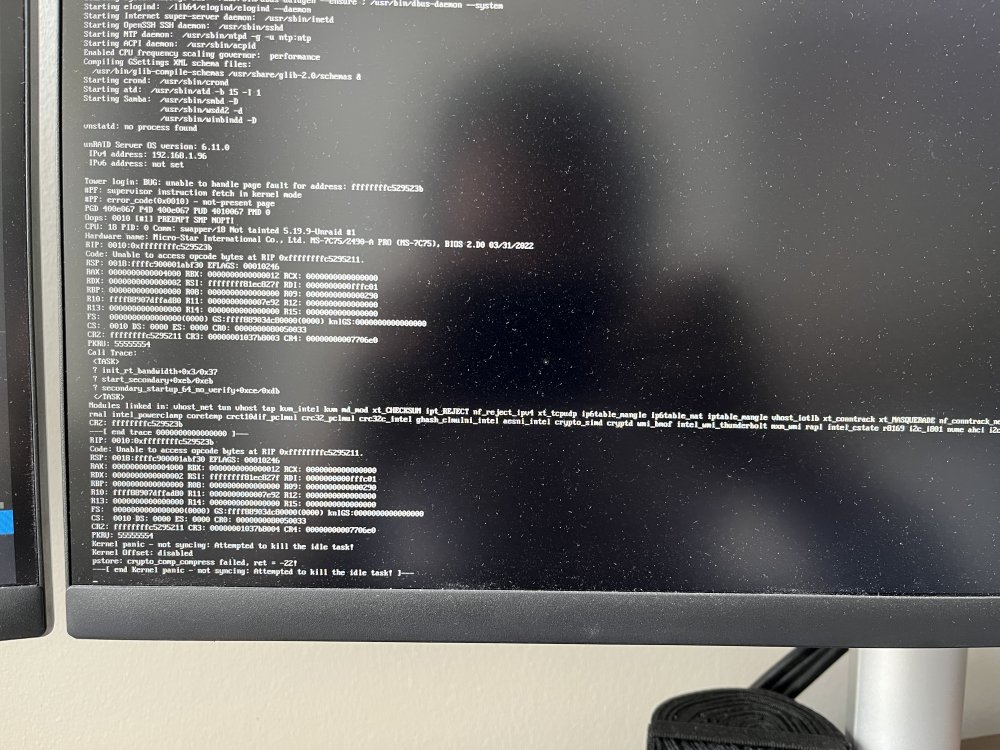
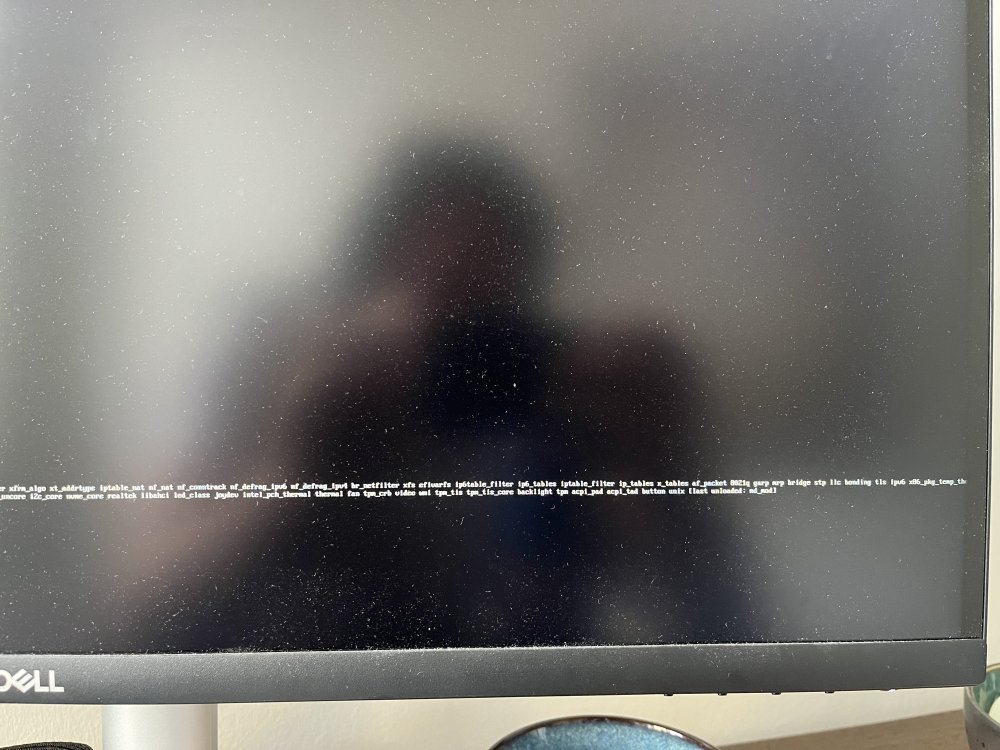
Not on hand no. I had the following printout in the console connected directly to the server.
-
I know this sounds like a weird issue, I'm unsure if this issue is caused by Unraid or a hardware issue. but sometimes when the server is booted prior to the DCHP server or if the DHCP server is restarted having the Server connected to the Network blocks any IP assignment and breaks it if it's connected without a reboot. My network gear is as follows: ubiquity NSG-3p ubiquity Cloud key gen 2 plus ubiquity AC pro x2 with POE injectors Netgear GS316 switch The server is using a MSI Z490-A PRO (MS-7C75) motherboard with a Realtek RTL8125 2.5GbE Controller (rev 04) who i believe might be the culprit or some driver related to it. I found a post on google mentioning "Quick update on RTL8125 - Realtek has identified an issue with flow control pause packets, which could cause LAN disruptions and outages, and will be fixed in in next driver version (v10.048). Additionally, they are reviewing the driver code related to Interrupt moderation and Large Send Offload, both of which have proved problematic in testing." but I was unable to locate the original source. I don't have the issue in windows, so could the fault be that the driver on Unraid is older with the flaws mentioned above.?


