jeiroq
Members
-
Joined
-
Last visited
Everything posted by jeiroq
-
I'm definitely no expert on this, but it seems that you don't have your domain pointing to the correct IP address (your public IP) and/or port forwarding isn't setup correctly to send ports 80 and 443 to your servers private IP and ports for letsencrypt you set up. Are you using dynamic DNS or do you have a static public IP address?
-
I guess my noobness is showing. I hadn't realized I did this? Sorry for the confusion.
-
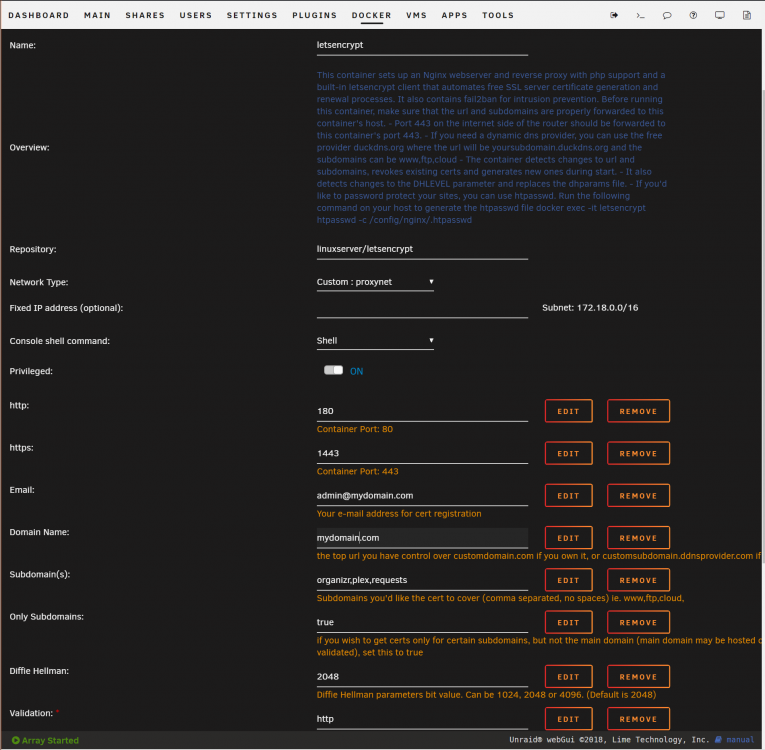
If I go to https://requests.mydomain.com or http:// I get a refused connection/this site can't be reached. Now if I use https://192.168.1.10:1443 I get "your connection to this site isn't secure" due to not being able to validate certificate. So, this is progress! If I select to continue, I can then get "welcome to our server". I guess a follow up here would also be how to be able to type in "requests.mydomain.com" and get https automatically? First need to figure out the certificate issue though. Edit: made 2 changes in the container settings. Validation was changed from http to https, and AppData config path was changed from appdata/letsencrypt/config to just appdata/letsencrypt/ - I can now access ombi through https://requests.mydomain.com - now I need to find how to force https now so it doesn't have to be manually typed in. Thank you for your patience and great wealth of knowledge, it's much appreciated.
-
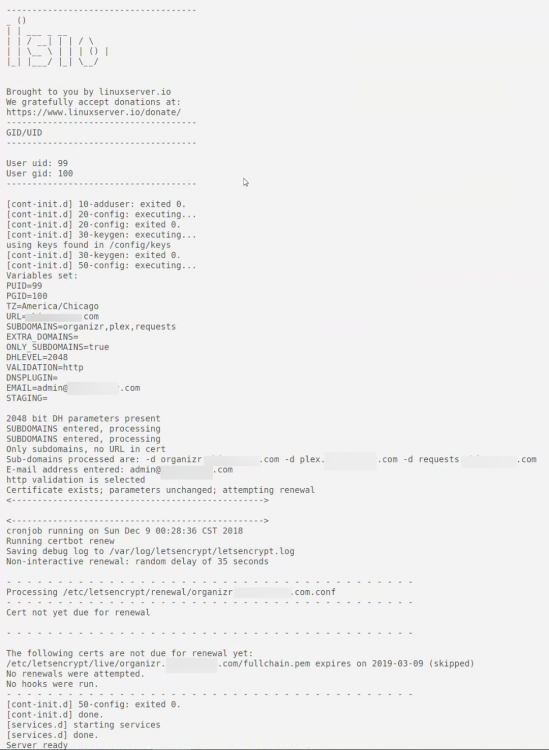
Here's the log from letsencrypt. I did install the nginx container by itself with same ports and it is up and running. I am able to get to "Welcome to our server" page using same ports and by using my domain. The problem seems to be with letsencrypt not starting up nginx?
-
Honestly, I'm having a similar issue on a fresh install using Google Domains as well. I can't get nginx to show the "welcome" page to show the container working. I've been banging my head for the past day on this. I have also tried just using 192.168.1.10:180 (local IP) to no avail here. root@Apollo:~# docker ps CONTAINER ID IMAGE COMMAND CREATED STATUS PORTS NAMES aed87507ede6 linuxserver/letsencrypt "/init" 25 minutes ago Up 2 minutes 0.0.0.0:180->80/tcp, 0.0.0.0:1443->443/tcp letsencrypt My log shows "Server ready" and that certificate exists, however nothing passes through. My port forwards are set up correctly (EdgeRouter, port 80, going to server IP > 180, port 443 going to server IP > 1443) which matches docker ps for the ports. I edited email and domain names for screenshot of container settings. I have checked that my site is pointing to my correct public address by changing to other containers ports with port forward (port 80, going to server IP > 3579 (Ombi)) and a few others as well, and these were all successful. Any ideas?