AttonRand
Members
-
Joined
-
Last visited
Everything posted by AttonRand
-
OK so i came to a conclusion. First off thanks for very quick replies (very appreciated, even Manuel from support to my personal mail for the new key). The problem was the emty go file. Replaced it as you said and now it shows the registered status. Have a good day
-
Diagnostics. I cannot even access the GUI so i am going to roll back to a previous backup. I cannot understand what happened. tower-diagnostics-20240102-0441.zip
-
Thanks for fast reply. Now i cannot even access the WebGUI from local net. I need more time.
-
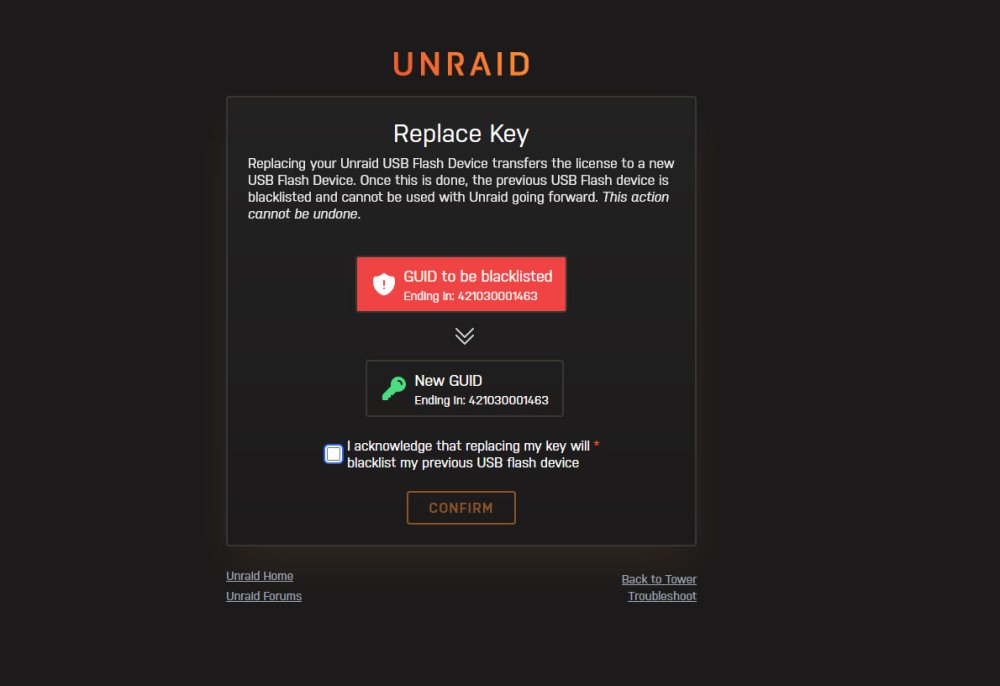
Hello, i purchased Unraid Pro one year ago or so. Today i just decided to update from an old version to the current version. Now a big surprise come up: First the system complained the the key was blacklisted, next it sent me a replace GUID window (the GUID is the same! usb key is still the same!). I did the replace key and now the error changed to Registration key / USB Flash GUID mismatch. How can i solve it? I cannot start my array now Thanks in advance Atton