DottorFranky
Members
-
Joined
-
Last visited
-
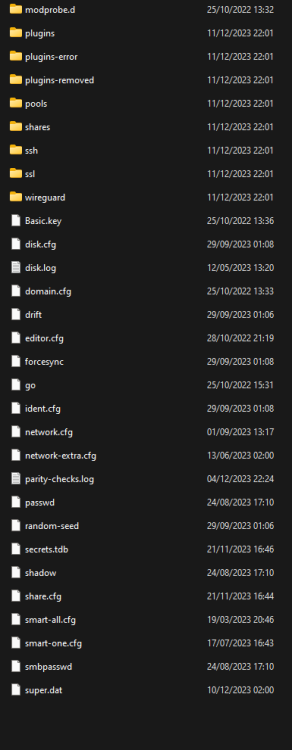
Thanks for the reply! the fact that this thing is still on has made me feel calmer. I managed to make a copy from Windows Explorer of the contents of the stick currently connected to the unraid, including the Basic.key, is that the file with the license? however, I know the email from which it was purchased. in theory I had made a flash backup months ago but I can't find it and I can't access "/boot/config" from my unraid... can i recover my configuration using any this files?
-
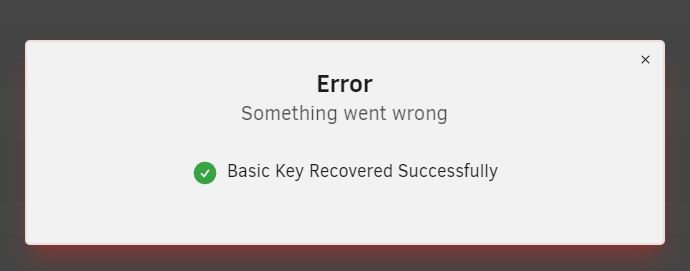
Good morning everyone, Unfortunately, last night both my USB flash drive and my cache SSD seem to have stopped working. I noticed the problem only tonight because I couldn't access it. Disconnecting the USB, my computer reads it without problems, but I can't copy the "docker.cfg" file. Could that be the issue? Tomorrow I'll get a new USB drive. I have 3 data disks and 1 parity disk (it just finished parity yesterday morning). I hope not to lose anything, but at worst, I hope to at least keep the data on the disks. Unfortunately, I can't turn off the array or extract diagnostics. Below is an excerpt of the errors I've seen repeating throughout the syslog. Sorry if this isn't useful information, but unfortunately, my knowledge is limited in this area. Currently, my Unraid is ON, but not being able to read the USB, I can do practically nothing. I fear that if I try a restart, it might not boot from the USB... Trying to recover the key tells me success but error at the same time (?) see attached photo. Thanks to everyone who will write me advice; it's my post on this forum that has saved me more than once in the past.