




Skip to content
View in the app

A better way to browse. Learn more.

Unraid

A full-screen app on your home screen with push notifications, badges and more.

To install this app on iOS and iPadOS
  1. Tap the Share icon in Safari
  2. Scroll the menu and tap Add to Home Screen.
  3. Tap Add in the top-right corner.
To install this app on Android
  1. Tap the 3-dot menu (⋮) in the top-right corner of the browser.
  2. Tap Add to Home screen or Install app.
  3. Confirm by tapping Install.

9to5stuff

Members
  • Joined

  • Last visited

  1. how can i find the out of the diagnostic file? Thanks!
  2. Dear all, Fix Common Settings shows me an "Out Of Memory errors detected on your server" - how can I figure out the root cause for that? Attached I enclosed the actual Diagnostics file. Thanks! Best Regards Martin ZIP_2024-12-15_bigstore-diagnostics-20241215-1617.zip
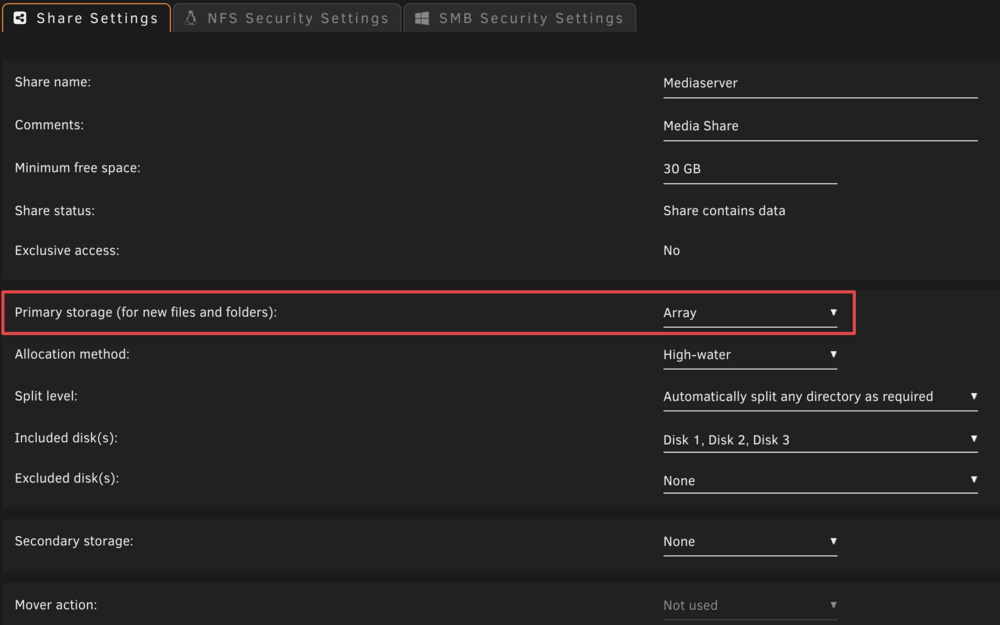
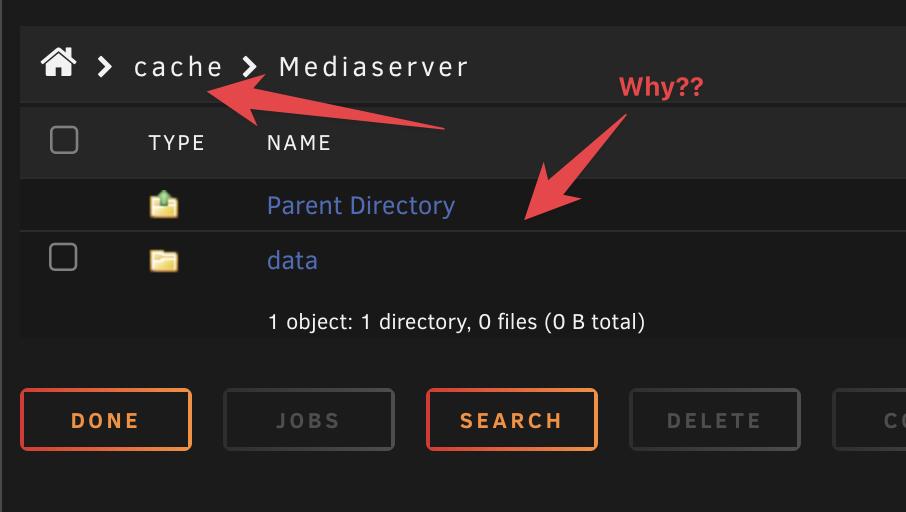
  3. Dear all, i've a Media-Share setup as an Array only (Primary storage = Array - No Cache!). If I copy or move a file directly from one share to another via shell the file stuck on the Media-Share on the Cache.... How that? Thanks! Best Regards
Account

Navigation

Search

Search

Configure browser push notifications

Chrome (Android)
  1. Tap the lock icon next to the address bar.
  2. Tap Permissions → Notifications.
  3. Adjust your preference.
Chrome (Desktop)
  1. Click the padlock icon in the address bar.
  2. Select Site settings.
  3. Find Notifications and adjust your preference.