Pickl3s
Members
-
Joined
Everything posted by Pickl3s
-
Hi, I only get to c-state 2, but in the bios I have already activated the corresponding points. I have installed this hardware: * Biostar B450NH * AMD Ryzen 5 3400G * 32GB (2x 16GB) G.Skill Aegis DDR4-3200 These are the cmd outputs: grep . /sys/devices/system/cpu/cpu0/cpuidle/state*/name /sys/devices/system/cpu/cpu0/cpuidle/state0/name:POLL /sys/devices/system/cpu/cpu0/cpuidle/state1/name:C1 /sys/devices/system/cpu/cpu0/cpuidle/state2/name:C2 zenstates --list C6 State - Package - Enabled C6 State - Core - Enabled How can I get to a higher state?
-
The card works in another pc (ubuntu 20.04) Can this be a driver problem with unraid?
-
I have an HP network card from a server but it is not recognized by unraid. This is the card: https://support.hpe.com/hpesc/public/docDisplay?docLocale=en_US&docId=c04111405 trashy-diagnostics-20221230-1903.zip
-
Ah ok thanks
-
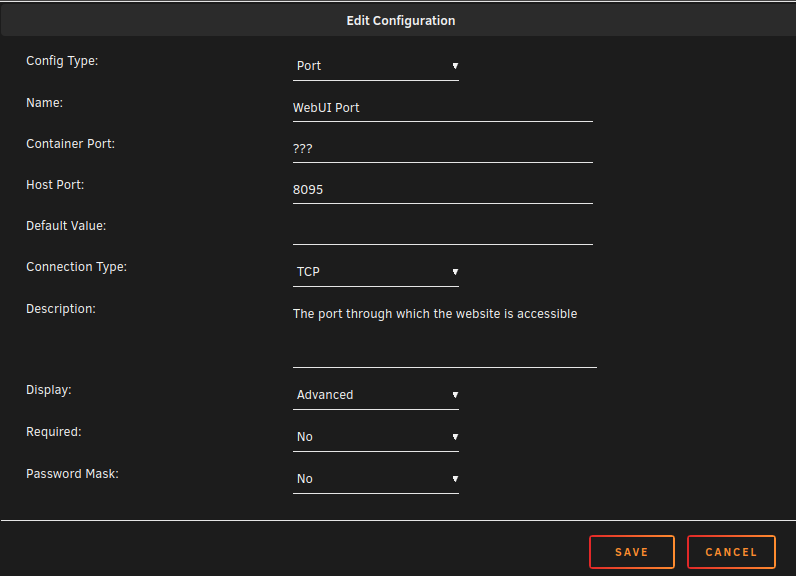
How can I configure "Container Port" with the corresponding variable and its Default Value For example: Variable WEB_PORT = 8095 (Default, can be changed) Container Port = $WEB_PORT (Changes automatically when variable is changed)
-
Is it possible to set the conatiner port dynamically? I have a container running on ports 8095 and 40123 by default. I can change this via 2 variables (but this also affects the server, so the container ports would have to be changed as well) What I mean as command Default: docker run -p 8095:8095 -p 40123:40123 ... With modified ports: docker run --env WEB_PORT=1234 --env=API_PORT=4321 -p 1234:1234 -p 4321:4321 ... How can I set this dynamically in the config?