ianrohde
Members
-
Joined
-
I'm able to access the GUI now after doing steps 5 and 6 from the docs above
-
Making progress using these docs https://docs.unraid.net/unraid-os/troubleshooting/boot-issues/#boot-failure. I should be able to figure this out. Thanks for jumping in to help @foo_fighter
-
Already tried F2 while booting, Del doesn't work either.
-
Had an unclean shutdown midway through setting up a new parity. Unable to access anything now. Unclean shutdown details: I had 1 old 2TB drive and 1 new 8TB drive with the copied data. I got all the data copied over, shut down, installed the second 8TB drive, then found out I had to re-install the old 2TB to unassign the old drive. Shut down the computer via the power button and now I'm unable to access, or do anything. - No recent logs on the boot USB - No boot menu shown when powering on the computer pressing F2, F8, F10, or F12 - Can't ssh to computer IP - No access to WebGUI Is there a way to force boot into safe mode? I';m unable to find details on how to do this.
-
Thank you so much @Kilrah and @Hoopster! Sorry if I came off the wrong way, I've been through a fair amount of trouble getting this set up correctly... This is yet another bonus for using a flash as a boot. 🍻
-
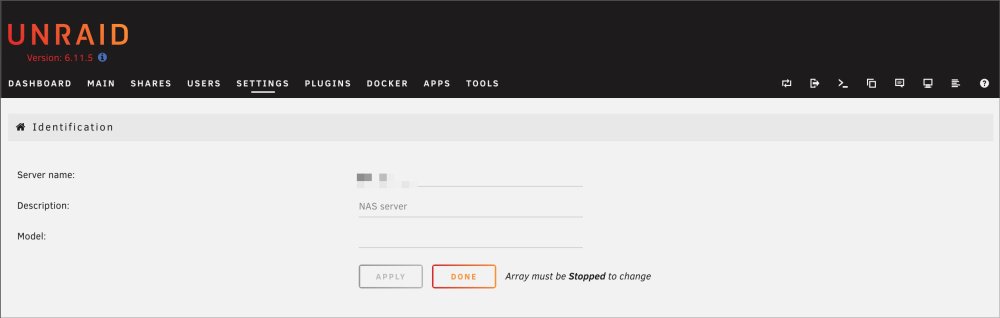
Pretty sure this is a bug. Settings > Identification > Model was saved blank, and now my server is bricked. I can't shut down the array via the GUI, I can't access the terminal at all, so I can't do much of anything since my arrary is set to start on boot. Only option seems to be backing up my data externally and starting over... again. Awesome.