




Skip to content
View in the app

A better way to browse. Learn more.

Unraid

A full-screen app on your home screen with push notifications, badges and more.

To install this app on iOS and iPadOS
  1. Tap the Share icon in Safari
  2. Scroll the menu and tap Add to Home Screen.
  3. Tap Add in the top-right corner.
To install this app on Android
  1. Tap the 3-dot menu (⋮) in the top-right corner of the browser.
  2. Tap Add to Home screen or Install app.
  3. Confirm by tapping Install.

Monk_Monk

Members
  • Joined

  • Last visited

Everything posted by Monk_Monk

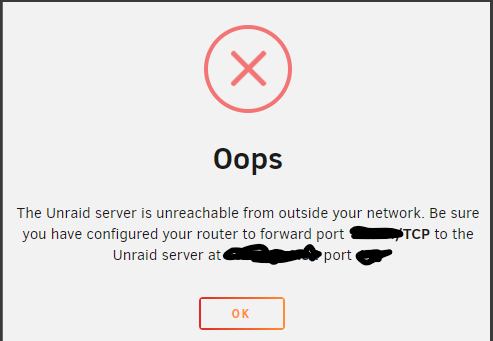
  1. Hi guys, New to all this and wanting to learn, I have been watching spaceInvader One video on setting up a Unraid Server and I am having a problem with the port forwarding on my sky router, I'm unsure if I am doing it right as I have been following this guide I found from another post https://helpforum.sky.com/t5/Broadband-Talk/How-to-set-up-port-forwarding/ba-p/2662260 when I do the check to see if it works it comes up with the error in the image below. could anyone give me advice on this thanks.
Account

Navigation

Search

Search

Configure browser push notifications

Chrome (Android)
  1. Tap the lock icon next to the address bar.
  2. Tap Permissions → Notifications.
  3. Adjust your preference.
Chrome (Desktop)
  1. Click the padlock icon in the address bar.
  2. Select Site settings.
  3. Find Notifications and adjust your preference.