bdelalex
Members
-
Joined
-
Last visited
-
Hello, I would like to deploy a community app but I don't find any documentation about the requirements. I have several questions, Like how should my repository should be organized or where to submit a request. Thank you in advance
-
Hello guys, I really appreciate your enthusiasm about the app. I'm sorry, I didn't give update for month now. The thing is I'm short on time but I still really want to share this with you. The problem is that I don't really know how to make a CA and I didn't find much documentation about it. If you have any advice that can help me it would be great. Thanks in advance.
-
Hi guys, I need to deploy it as a community application. I will notify you as soon as it is done.
-
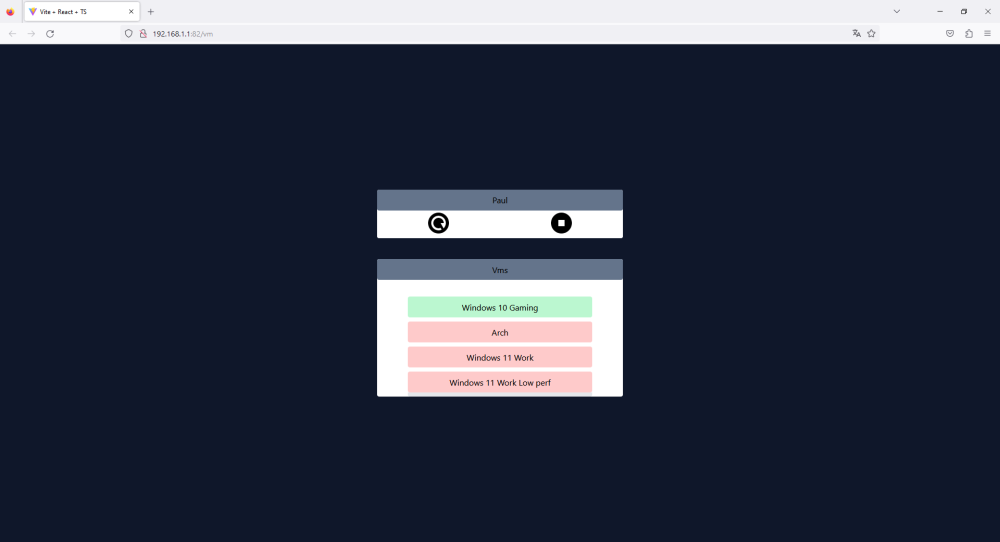
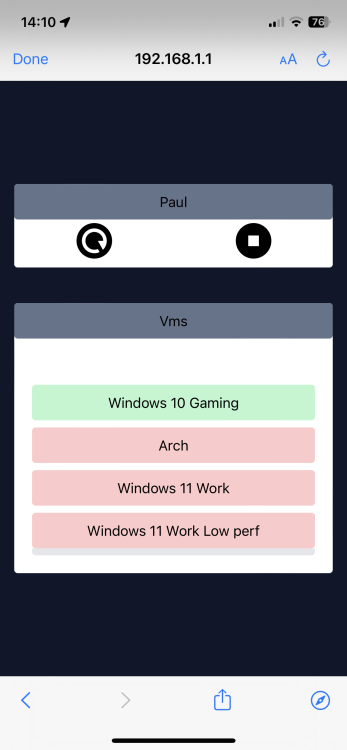
Hi, I'm reviving this topic because I have developped a responsive web app to launch my vms and I want to know if this still a problem for some of you and if it would interest some people if I make this project public for everyone to enjoy it. As you can see on the below pictures it's a very basic application. I use it on a daily basis for month now and it's very pratical. Cordially