





jake2201
Members
-
Joined
-
Last visited
-
Thanks guys, that was it. I am researching the timeout now. Thanks again.
-
Sorry @JorgeB turns out that solution works for ten minutes and then the login screen completely goes away and only comes back with a reboot. I am using UEFI but I also tried legacy and disabled external graphics on the motherboard as I am only using intel integrated graphics. is there a way I can ask the driver to display a certain resolution like 1080? instead of blacklisting it.
-
good on you Jorge, thanks mate. all fixed.
-
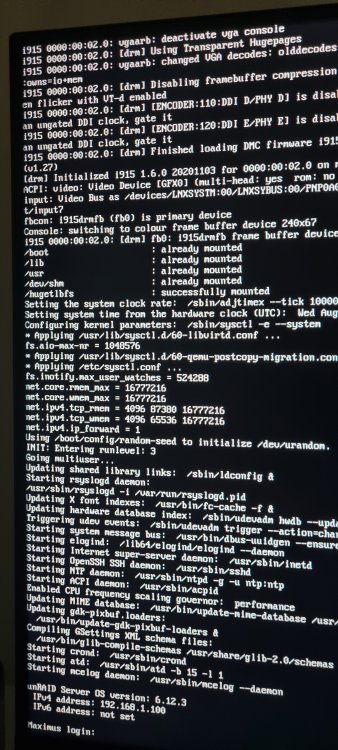
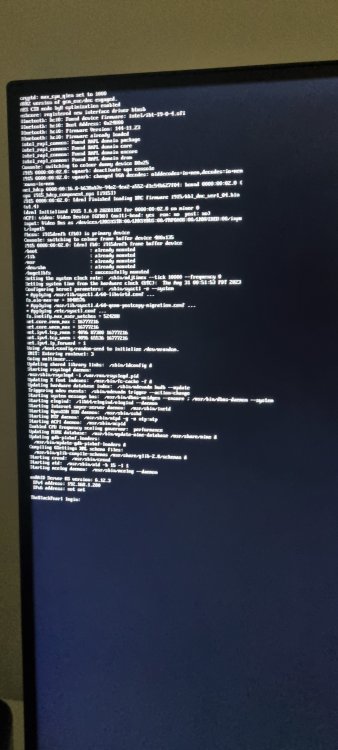
I have two unRAID servers, one is more modern than the other. The newer servers login resolution appears to be 4K maybe? whereas the older server is 1080p. I have attached photos to show what I mean. Is there a way I can force the server to display 1080 resolution? - this has always been the case (finally motivated for a solution) - at the very start of boot its 1080 but right at the end it seems to switch to that resolution which is interesting. any help is appreciated. both running latest version 6.12.3
-
Awesome I shall update and have a play. Thanks for your help. I was nearly going to buy 2.5gb equipment as I thought 1gb wasn't enough.
-
Thank you very much for elaborating. So I should make a pool and share them from there? I was reading that the disk share you have to be careful when copying things because it can cause conflicts. If you were me what would you do to get the best out of the drive?
-
Thank you very much Jorge, this was it I think. I need to do some research as I don't understand why its faster.
-
I noticed slow browsing speeds on a 4tb WD Red which is alone in the array. I thought I would try an SSD to see if I can speed up the IO of small files like photos and documents because I have heaps and I understand the HDD isn't the best at that. what's interesting is the SSD is just as bad it seems when put into the array. I copied all the contents over and went to file explorer to browse and see how it felt. no change. what's also interesting is its blazing fast when not added to the array but instead added as an unassigned device with the plugin. make a share with that and all of a sudden its very fast. switch it back to the array and its slow again. some notes about my config - No parity - latest stable unraid version - PC is HP - 805D - 1gb port connected to a 1gb switch that two other pcs use. - attached diagnostics, may say something weird as I was chopping and changing a lot of settings to figure it out, that's half the fun but after several hours I need some help please.



