





kteach
Members
-
Joined
-
Last visited
Everything posted by kteach
-
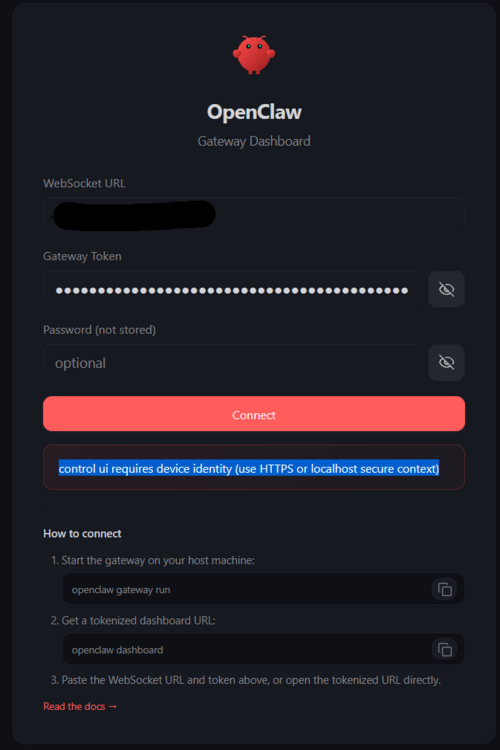
So close. I tried with Tailscale and it failed. However, if I leave that out it installs and starts. I can reach it here - http://YOUR-UNRAID-IP:18789/?token=YOUR_GATEWAY_TOKEN But It is stuck asking for https or running on local host, which I can't do on this box. Ideas?
-
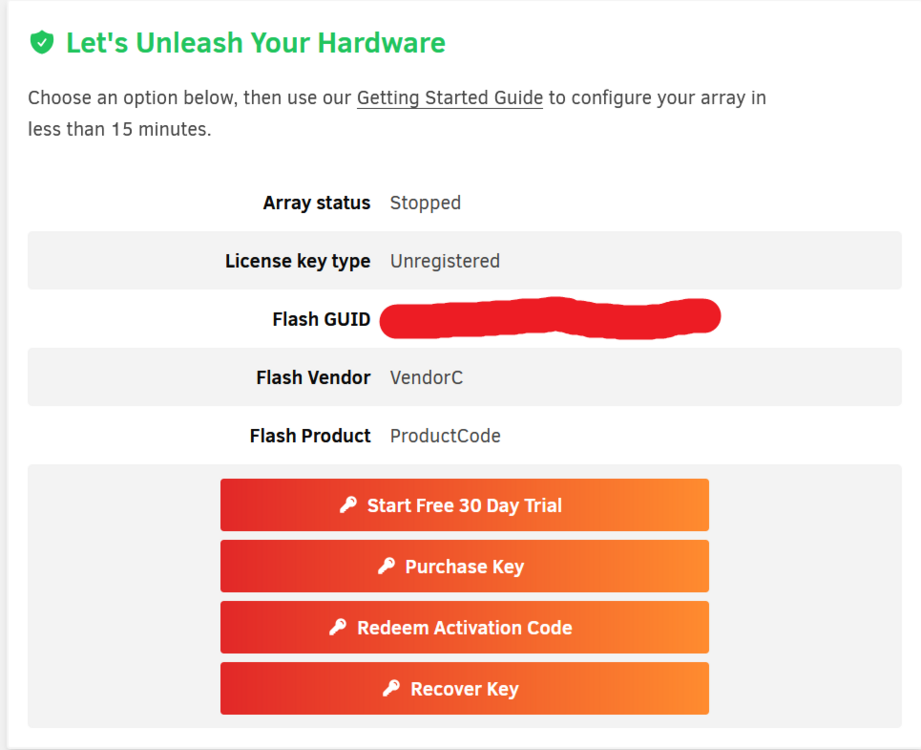
I found a backup .zip of the usb. Created a new USB. It boots. I updated to 7.1.3. Restarted everything. So it was a bad USB. Wow. Thanks for all the help!
-
Boots into a fresh 7.1.3 no problem. So, it might be the flash drive? I don't recall the last flash backup I've done. I'll see if I can boot up in the old key, back up, then reflash this usb key with the backup.
-
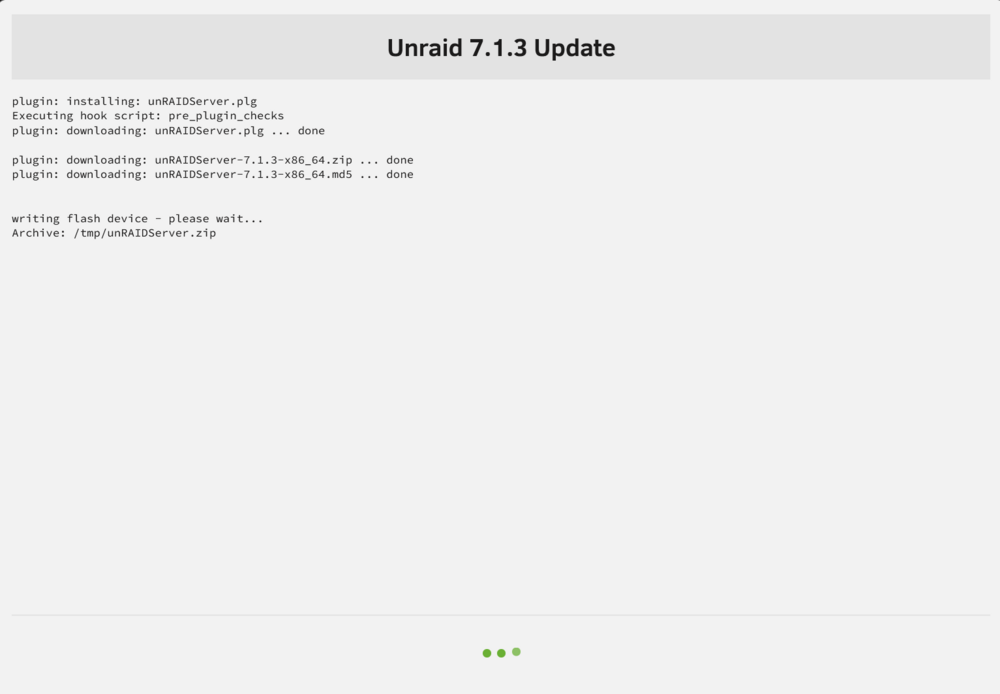
So it hangs trying to reboot in safe mode. I forced it off again. After reboot in indicates "Array Stopped•Autostart disabledSystem running in safe mode" with VM and Docker service not running. With the array not running, and confirmed, I tried an update again. This time with 7.1.3 and it just hangs here till till the window dissapears. About 20 minutes. Then if I check the CPU, it's the same story. I'm not sure what you mean by running from a new flash drive with a stock install. Like start from scratch? This runs perfect, as far as I can tell on 7.0.0. I would rather not rebuild all my docker apps, etc. Can you clarify? Thanks.
-
Yes, sadly.
-
Starting with 7.0.1 it has done this pattern. I had hopes for 7.1 but I just tried 7.1.2. Same thing it does not complete, but the update window closes. It becomes unresponsive to certain commands like restart or shutdown. It keeps a couple of cores pinned. It will not let me shutdown the array, etc. However, I just force shutdown (like physically unplug replug) . Now, it's back up. perfectly responsive. I can send the diagnostics, shutdown or spin up the array. Etc. So I am stuck at 7.0.0 I can' move to 7.0.1 nor 7.1.2, nor anything in between. Ideas?
-
OK. After reboot. Here is my diagnostics. Any ideas why this great little box is stuck at 7.0.0? Thanks.kon-bee-diagnostics-20250531-1117.zip
-
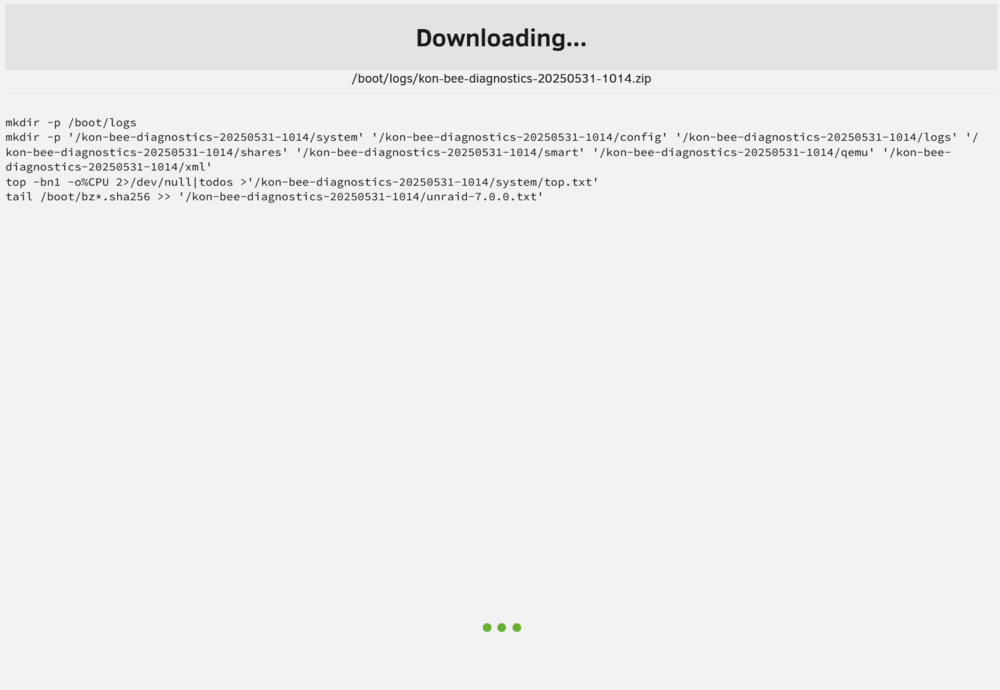
I have a mini unraid server. It's a backup so, modest hardware, just a mini ryzen 9 box, but it works great. I've run into a problem. When I tried to update it beyond 7.0 it would appear to finish, but then it would not reflect the update, a couple of cores would be pinned, it would refuse to reboot or shutdown. It still responds, works as a file server and all my docker apps are good. But the only way to fix this is literally go unplug it. No command. No killing of PIDs will help (well none of the ones I killed). It also refuses to download the diagnostics file in this state. I'll force it off and on. Which triggers an 18 hour parity check and then download and post the diagnostics. But this is frustrating. Are there other ways of updating beyond clicking the icon in the upper right, checking for updates and following through? My main unRaid has no issues. This little box has failed with every, single, point release beyond 7.0.0. I keep trying, but it keeps failing. Any ideas?
-
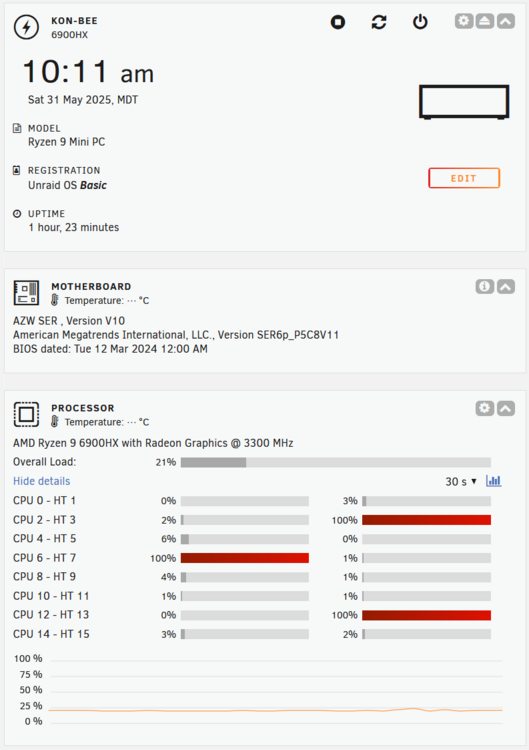
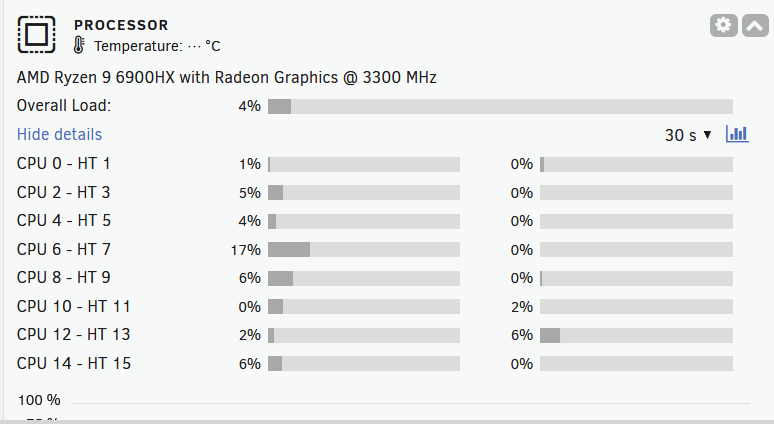
It is clearly related to try to update to 7.1. Each time, the CPU pin to max as shown, and it refuses to reboot. I left it in that state for 18 days. Nothing changed. I'll just keep running 7.0.0 for now. Wait for another release and try then.
-
Fair enough. I guess I get a little paranoid with data. Rebuilding a server is easy. Getting my created content back is tough. Yes, I have it backed up off this, but it's still tough! If you recall, I started by trying to run a Diagnostics and it was just "hung". Good news. Now, after the forced restart, not only has the CPU settled down, I was able to complete a Diagnostics. I've attached. kon-bee-diagnostics-20250421-1246.zip
-
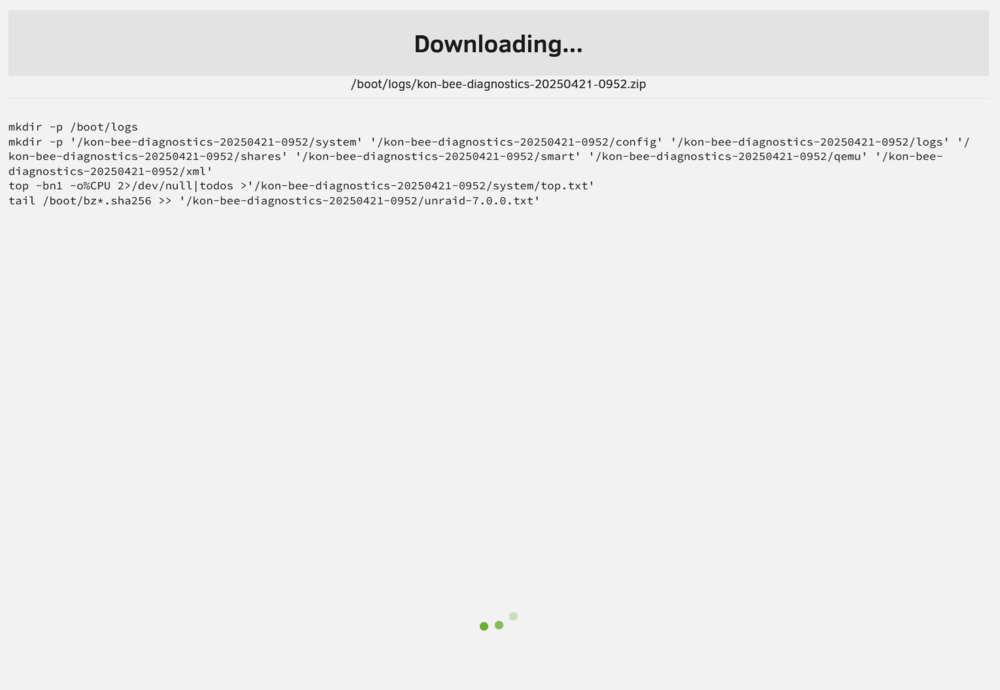
Thanks for the quick response. I was out for a minute. I have now tried killall -9 11308 It went away, but I still can't stop the array or reboot. I also tried running an OS update, just to 7.0.1. Just hangs. Now I probably did more damage! At least there are no more shfs processes running that I can find. I hard shutdown again, as in pushed the butten till dead. I thought I had disabled "auto start" for the array. I had not, so it's rebuilding parity. At least none of my docker containers started, nor did my vms. So it's almost "clean". In 20 hours I'll try stopping the array. I'll follow up with anything else, but I will not try anything else till the parity check is done. Thanks.
-
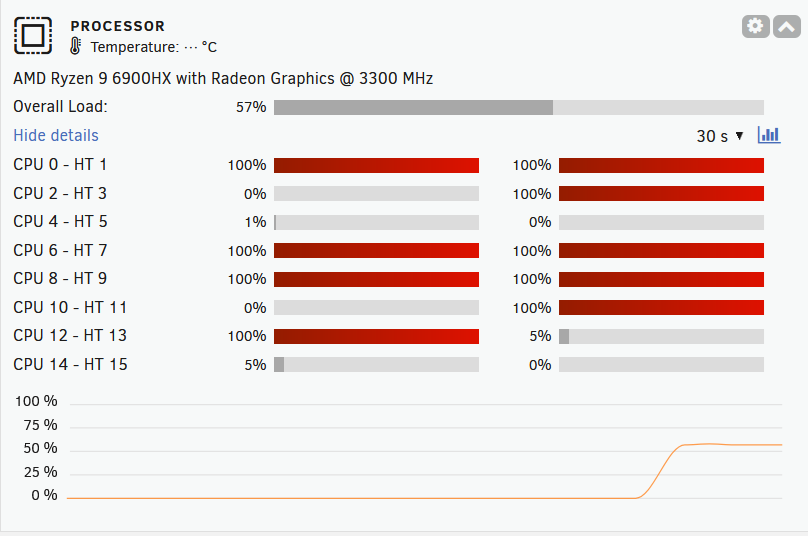
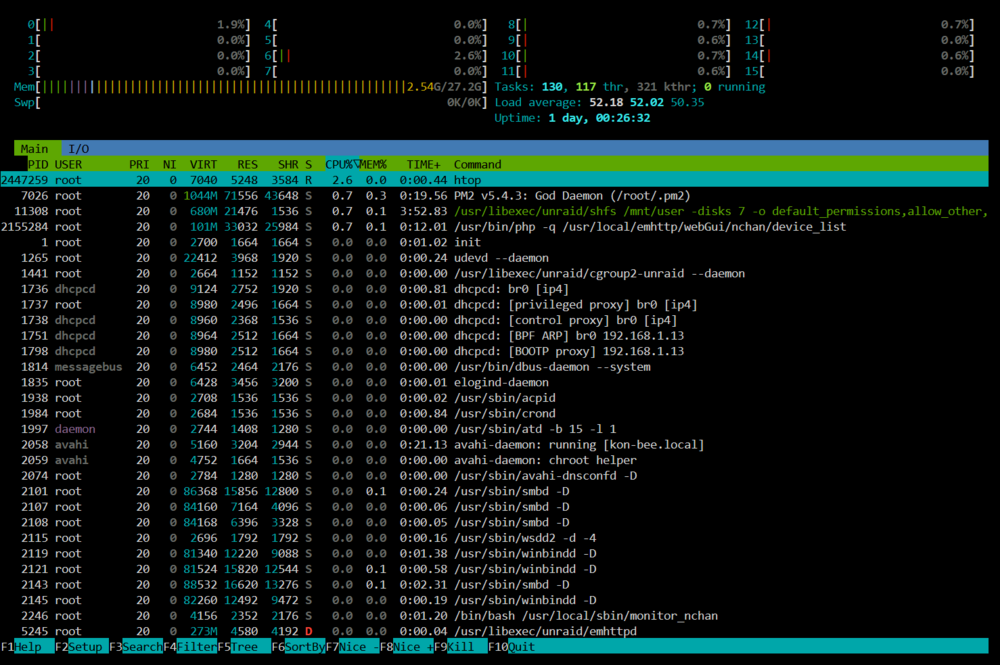
I can not longer reboot or shutdown my server gracefully. I am also unable to stop the array. I have been able to stop all of my docker containers and my vms. I can flag them not to start automatically too. However, I cannot turn off docker, it just spins. I also cannot download my trouble shooting log. It's been sitting here for 30 minutes (see attached). I noticed this issue yesturday. I shutdown by holding the power down. Then on again. 19 hours later with a clean parity rebuild, I'd rather not do that again. I have direct access. I've tried doing various versions of "reboot -f" Including just ctrl-alt-del which gives "The system is going down for reboot NOW!" but it never does. Even left it for an hour at that state. Nothing. The Dashboard reports very high CPU usage, though htop does not seem to agree. Any ideas? Thanks
-
OK. I wasn't sure if I could still do that. I felt like I messed it up by marking it "all array" first for a couple of days. If it's as easy as going back and doing Cach -> Array, then mover, that's awesome. Thanks for the reassurance. Next time I'll do more home work before just clicking!
-
Wait, so mark them again as Cache, with Array as the secondary? Then run the mover
-
Hello I should have watched: I did not, and I made a mistake. I thought I could mark all my shares "Array" from cache, run the mover and then change out my cache drives. So I marked all shares as "array". So now, all shares think they are on the Array, but there are folders, especially my "appdata" still on the cache. I made this change a couple of days ago. Again, thinking I could run mover after marking things Array, and good to go. I clearly see I should have marked the Array as secondary, then run the mover, then, when complete, changed my drive. All my docker apps seem to be running. However, I'm not sure if they are running from Array or still accessing cache, since data is on there. Is there a way to bring the data together, sync everything back into Array, and then for me to upgrade my nvme cache? I know this is all user error, but if there is a helpful path forward, I would appreciate it! Thanks!
-
This started with red x parity disk. I'm sorry I went into USB, however, it seemed like a similar problem and now it is resolved. Or at least for now. There was nothing I could do to get unRaid 6.12.13 to read/write to my TerraMaster D4-320 from a minisforum TH80. Everything else seemed to work well, but as noted above, it failed on input/output. I did all the steps above, but that was not my problem. It was the USB i/o. So, I swaped out this minipc for my wife's minipc. Now, on a BosGame 5700u, I am happily rebuilding my Parity Drive. The Array came up like it should. I had to, stop, forget, start, stop, add, start. And now it says there is 18 hours left after running for 3 hours and a bit. I don't know enough about the actual controllers in each of these. The TH80 is an Intel box with an Intel Core i7-11800H and the BosGame is AMD with and AMD Ryzen 7 5700U. There are obviosly other differences and I wish I knew what they were. Still it's good to know 5700u looks like it will work for me. Thanks again.
-
Thanks. As I was beginning to assume. it is the USB. I have temporarily used USB external drives in my other unraid box without issues. Are USB external boxes allowed or should they work? Could it be this minisforum th80? An unsupported controller? OK if it is just "don't use usb". I am sure that is recommended.
-
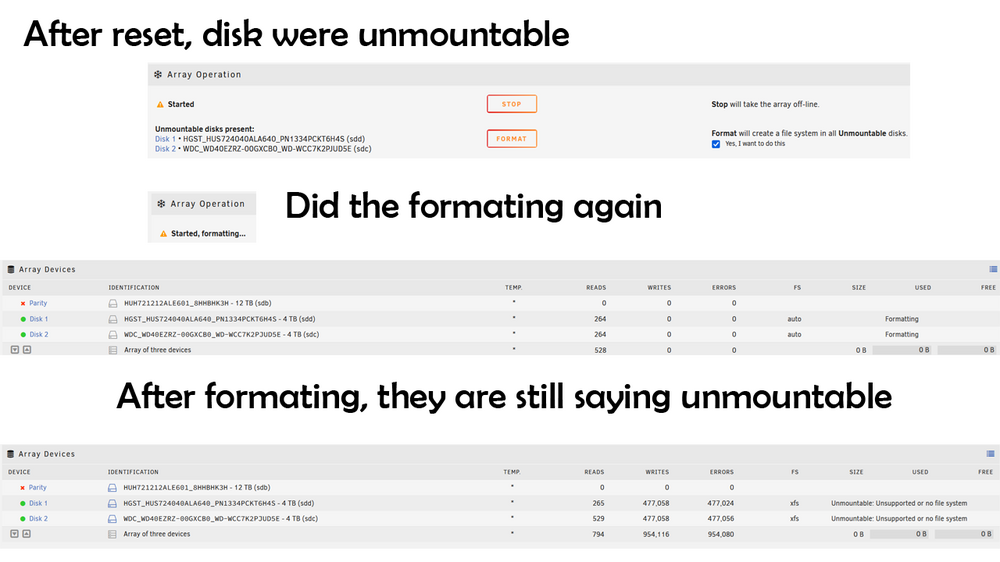
Just for fyi. After I did the Dynamix Factory Reset and tried to setup the array. The disks still said they were unmountable. So I did full format. Took a long time. When finished it still says unmountable. I'm going to assume, as I said, it's me and trying to do this with external USB. Thanks again. tower-diagnostics-20241103-0953.zip
-
Thank you both for taking the time to read through my challenges. This confirms a bit of what i was wondering. I have clicked the small box then the format button and waited. At least three times yesturday before sharing this. I have also reset the array or rather used "New Config" under tools. I am now going to try the Dynamix factory reset and go from there. The problem will be down to me. I'm sure I've set this up wrong. It is my second unRaid server and I'm only using it as a backup to my other one. However, here is where it is user error. I am using a mini pc and my disks are in a USB external box. I'm sure that is not supported. Thank you again for your help here. I have followed all the steps in the thread, hopefully starting from a complete reset will help. If not, again, I'm sure it's me and my USB disks. Take care,
-
Thank you for the steps. I did that. Then, I did a clean system. Pulled the disks formatted and tested on my desktop. All good. Now i am trying to rebuild and now, the main disks keep saying "unmountable". Checking and "formatting" does not help. I pulled them, formatted them and tested on my desktop. No problem. Put them back in, and problems. I am happy to blow this system completely away, but I'm not sure why this is just not working. I have attached my Diagnostics as suggested. kon-minisforum-diagnostics-20241102-1744.zip

-
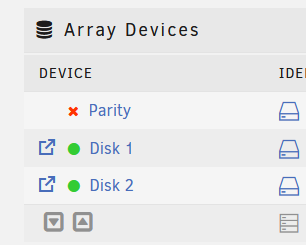
I moved my unRaid to a new machine. All the same drives. My Parity drive refuses to be recognized. I have stopped the array. Unassigned the parity drive. Then started the array. Rebooted. Then stopped the array. Assinged the Parity drive. Rebooted. But it always. Always shows the red x. Why? What can I do? My data seems OK as my drives are up. But I want the safety of Parity. I'm happy to format and re-construct parity. But I can't trigger this. Please help.
-
Ran the memtest. Pass, no issues. I guess I'll axe the app. not sure what ml1:Camera3 is, but I'll figure it out. Thanks for the help.
-
Hello I need some help reviewing my log file on a simple unRaid server. This is my second server and it is unstable. It crashes after 2 weeks. Sometimes up to 4 weeks, but it does always crash. I set the log file to be written to my other,syslog-192.168.1.13.log totally stable unRaid server and have attached it here. Any thoughts on what is bringing down my system? Thanks!
-
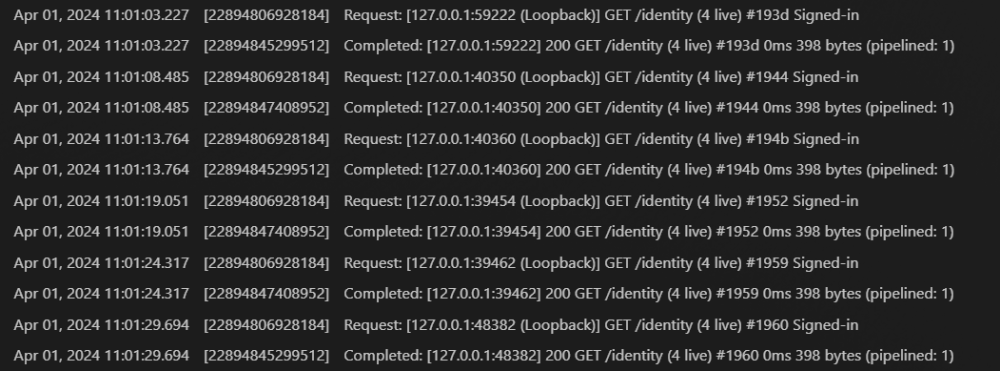
Thank you. There is nothing there now which is causing any CPU hit (since I restarted the container) I'll check the console again next time I notice the one core going 100%. It surprisingly chatty IMO . Here is an example of a couple of seconds (attached picture)
-
OK, yes, I have all the same things checked as you. I guess it could be doing any of those things. That said, it is around 10:00am and my time matches your picture. So the tasks should have stopped right? Thank you for the quick reply!





